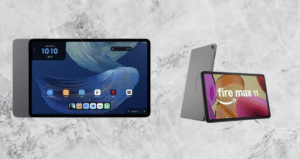
Lenovo likes to experiment, and the Tab Plus Gen 2 shows it well. It has a JBL speaker system and a kickstand on the back, so it works as more than a plain tablet. Think of it as a device built for entertainment.
Samsung leads the Android tablet market, from the budget Tab A series up to the iPad Pro-rivaling Galaxy Tab S12 Ultra. Lenovo tends to look for gaps in the market instead, and the Tab Plus Gen 2 fits into one of them.
Lenovo’s tablet lineup is almost as confusing as Motorola’s phone range. There is also a Lenovo Yoga Tab Plus Gen 2 and a Lenovo Idea Tab Plus, and each one suits a different user. The Tab Plus Gen 2 starts at $399.
Lenovo Tab Plus Gen 2 Full Specs
Lenovo Tab Plus Gen 2 Design
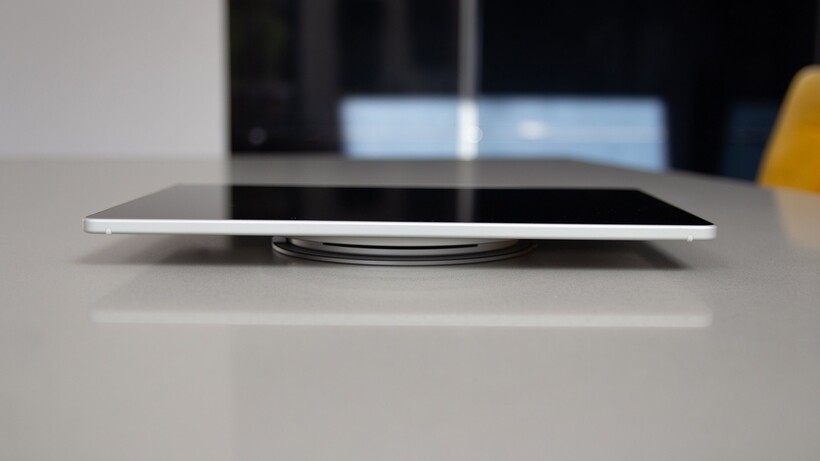
If you want the slimmest 12-inch tablet, the Lenovo Tab Plus Gen 2 is not it. “Plus” does not simply mean a bigger screen. You do get something in return for the extra bulk.
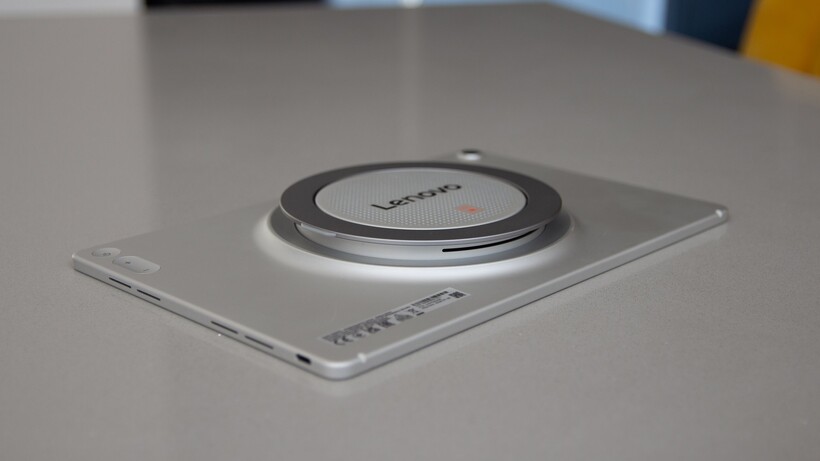
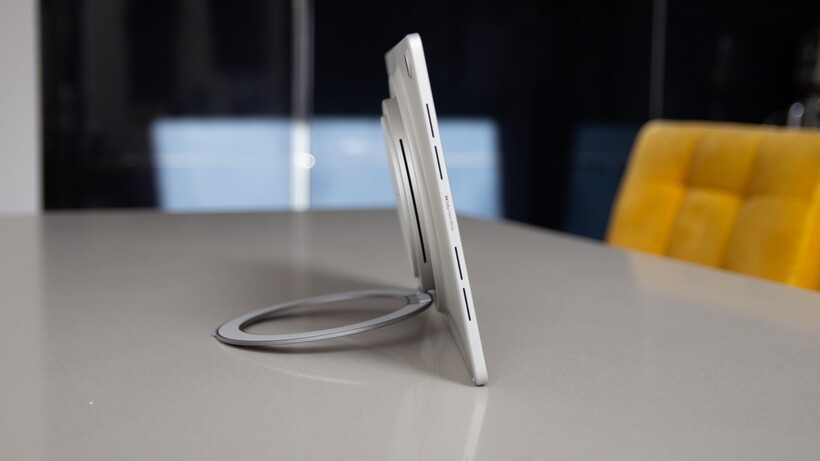
That something is a large JBL-powered speaker system on the back. It swells the tablet from 6.8mm to 22.7mm, adding almost 16mm of thickness. This tablet is built for a specific buyer, someone who wants the speaker and accepts the size that comes with it.
You may also like: Lenovo Yoga Tab Review: Worth Buying in 2026?
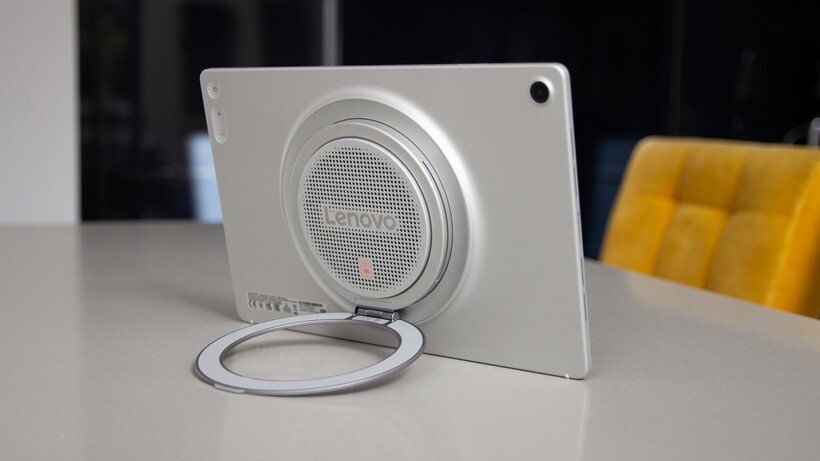
A rotating stand rings the speaker and holds the tablet at several angles. It works well on an aircraft tray table, a desk, or any flat surface. The worst way to use it is lying flat on its back. If that is how you use a tablet, get the Oppo Pad 5 instead.
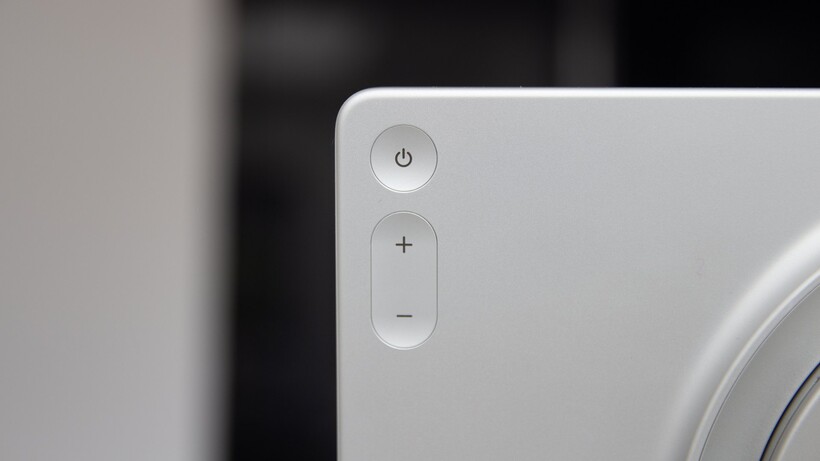
The buttons sit on the back instead of being squeezed into the edges. I like that, because they are easier to find than the thin slivers most tablets have. The body is an aluminium unibody that feels sturdy, and it has an IP52 rating.
At 775g, it is heavy. This tablet is meant for entertainment, though, so if you use the speakers and the stand, the weight is worth it.
The USB-C charging port is in the bottom right corner. That is an unusual spot, but it makes sense once the tablet is standing up. You plug in the cable, and it does not dangle from the side.
I tried the Lenovo Sleeve Suite, a case that fits the bump well. It also has a loop for the pen, which I did not test. There are no contact points for a keyboard, and Lenovo suggests a universal Bluetooth keyboard instead.
You may also like: Lenovo Yoga Tab Plus Gen 2 Launches in US at $999
I did not test it with a keyboard. In my experience, Bluetooth keyboards are not as good as the ones that connect through pogo pins. If you want a tablet for work, an Idea Tab may suit you better. Lenovo’s Multi-Device Wireless Keyboard, sold separately, also supports USB-C connections.
Lenovo Tab Plus Gen 2 Screen
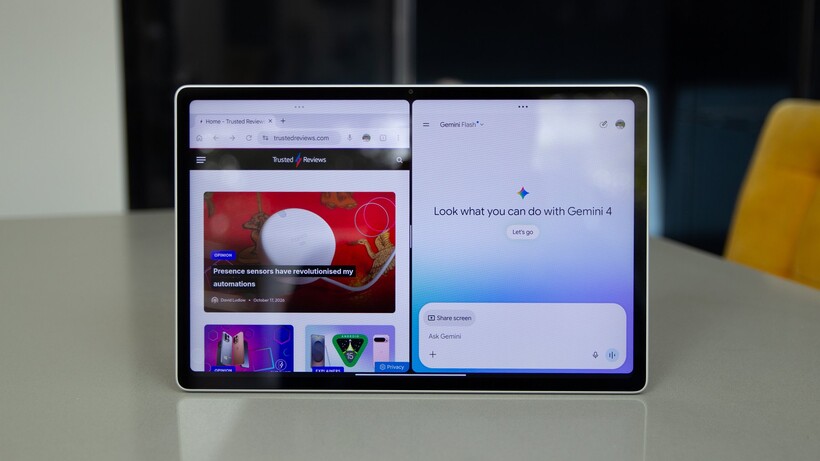
The Lenovo Tab Plus Gen 2 has a 12.1-inch screen with bezels about 7mm wide, which I did not find distracting. It is an IPS LCD with an IGZO backplane, a design meant to improve efficiency. The resolution is 2560 x 1600, which works out to 255ppi. That is average for this type of tablet.
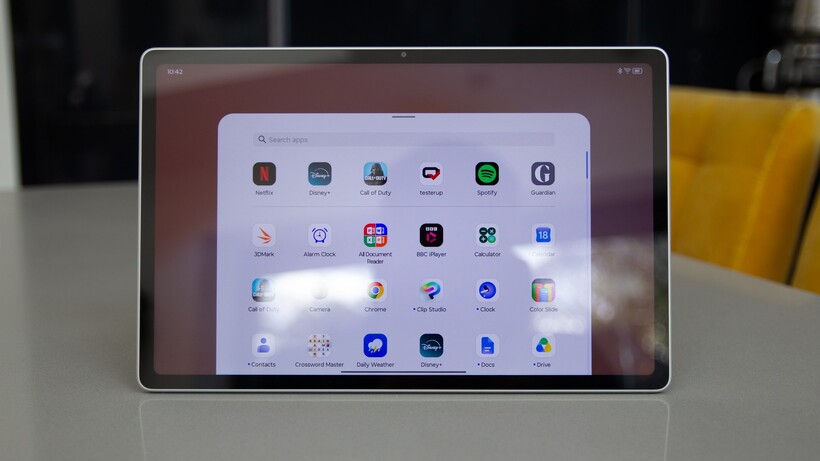
There is plenty of detail, and I found the visuals rich, with strong color saturation. I left it in Vibrant mode because I prefer its cooler, higher-contrast look over the standard mode.
The refresh rate goes up to 120Hz, which is typical for Android tablets at this price. The 800 nits in high brightness mode is a good figure and helps you cut through some reflections.
Lenovo says the screen has an antireflective coating, but reflections are still its biggest problem. In a bright room, or next to a window on a sunny day, dark scenes turn the screen into a mirror. Amazon now sells the Alexa Tablet Pro with a matte display for only a little more, so you have an alternative if reflections bother you.
Reflections aside, this is a standard 16:10 tablet that suits streaming movies and TV. The built-in stand gives you several angles in both landscape and portrait.
You may also like: Samsung Galaxy Tab S12+ and Ultra Specs Leak Ahead of Launch
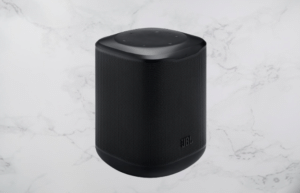
This is the screen section, but the JBL speaker system deserves a mention. It packs four tweeters, three woofers, and two passive radiators into a 43cc speaker box. It delivers 48W of stereo sound, with Dolby Atmos tuning for more immersive audio and a range of sound modes.
I tried it with Netflix, games, and Spotify. The sound is richer and more detailed than on other tablets, and it gets properly loud. A Bluetooth speaker mode also lets you connect your phone and play audio through the JBL speaker, which is a fun extra.
It will not replace a Bluetooth speaker. Something like the UE Wonderboom sounds better. Still, it is far better than your phone’s speakers. You can see why it would suit a bedroom, since it offers a good range of features.
Lenovo Tab Plus Gen 2 Performance
The Lenovo Tab Plus Gen 2 runs on a MediaTek Dimensity 7400. That makes it a mid-range tablet. It sits a step below Samsung’s latest Tab S12 models and at about the same level as Snapdragon 7s Gen 4 hardware.
You get 8GB of RAM, which is modest, and either 128GB or 256GB of storage. A microSD card slot supports up to 2TB of expansion. That is a useful extra, because you do not have to pay a premium for more storage if you already have a spare card at home.
You may also like: Galaxy Tab S12 Ultra Leak Reveals Design and Chip Details
Performance felt smooth in my testing. Apps opened without trouble, and switching between tasks was easy. I see this as an entertainment tablet first. Open Netflix, and from the “ta-dum” onward, everything looks and sounds great.
Web pages loaded quickly, and there is enough screen space for a full desktop view. Documents and emails were easy to handle. The on-screen keyboard is not as slick as a docked keyboard would be.
Wi-Fi 6 keeps you connected, and the connection stayed solid throughout my testing. This is not the fastest tablet you can buy, but it performs well for the price.
For security, you get basic face unlock and no fingerprint scanner. Face unlock works as soon as you look at the tablet, and you can set it to wake when you lift it. That soon feels natural. After 4 hours, though, it asks for your password again, which reflects how basic the face unlock security is.
Lenovo Tab Plus Gen 2 Software
Android has not treated tablets well over the years. The Pixel Tablet suggested Google was taking larger screens seriously, so I wonder what to make of the fact that it has now been quietly discontinued. Some apps are labeled “optimised for tablets” or “made for tablets,” but many are just the phone app stretched out.
The Lenovo Tab Plus Gen 2 ran Android 16 with the ZUI 18 interface when I tested it. You get an app dock on the home screen, and open apps can run in split screen or as floating windows. Many apps support this, but some do not. Netflix is one of them. In the multitasking menu, it only offers full screen, yet it drops into a floating window when you swipe away from it.
Setup was easy enough, though one long section recommends apps to install. I tried hard to avoid adding bloat, and I still ended up with more than 20 preinstalled apps I did not want. The experience is bloated, but you can uninstall most of them.
There is no extra AI on this tablet beyond the expected Gemini. Lenovo talks a lot about Qira, its new AI personal assistant, and it offers AI features across Motorola phones. This tablet seems to have escaped that.
You may also like: Best Tablets for Kids in 2026: Top Picks for Every Age
I loaded my music and media apps, some favorite games, and other entertainment apps, and everything ran well. For its core job of entertaining you, the Tab Plus Gen 2 is in a good place. That brings me to a real downside.
Lenovo commits to only two OS updates, which take you to Android 18. Lenovo’s support documentation says security updates run until 2030.
Lenovo Tab Plus Gen 2 Cameras
Like most tablets, the Tab Plus Gen 2 has basic cameras. You get a single 13-megapixel camera on the back and an 8-megapixel camera on the front. I do not count that as a criticism. In all my years of using tablets, I have avoided taking photos with them, because they are awkward to hold and the results are poor.
The rear camera works for quick jobs, like capturing a document or snapping something when the tablet happens to be in your hands. It is not built to compete with your phone, and it does not.
Autofocus works fine in daylight. The HDR effect can give odd results, though, with fringing around fine lines and mottling and softening in even slight shadows. In low light, you will see noise and softness around the edges of the frame.
The front camera sits in the bezel on the long edge, which is the right spot for video calls. That is what you should use it for. It has fixed focus and suits someone sitting right in front of the tablet. If you sit farther back, you will look blurry. There are no fancy features, and like the rear camera, it gets noisy as soon as the light drops a little.
You may also like: Lenovo Legion 7 With Nvidia N1X Chip Accidentally Confirmed
The cameras are not good, but that is not a problem for a tablet. They will handle a Google Meet call. Do not rely on them for much else.
Lenovo Tab Plus Gen 2 Battery life
The 10,200mAh battery is generous and in line with what you would expect from a premium tablet. Endurance is great. With regular use, I got several days between charges, though screen brightness and speaker volume make a difference.
An hour of Netflix used 9% of the charge, but keep in mind that the speaker can drain the battery faster at higher volumes. A 30-minute session of Call of Duty Mobile on lower settings used only 7%. As a Bluetooth speaker, it lasts more than two days on a single charge.
Charging is handled by 45W wired charging. I tested it with a 100W Anker Prime charger, which delivered the full 45W. The tablet gained 22% in 15 minutes and 43% in 30 minutes. It reached 50% in 38 minutes and a full 100% in 93 minutes.
You may also like: iPad Air M4: Price, Specs, and Release Date
That is strong performance for a tablet aimed mostly at entertainment, and the long endurance helps when you stream movies.
Lenovo Tab Plus Gen 2 Verdict
Lenovo built the Tab Plus Gen 2 as an entertainment tablet, and that is where it works best. The built-in kickstand and speaker make it easy to start a movie and get absorbed in it. The trade-off is size. It is thick and heavy, so it does not slip into a bag easily. That makes it a niche device. It suits a bedroom, where it can handle your video, games, and music, better than it suits life on the go.
Pros |
Cons |
| Amazing sound performance | No fingerprint scanner |
| Excellent battery life | Lots of preinstalled apps |
| Useful built-in stand | Chunky design |
Final Thoughts
The Lenovo Tab Plus Gen 2 fills a niche as a home entertainment tablet. It suits a bedroom, where it can stream video, run games, and play your music.
The price is competitive, and performance is decent. The weak spot is the short software support. If you will not use the speaker, a thinner and lighter tablet is the better pick, since it is easier to carry around.