Scam messages are not always as obvious as a shady link or a text saying you won a lottery you never entered. Some scammers are patient. They start a perfectly normal conversation, slowly earn your trust, and only show what they want once it is too late.
Google wants to make those tricks harder to pull off. Earlier this month, the company announced a new Enhanced Protection mode for Google Messages, and it is now rolling out to Android users.
It is an optional setting. Turning it on adds stronger AI-based scam detection, smarter checks for suspicious links, and extra warnings that help keep you from making a costly mistake.
Gemini is learning to discover scams before you do
Google Messages already detects spam and scams, but the newest upgrade goes further. Enhanced Protection does not just scan for familiar warning signs. It uses Google’s cloud-based Gemini models to better understand conversations with people who are not in your contacts.
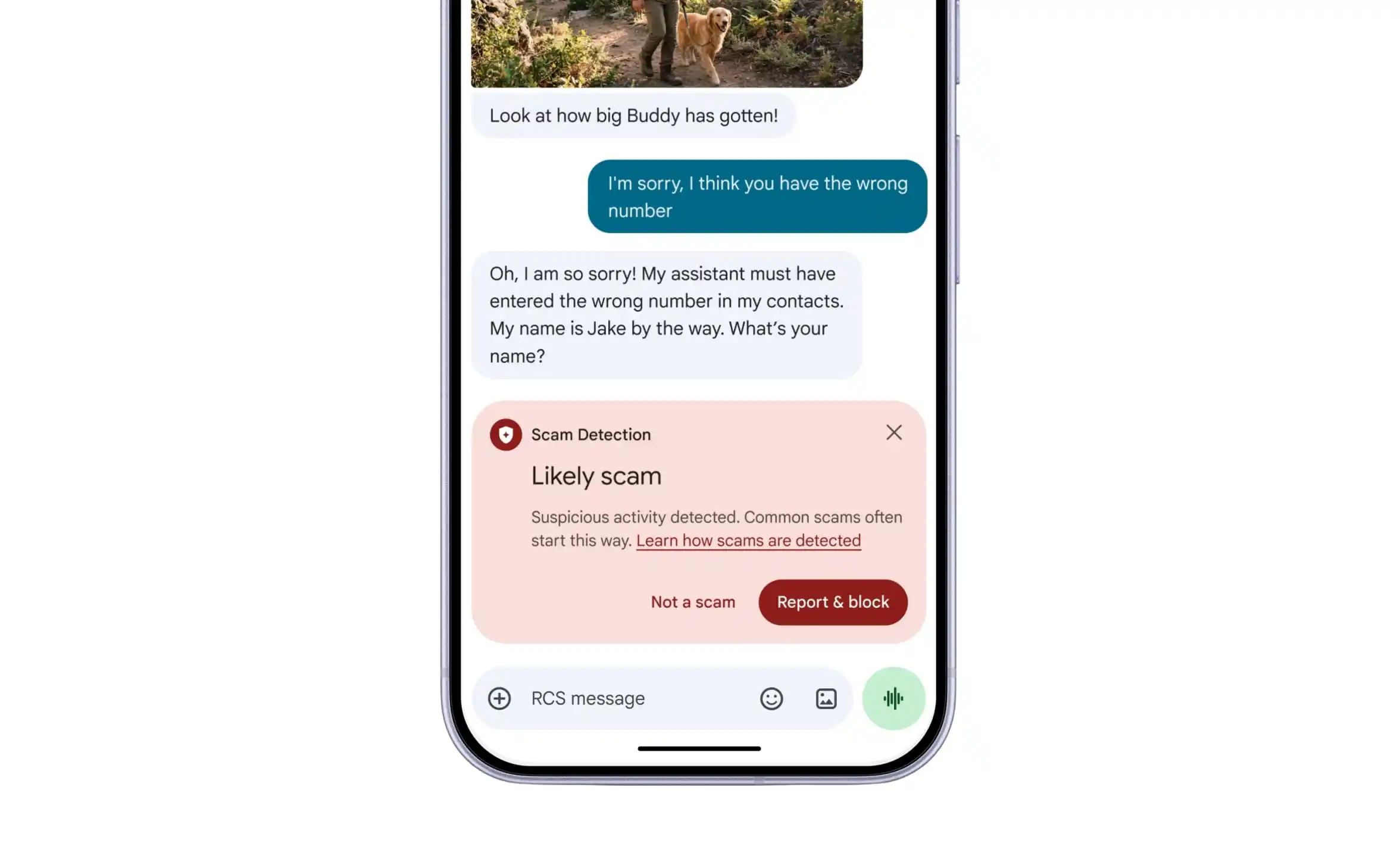
Picture someone posing as a delivery agent or a bank representative. Their first few messages may look harmless, but the chat can slowly turn into a request for money or personal information. Google’s upgraded detection aims to spot these patterns earlier, even when the scam follows no obvious script.
You may also like: Google Messages Beta Adds Map Styles and Live Traffic View
Having AI read your private conversations naturally raises privacy questions. Google says the feature uses its Private AI Compute technology. It encrypts your message data and processes it in an isolated environment that even Google cannot access.
A second layer of protection covers suspicious websites. On supported devices, the on-device Gemini Nano model works with live web information to assess links you do not recognize. That could catch dangerous sites that are not yet on existing blocklists.
Google is also adding clearer warnings when someone outside your contacts sends you a link, which gives you one more chance to think twice before you open it.
How to activate Enhanced Protection in Google Messages
You do not need to dig through Android’s system settings to find it. Open the Google Messages app and tap your profile picture. Go to Messages settings, then Protection & safety, then Spam & scam protection.
You may also like: Google Messages Is Getting Real-Time Location Sharing: Here’s How It Will Work
You will see three choices: Enhanced Protection, Standard Protection, and No Protection. Standard Protection is the default, so you have to pick Enhanced Protection yourself to get the stronger safeguards.
9to5Google reports that the feature has started showing up in Google Messages beta version 20261020_00_RC00, though availability is still limited. There is one more catch. The smarter link checking currently works on the Pixel 10 series and newer, Samsung’s Galaxy S26 lineup, the Galaxy Z Flip 8, the Galaxy Z Fold 8, and a few other devices.
If the setting has not appeared on your phone yet, do not worry. Google is rolling it out gradually, and it may take a while before everyone gets it.