When it comes to laptops, plenty of brands have built good reputations, Apple, Samsung, Acer, to name a few. But almost none of them match Asus for sheer range. We have tested a huge number of Asus laptops over the years, and if you’re curious what the appeal is, here’s our pick of the best ones worth your money.
Whether you’re a student who needs something light for lectures, a professional working with a mid-range budget, or a gamer chasing high-end processing power, chances are Asus has a laptop built for exactly that.
Our team hasn’t just reviewed the latest Asus models either; we’ve tested laptops across the entire market, so we know exactly how Asus stacks up against everyone else. That means you can trust these picks to actually fit your needs, not just look good on paper.
Given how many Asus laptops exist, we’ve made a point of including real variety here, not just the flagship models with top-tier chips and graphics cards.
There’s genuinely something for most budgets and use cases, so it helps to know which features matter most to you before you start browsing; that way you won’t end up overspending on specs you don’t need.
Asus releases new models constantly throughout the year, so if you’re still deciding or saving up, it’s worth checking back here later; rankings do shift as new laptops come out.
Best Asus Laptop: Asus Zenbook A14
The Zenbook A-range has always focused on delivering a good work laptop in a genuinely portable body, and nothing captures that idea better than the Asus Zenbook A14. With a 14-inch display, it’s one of the more compact laptops in Asus’s current lineup, ideal if portability tops your priority list.
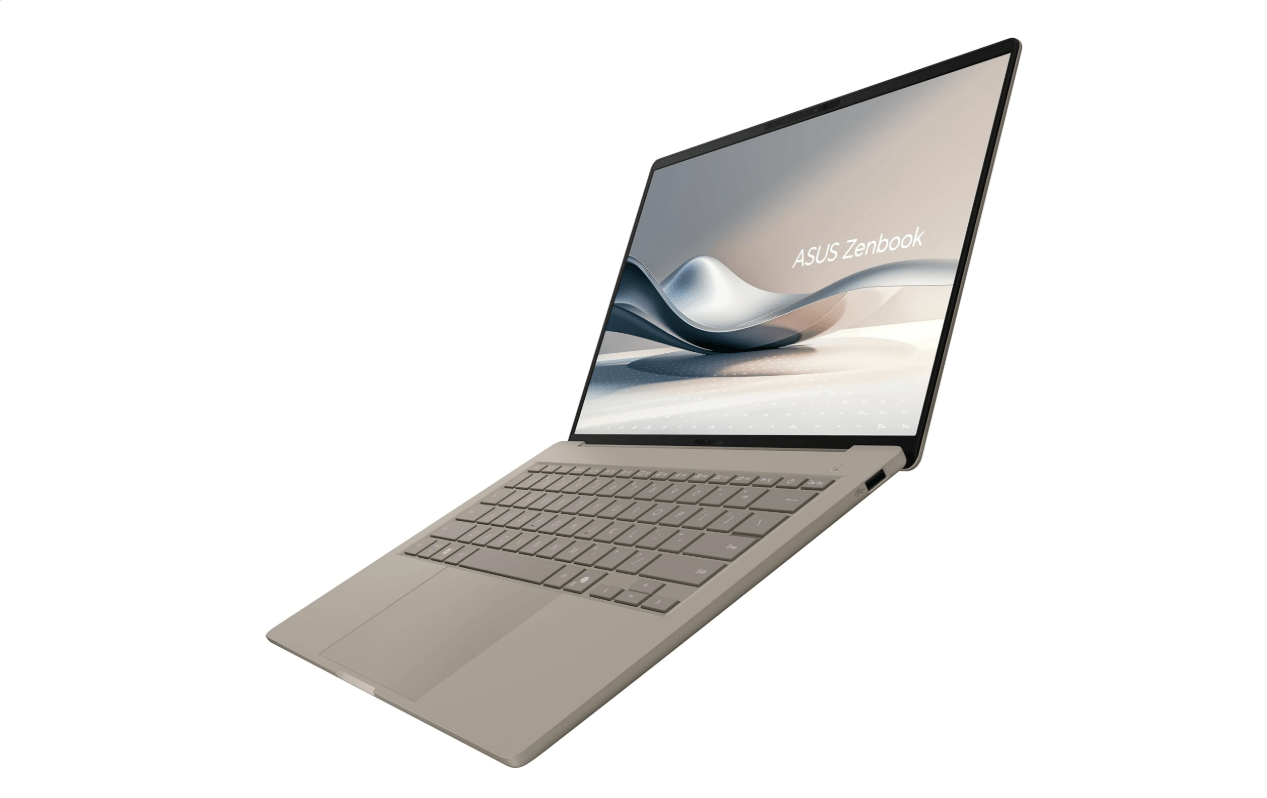
The chassis weighs in under 1kg, light enough to carry around one-handed. If you’re rushing between meeting rooms or moving around a building without a laptop bag handy, this one won’t slow you down. The same goes for longer trips; toss it in a backpack, and you’ll barely notice it’s there.
You may also like: Asus ROG Zephyrus Duo: Dual-Screen Gaming Laptop 2026
What stands out is that despite how portable this laptop is, it still handles serious productivity work well. Our review unit came equipped with the Snapdragon X2 Elite chipset, backed by 32GB of RAM, more than enough to breeze through spreadsheets or video editing tasks without hesitation.
Thanks to Snapdragon’s ARM-based architecture, this laptop also gets access to Microsoft’s Copilot+ suite of AI features. That means AI-assisted photo editing and brainstorming through Copilot’s chatbot are both available when you need them. Our review model also included a 1TB SSD, so cloud storage dependency isn’t really a concern here.
We would expect a sharper display than what’s on offer, capped at 1920 x 1200 resolution. Even so, for genuinely high-end power in a laptop this easy to carry, plenty of professionals will find the Zenbook A14 worth the investment.
Pros |
Cons |
| Lightweight and super portable | It’s more expensive than its predecessor |
| Increased grunt from Snapdragon X2 Elite chip | 1920×1200 resolution feels off for the price |
| Better battery life |
Best Alternative: Asus Zenbook A16
As much as we like the compact A14, if you want a genuinely impressive screen without giving up much portability, the Asus Zenbook A16 is the obvious recommendation. It carries over most of what makes the A14 good, then pushes further with a display that’s genuinely lovely to use.
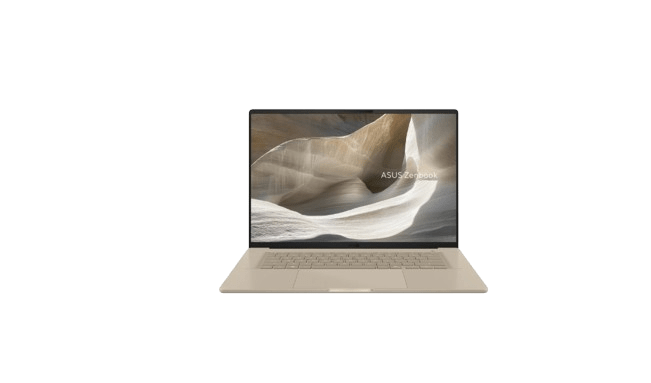
It’s a 16-inch panel, as the name suggests, running a 3K resolution at 120Hz, and built with OLED technology for punchier contrast. Combined, these upgrades address exactly what held the A14 back: a great laptop overall, but not one with a standout display.
You may also like: ASUS ROG DDR5 RGB Edition 20: Price, Specs and Value
Day-to-day, the 120Hz refresh rate makes browsing and scrolling through spreadsheets feel noticeably smoother, but it really shines during entertainment. That refresh rate suits fast-paced games well too, so if you want to squeeze in some Counter-Strike 2 during downtime, you’ll get a solid experience here, provided you tune the settings appropriately.
Settle in with some Netflix or Disney Plus, and the 3K resolution genuinely impresses, pulling out detail you’d miss on a lower-res screen, with the OLED panel making colors pop noticeably. It means that even on the road without a proper TV around, the Zenbook A16 doubles nicely as an entertainment hub.
Under the hood, the same Snapdragon X2 Elite chipset and Copilot+ AI features carry over, so this remains primarily a work laptop, and it handles most tasks with ease. Our battery testing got the laptop through 19 hours and 17 minutes on a single charge, so working from a cafe without a nearby outlet won’t be a problem either.
Pros |
Cons |
| Very light and stylish | Expensive |
| Beefy performance | |
| Excellent endurance |
Best Compact Asus Ultrabook: Asus Zenbook S 14
The Zenbook A14 stands on its own as a great laptop, and arguably the smarter buy if portability is your absolute top priority. But the Asus Zenbook S 14 is really the next tier up for anyone who needs more power in an ultrabook body, particularly for demanding work like photo and video editing.
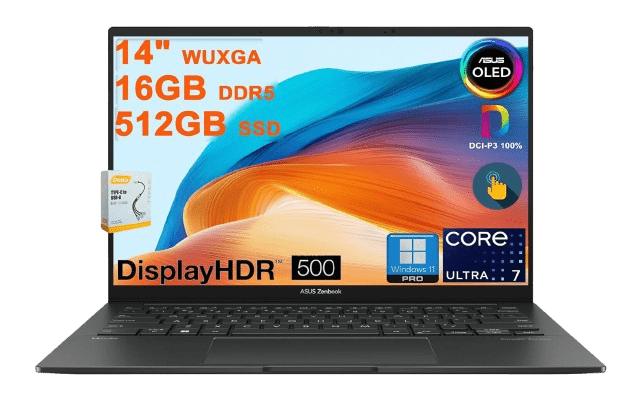
The new Intel Core Ultra 9 Panther Lake processor drives this laptop, and it genuinely impresses in practice. Our benchmarking picked up on noticeably better single and multi-threaded performance compared to laptops running the previous Core Ultra 9 285H, like the MSI Prestige 16 AI Evo (2025).
You may also like: Asus Vivobook 14 Review: A $649 Copilot+ Laptop That Challenges the MacBook Air
Handling complex work tasks throughout the day is a genuine strength here, though we did hope gaming performance would fare a bit better given the laptop’s price.
Returnal at 1080p only managed 27fps in our testing, and Cyberpunk 2077 ran even slower, so we wouldn’t recommend this laptop for gaming unless you’re prepared to spend real time tweaking settings for playable frame rates.
That said, you’re getting one of Asus’s better-built laptops for the price. It uses the brand’s ceraluminum material on the lid, already known for being durable while staying lightweight, with the rest of the chassis built from aluminum. All together, that adds up to just 1.2kg, remarkably light even among smaller 14-inch laptops.
The 14-inch panel itself delivers a gorgeous 3K OLED experience, sharp enough for detail-critical editing work during the day and equally capable of making movies and shows look great once you clock off.
A 120Hz refresh rate keeps everything feeling smooth throughout. Battery life rounds things off nicely too; we clocked 18 hours and 28 minutes in testing, comfortably covering two full working days.
Pros |
Cons |
| Bright and sharp OLED screen | New processor doesn’t change things in terms of overall grunt |
| Good battery life | Expensive |
| Sharp looks |
Best Rugged Asus Laptop: Asus ProArt GoPro Edition PX13
Of all the tech collaborations we’ve seen, Asus and GoPro teaming up might not sound like the most obvious pairing, but the Asus ProArt GoPro Edition PX13 turns out to be a genuinely excellent partnership. At $2279.99, this laptop’s price will put plenty of buyers off, but for creators who need a workstation that truly does it all, it earns every penny.
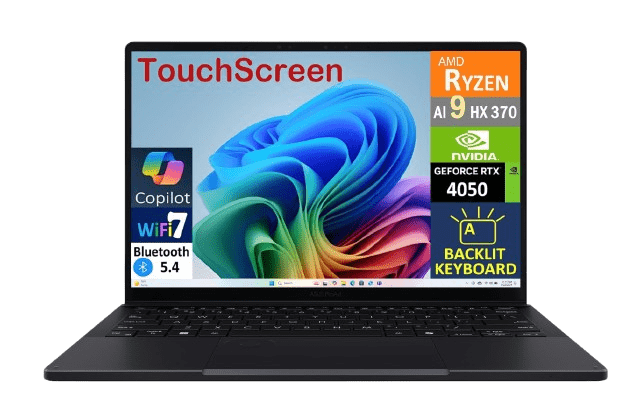
You might be wondering exactly how GoPro fits into this, and the brand shows up in several places, most obviously in the design. The jet black finish and ridged lid pull directly from GoPro’s rugged aesthetic, and the laptop even ships with a tough, ready-for-anywhere sleeve to keep it protected out in the field.
You may also like: Dell Alienware Aurora 16X Review: Gaming Value Tested
Dig into the laptop itself, and you’ll quickly spot a dedicated GoPro hotkey on the function row that launches GoPro Player directly. For anyone shooting content on a GoPro camera regularly, that shortcut genuinely speeds up getting footage edited and put together.
Working with heavy 4K files isn’t an issue either, thanks to the AMD Strix Halo chipset, a genuine workhorse that never buckled under pressure in our testing. Want to squeeze in some gaming after wrapping up an editing session? You can. We recorded 66fps in Cyberpunk 2077 at 1080p, and even cranking graphics up to 1440p still held a respectable 31.89fps.
Whatever you’re using it for, everything looks great on the 13-inch 2880 x 1800 OLED panel. It’s a touchscreen too, so if you want to use a stylus for digital art or knocking out a quick thumbnail, you’ve got that flexibility built in. A refresh rate higher than 60Hz would have been a nice addition given the price tag, but that’s a minor gripe on what’s otherwise a genuinely outstanding machine.
Pros |
Cons |
| Strix Halo makes this very powerful | Expensive |
| Far-reaching port selection | Screen is only 60Hz |
| Long battery life |
Best 16-inch Asus Laptop: Asus Zenbook S 16
If the Asus Zenbook S 14 sounded appealing but you’d prefer a bigger screen for easier multitasking, along with more processing power, the Asus Zenbook S 16 is exactly what you’re looking for.
As the name gives away, the S 16 steps up to a wider 16-inch display, giving you enough room to sit two or even three apps side by side comfortably. That extra screen space genuinely helps once you’re in a flow, saving you from constantly switching between apps.
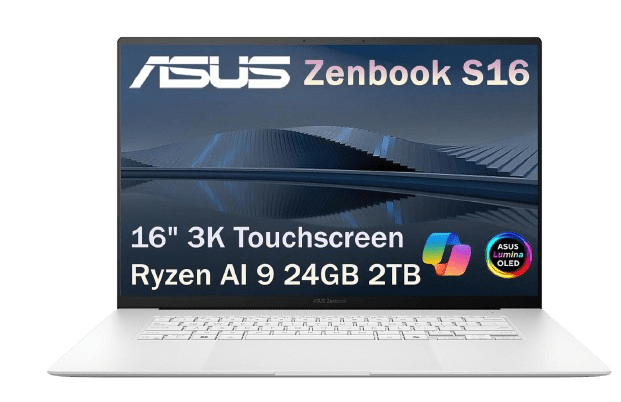
Brightness impresses too, peaking at 1000 nits, double what the 2024 S 16 offered, so working outside in a beer garden or on a patio won’t give you any trouble. It’s an OLED panel as well, delivering deep, inky blacks alongside vibrant colors, making everything look genuinely striking whether you’re deep in work or unwinding with a show.
You may also like: Asus ROG Strix XG129C: Best Secondary Monitor 2026
Performance holds up equally well, thanks to AMD’s Ryzen AI 9 465 chipset powering our review unit. With 10 cores and 20 threads, it delivered solid results across Geekbench 6 and Cinebench R23. The gains over the previous S 16 weren’t massive leaps, admittedly, but there’s still more than enough power here to breeze through most people’s workloads.
We’re always fans of a laptop that doesn’t skimp on ports, unlike too many ultrabooks that follow Apple’s old approach of cutting connectivity down to almost nothing, and the latest Zenbook S 16 doesn’t disappoint here.
You get a full-size HDMI port, an SD card reader, a headphone jack, one USB-A port, and two USB-C ports. Plenty of flexibility for connecting accessories and other devices.
Pros |
Cons |
| Brighter and sharper OLED screen | Only a modest bump in performance |
| Excellent port selection | Worse battery life than its predecessor |
| Modern looks |
Best 2-in-1 Asus Laptop: Asus ROG Flow Z13
Asus has plenty of good gaming laptops under its Republic of Gamers label, but for anyone wanting something more versatile than the rest, the Asus ROG Flow Z13 (2025) deserves a look. It’s a 2-in-1 device, which adds real flexibility since you can detach the keyboard whenever you want and prop the screen up using the built-in kickstand. Pair it with a controller, and you’ve got a keyboard-free gaming setup perfect for a plane or train ride.
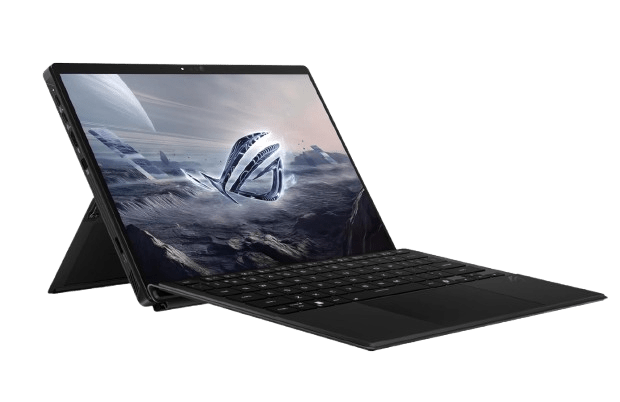
Performance-wise, the ROG Flow Z13 competes right up there with the best. Even our review unit, running the slightly less powerful Ryzen AI Max 390 chip (a more powerful Ryzen AI Max+ 395 build is also available), outperformed rival gaming laptops like the MSI Prestige 16 AI Evo (2025) across Geekbench, Cinebench, and PCMark benchmarks.
You may also like: ASUS ROG GR70: Tiny AMD Gaming PC, Big Price Tag
Despite relying on integrated graphics, we got Cyberpunk 2077 running at 53.94fps at 1080p, which is genuinely impressive. For comparison, the integrated GPU in the Intel Core Ultra 9 285H doesn’t come close to half that number, so it’s clear AMD has done something right here with Ryzen.
The overall experience is elevated further by a lovely 13.4-inch 2560 x 1600 IPS display running at 180Hz. It’s not OLED, but contrast levels still impressed us, backed by excellent color accuracy; our colorimeter measured 99% sRGB, 97% DCI-P3, and 88% Adobe RGB coverage.
Battery life rounds things off nicely too, showing real improvement over the previous generation at 11 hours and 38 minutes in our testing. That’s a genuinely rare result for a 2-in-1 device, and it actually outlasts several gaming laptops, including Asus’s own ProArt P16 (4K Lumina Pro OLED).
We’d like to see the keyboard attachment improved in a future version; it feels a bit flimsy currently, but that’s not enough to take away from the genuinely excellent gaming experience the Z13 delivers overall.
Pros |
Cons |
| Fantastic power with the Ryzen AI Max 390 | Dimmer keyboard backlighting |
| Decent port selection | Keyboard cover is a little flimsy |
| Excellent endurance |
Best Asus Gaming Laptop: Asus ROG Zephyrus Duo
Asus has fully leaned into the dual-screen concept at this point, and while the Asus Zenbook Duo (2026) suits professionals who prioritize battery life above everything else, it’s the Asus ROG Zephyrus Duo (2026) built specifically with gamers in mind. Plenty of great gaming laptops exist out there, but very few can match the full experience this one delivers.
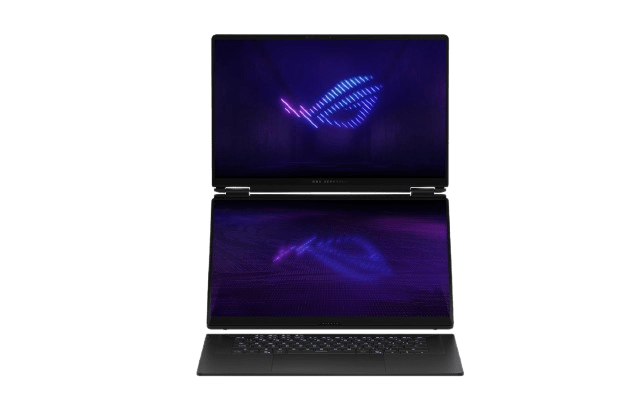
Having two displays opens up genuinely useful scenarios. Stuck on a tricky section of a game and need to check a walkthrough? No need to minimize anything, just pull the guide up on the second screen. Streaming on Twitch? Engaging with chat becomes far easier when it’s sitting on a separate display from the game itself.
You may also like: HP Victus Gaming Laptop Drops to $999.99 for Presidents’ Day (RTX 5060, 16GB RAM)
There are plenty more use cases beyond that, but whatever you’re doing, the hardware backs it up nicely. Both 16-inch displays run 3K resolution at 120Hz and use OLED panels for genuinely stunning contrast during gameplay. Playing horror titles like Resident Evil Requiem, those deep, dark hallways pull you in, and you genuinely won’t be sure what’s lurking just out of sight.
Raw performance is where this laptop really flexes. Powered by an Intel Core Ultra 9 386H processor paired with an RTX 5090 graphics card, there’s very little it can’t handle. Running Cyberpunk 2077 at 1080p, we averaged 110.10fps, making for an excellent way to explore Night City, and even bumping resolution up to 1440p, it still held a strong 73.45fps.
A massive 90Wh battery keeps things running too, lasting 15 hours and 4 minutes in our testing, genuinely impressive for a gaming laptop, especially one powering two full screens simultaneously.
The Zenbook Duo mentioned earlier does last longer overall, but that laptop leans toward productivity rather than the serious gaming performance found here.
Pros |
Cons |
| Innovative form factor | Not quite as powerful as other RTX 5090-powered laptops |
| Dazzling pair of OLED screens | Expensive |
| Excellent endurance |
Best Asus Laptop for Work: Asus ExpertBook Ultra
Mention a business laptop, and it’s easy to picture something bulky and dated, the kind of device you’d rather not be seen carrying outside the office. That description might fit some laptops in this category, but the Asus ExpertBook Ultra (2026) breaks that mold entirely. It’s a genuinely good-looking laptop that happens to be built with professionals in mind.
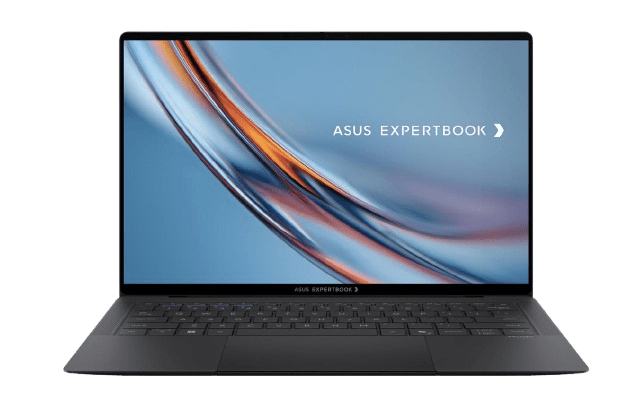
The ExpertBook Ultra looks sharp enough, with its ceramic coating and slim build, that you could easily mistake it for something aimed at a completely different audience. At just 990 grams, it’s remarkably light, so bouncing between meeting rooms, or even ducking into a café across the street, won’t leave you feeling weighed down.
You may also like: Dell Precision 5 and 7 Series 2026: Specs and Price
Asus clearly thought about what professionals actually need in 2026, building in forward-thinking software features like AI Meeting Minutes and AI Translated Subtitles. Both live inside Asus’s ExpertPanel, accessible quickly whenever needed. There’s also a dedicated Microsoft Copilot button, handy for bouncing ideas around with the chatbot before bringing them to your team.
Whatever your workday looks like, the ExpertBook Ultra has the horsepower to handle it, thanks to the new Intel Core Ultra X7 358H Panther Lake processor. With 16 cores and 16 threads, it feels genuinely fast in everyday use. There’s enough headroom here that you can even squeeze in some gaming once work wraps up; we saw Cyberpunk 2077 run at 44.94fps at 1080p.
On the entertainment side, the tandem OLED display, which stacks multiple OLED layers to boost brightness beyond what standard OLED panels typically manage, makes for a great Netflix experience after hours. It handles spreadsheets and documents just as capably during the day, but colors really come alive once you switch over to streaming.
Pros |
Cons |
| Lightweight and stylish | Expensive |
| Better performance from Panther Lake chip | |
| Excellent battery life |
Best Dual-Screen Asus Laptop: Asus Zenbook Duo
If the ExpertBook Ultra has caught your eye as a work laptop but you like the idea of a dual-screen setup similar to the ROG Zephyrus Duo, the Asus Zenbook Duo (2026) is likely the better fit. This is a genuine powerhouse workstation, though it comes at a real cost; our testing unit was priced at $2299.99, and it leaves you wanting for very little in return.
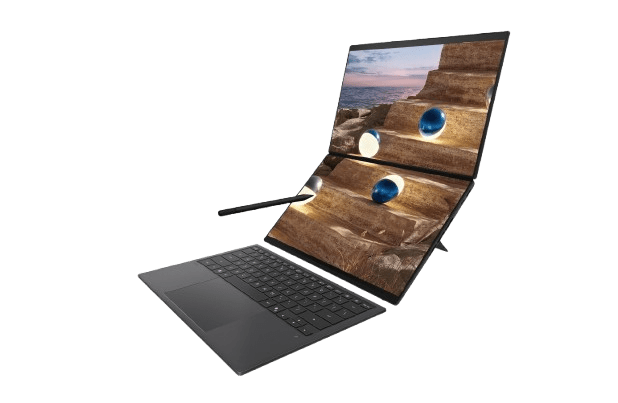
The dual-screen setup means you don’t need to carry a separate monitor or plan your day around finding a desk with one available. Both 14-inch 3K OLED displays look genuinely stunning, and having two screens on hand at all times makes tasks like writing and research noticeably easier, and you can just as easily take a video call on one screen while referencing a document or presentation on the other.
You may also like: Galaxy Book 6 Lineup Is Now Official in the US: Here’s Everything You Should Know Before Buying
A good range of AI features adds another layer here, letting the Zenbook Duo function almost like a personal assistant on the go. Microsoft Copilot has its own dedicated summon key, useful for quickly finding a restaurant ahead of a client meeting or turning a rough idea into clear, delegable action points.
Driving these AI features, along with the Zenbook Duo’s overall fast performance, is the Core Ultra X9 388H processor from Intel’s latest Panther Lake range.
Browser tabs, photo editing software, and everything in between run smoothly without the Duo breaking a sweat. There’s even room for a bit of gaming, with the fast-paced Returnal hitting an impressive 50fps at 1080p in our testing.
Where the Zenbook Duo really pulls ahead, though, is battery life. Asus packed in a massive 99Wh cell, which delivered an outstanding 19 hours and 43 minutes in our battery test. That’s genuinely useful if your work takes you to different locations day to day, since you won’t need to hunt down a charging outlet nearly as often.
Pros |
Cons |
| Innovative redesigned chassis | More expensive than last year’s model |
| Panther Lake processor provides much stronger performance | Okay port selection |
| Fantastic improvement to battery life |
Final Thoughts
Asus has built one of the most genuinely varied laptop lineups on the market, and this range makes that clear.
Whether you want something you can carry around all day without noticing it’s there, a display sharp enough to make editing and streaming feel effortless, or raw power that can chew through demanding creative or gaming workloads, there’s a model here built specifically for that.
Portability lovers should look toward the Zenbook A14 or A16, depending on how much you value screen quality alongside a featherlight build.
Creative professionals working with heavy files will find real strength in the Zenbook S 14, S 16, or the genuinely excellent ProArt GoPro Edition PX13, provided the price fits your budget.
Gamers who want flexibility beyond a standard laptop shape should take a serious look at the ROG Flow Z13, and anyone chasing a full dual-screen gaming setup will struggle to find something more capable than the ROG Zephyrus Duo.
For professionals, the ExpertBook Ultra strikes a genuinely impressive balance between style and business-ready features, while the Zenbook Duo takes things further with dual screens and battery life that easily covers a long, unpredictable workday.
No single laptop here works for everyone, and that’s really the point. Figure out what actually matters most to you, screen quality, raw performance, battery life, or portability, and Asus almost certainly has a laptop built around that priority. Given how frequently new models arrive, it’s worth checking back periodically too, since pricing and availability shift often enough that today’s best pick might not hold that title for long.