Asus decided one screen isn’t enough for its latest laptop. The ROG Zephyrus Duo is back, and Asus is calling it the world’s first 16-inch dual-screen gaming laptop. Pre-orders are open now.
Pricing starts at $4,499.99 and goes up to $5,499.99 for the top configuration. This is a machine aimed at a specific type of buyer, one who wants either the most forward-looking setup available or simply the experience of gaming across two screens on a single laptop.
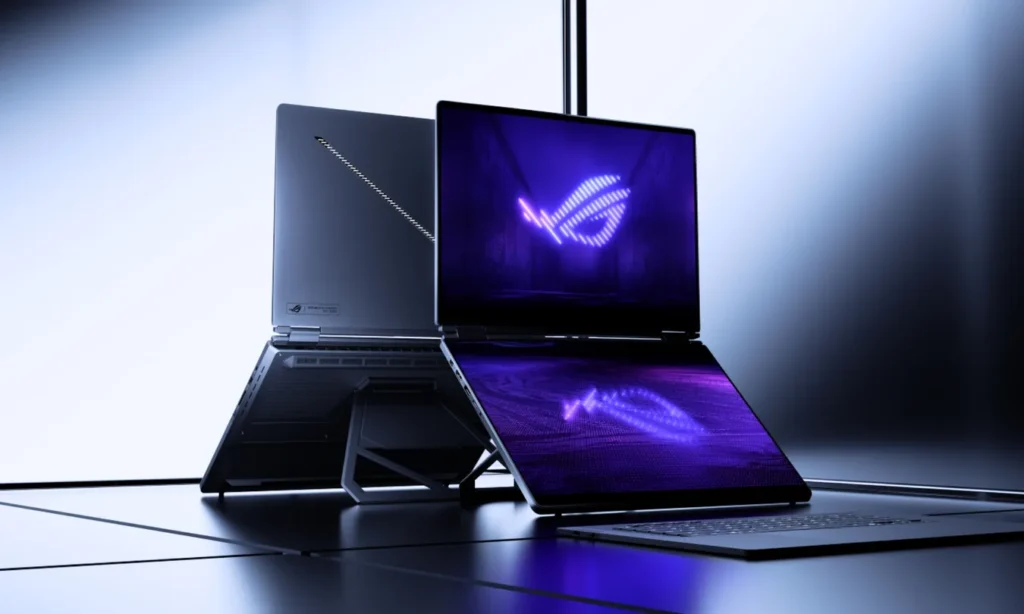
Asus ROG Zephyrus Duo Gaming Laptop
Both screens are 16-inch ROG Nebula OLED touchscreens, giving you a combined diagonal display area of over 21 inches. Each panel runs at 3K resolution with a 120Hz refresh rate and a 0.2ms response time.
They also hit 1,100 nits of peak HDR brightness and cover 100% of the DCI-P3 color space, so color accuracy is not a compromise you have to make on either display.
The primary screen supports Nvidia G-Sync, but the secondary display does not. In the backend, the laptop runs on an Intel Core Ultra 9 386H with 16 cores. GPU options are either the RTX 5070 Ti or the RTX 5090, both configured at a 135W total graphics power rating.
You may also like: Asus Vivobook 14 Review: A $649 Copilot+ Laptop That Challenges the MacBook Air
Storage comes from a 1TB PCIe 5.0 SSD, and the system runs on 32GB of soldered LPDDR5X RAM. That combination is built to handle both gaming and AI workloads without bottlenecks.
Keeping all of that hardware running cool is a redesigned thermal system with a larger vapor chamber, dual fans, and a graphite sheet covering the full surface area of both the CPU and GPU.
Asus ROG Zephyrus Duo: The Dual-Screen Laptop
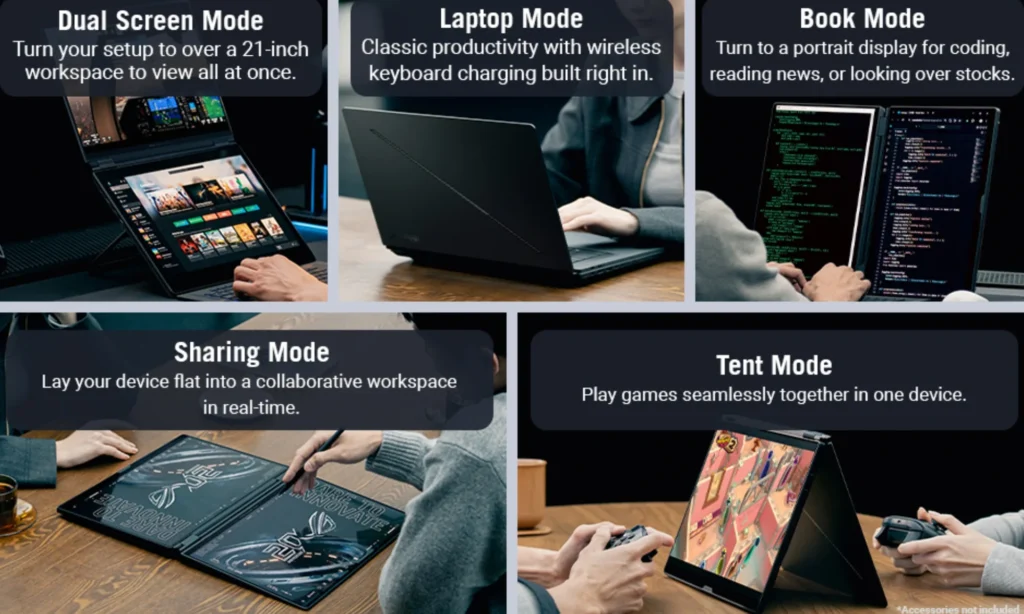
Asus officially supports five ways to use the ROG Zephyrus Duo. You can run it in standard Laptop Mode, or deploy the kickstand and detach the keyboard for Dual Screen Mode.
Sharing Mode lays both screens flat at 180 degrees, which works well for showing content to someone sitting across from you. Book Mode flips the orientation to portrait, and Tent Mode props the laptop up for face-to-face two-player gaming.
You may also like: Dell Alienware Aurora 16X Review: Gaming Value Tested
The keyboard connects over Bluetooth and detaches completely when you don’t need it. On the connectivity side, the laptop covers Wi-Fi 7, Bluetooth 6.0, two Thunderbolt 4 ports, HDMI 2.1, and a UHS-II SD card reader.