Samsung didn’t reinvent anything with the Galaxy Watch 9. Side by side with last year’s Watch 8, the two look nearly identical. So this is a refinement year for Samsung’s wearables, running alongside the Galaxy Watch Ultra 2, but the changes add up. The Watch 9 ends up being the most complete entry-level Galaxy Watch Samsung has made in years.
The upgraded processor and dual-GPS bring it in line with the pricier Watch Ultra 2 on paper, and you can feel the difference too.
Performance is noticeably faster than older models, and run tracking is genuinely excellent. The display looks bright and sharp, and Samsung Health backs it up with a full set of fitness and health tools. None of it sits behind a paywall.
That combination makes the Galaxy Watch 9 an easy pick for anyone shopping for a premium Android smartwatch, though Samsung still locks a few features behind Galaxy phone ownership, which is a frustrating limit.
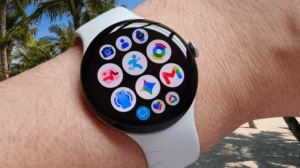
Stack it against the Google Pixel Watch 4, though, and Samsung wins on software polish and a design built to appeal to more people.
Samsung Galaxy Watch 9 Design and Screen
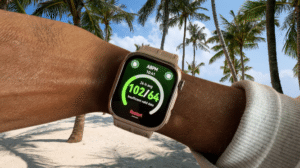
The design carries over from the Watch 8: a circular screen sitting on a squircle-shaped face. On the Watch 8 Classic, I found that look a bit cluttered. Here, on the standard Watch 9, it comes across as cleaner and more minimal. In silver and white, my review unit looked sharp.
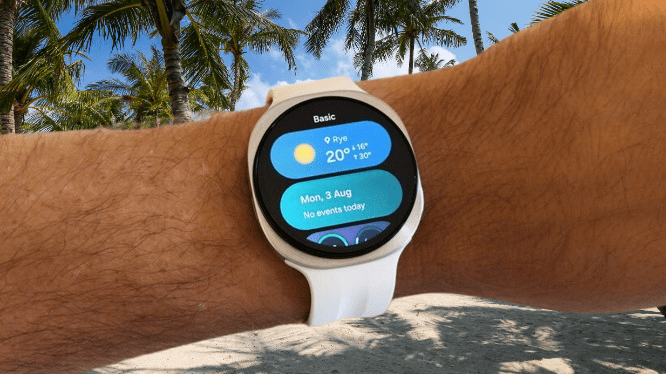
I tested the smaller 40mm version, which has a 1.34-inch AMOLED screen. Go with the 44mm, and you get a 1.47-inch display instead, and both sizes hit 3,000 nits of peak brightness. I never struggled to read the smaller screen, even out in direct sunlight.
The calibration is genuinely good, and I kept the always-on display turned on the whole time so I could check the time at a glance without waking the screen. It never felt like a battery gamble to leave it on.
You may also like: ASUS VivoWatch 6 Plus: AI Health Tracking Smartwatch
Color options split by size. The 40mm comes in graphite, or the cream shade I tested, and the 44mm is available in graphite or silver.
Samsung built the case out of aluminum, which keeps the watch light on the wrist, and it carries full IP68 dust and water resistance with a 5ATM rating, good for up to 50m. That covers you in the shower, the pool, or the sea. The layout stays simple: two buttons on the right edge and a speaker grille on the left, useful if you want to take hands-free calls straight from your wrist.
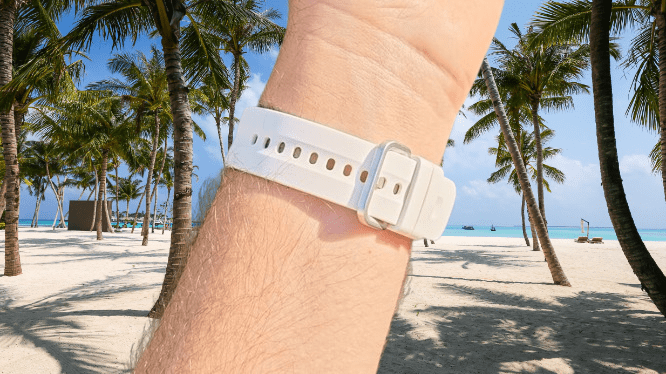
Wearing the 40mm all day felt comfortable, though my review strap ran small. I had to buckle it on the very last hole, and I’d call my wrist a solid M/L. That strap was the Sport Band, but Samsung also sells a Fabric Band and one called the Misty Band, which comes in a two-tone finish, at checkout.
The watch stayed slim and light enough that sleep tracking at night was no problem either. Honestly, I’d wear this thing around the clock if the battery could keep up, which I’ll get into next.
Samsung Galaxy Watch 9 Performance and Software
Performance jumps out right away on the Watch 9, and that comes down to the new Qualcomm Snapdragon Wear Elite chipset. Apps load faster across the board, including the Google Play Store, which tends to crawl even on the newest Android watches I’ve tested.
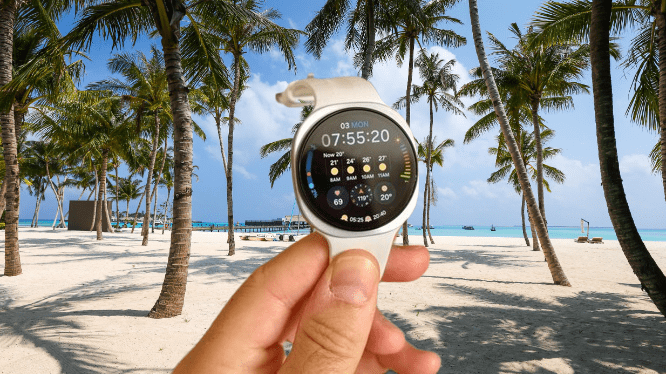
Compared to the Pixel Watch 4, apps just open quicker here. That speed shows up most when you use Gemini. My voice commands showed up as text on screen almost the instant I finished speaking.
That responsiveness actually got me using Gemini more, even though the quality of the answers themselves wasn’t any better than what you’d get on other devices.
You may also like: Whoop vs Apple Watch: Full Comparison 2026
It comes in handy for quick tasks, opening an app or setting a reminder, especially since the Watch 9 supports hands-free Gemini. Raise your wrist, ask your question, and you’re done. No “Hey Google,” no button press required. That alone makes the whole thing faster to use.
Samsung’s take on Wear OS looks and feels pretty different from Google’s own Pixel Watch version, and most of the changes work in Samsung’s favor. I like the Pixel Watch’s software design, but Samsung’s version feels more thought out here. Notifications grouped by app is a good example of that.
The default tile layout, which you reach by swiping left from the watch face, doesn’t overwhelm you. You can add more tiles too, styled as small bubbles of info you scroll through, instead of stacking a dozen full-size tiles you have to swipe past one by one.
Third-party app support holds up well, on par with what you’d find on an Apple Watch. I ran Spotify, Shazam, Pocket Casts, Strava, AllTrails, and Nike Run Club, alongside Google’s own apps like Maps and Keep, which have gotten noticeably more polished. I didn’t run into a single bug.
One thing worth flagging and thats when you pair the Watch 9 with a Samsung phone, your alarms, Do Not Disturb, and sleep mode all sync between the two devices. Pair it with any other Android phone, and that sync disappears.
You may also like: Galaxy Aero: Samsung’s RTOS Smartwatch Leak
It’s a small feature, but it makes daily use smoother, and it’s frustrating that Samsung keeps it locked to its own phones. And no surprise here: like every other Wear OS device, this watch won’t pair with an iPhone.
Samsung Galaxy Watch 9 Health and Fitness Tracking
Once you get everything set up, the Galaxy Watch 9 tracks an impressive range of health data automatically: heart health, daily cardio load, vascular load, blood glucose, and antioxidant levels.
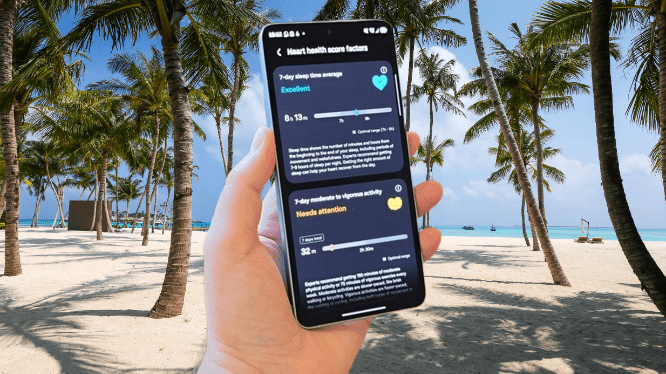
The problem is that none of this starts tracking on its own. You have to dig into the Samsung Health app and switch each feature on yourself. I wore the watch for two or three days before I found all of them, since the app never prompts you to turn anything on.
And once you do enable a feature, most of them don’t look back at data already collected. You end up waiting several more days for the watch to gather enough information to actually measure anything.
You may also like: Moto Watch brings Polar’s pro-tier fitness perks
If Samsung wants to gate its advanced tools behind manual permission, it should build in a setup wizard, or at minimum some prompts pointing you toward these settings. Without that, a lot of buyers could go days or even weeks without realizing their new watch isn’t tracking half of what it’s capable of.
That said, once things are running, the Watch 9 handles most activities and sports well, whether you’re a casual user or someone more serious. The workout app impressed me, especially on runs. It’s simple, showing duration, pace, distance, and time of day right up front without digging through menus.
Auto-workout detection worked well too. It picked up my first walk on its own, started recording within a few minutes, and correctly logged when I stopped. I never touched a button, and the watch still captured the whole walk accurately. That’s not something every expensive wearable manages. It even caught a casual swim in the sea automatically.
The Watch 9 uses the same dual-GPS setup as the Watch Ultra 2, and route plotting held up well on runs. Zoom in close on the map, and you’ll occasionally see it place me cutting through the corner of a building, but for a $379.99 watch aimed at general users rather than dedicated runners, that’s a minor issue. Most people won’t notice or care.
You may also like: Garmin Forerunner 70 Review: Small Watch, Big Upgrade
A few features stay locked to the pricier Ultra 2, like trail running mode and diving mode. Outside of those, the Watch 9 covers a huge range of sports: running, hiking, swimming, aqua aerobics, archery, badminton, kayaking, you name it.
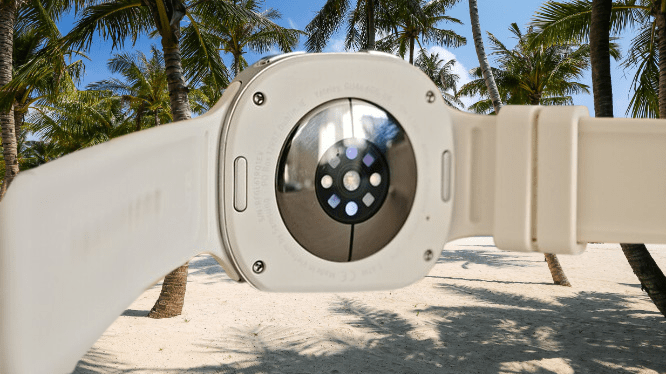
Under the hood, you get Samsung’s BioActive Sensor for heart health, plus a temperature sensor, accelerometer, barometer, gyro sensor, geomagnetic sensor, and light sensor, all working together to build a detailed picture of each workout. Samsung Health has come a long way over the years, and it presents that data well once your session ends.
The app generates scores for energy, heart health, fitness index, and daily cardio load, among other metrics, and you can customize which tiles show up first so the numbers you care about are always front and center.
You may also like: Galaxy Watch 8 Hits $218.49, Lowest Price Since Launch
I’m less sold on the AI insights the app generates from your activity. Sometimes they didn’t show up on the home screen at all, and when they did, they felt too vague to actually act on.
Then again, I’m not sure I should complain much, since rival AI coaches, like the one in Google Health, tend to be overly wordy and get in the way more than they help.
Samsung’s version is harmless but not particularly useful. If you don’t need an AI bot explaining your own fitness data back to you, you might actually prefer that.
Sleep tracking, on the other hand, is genuinely good. It holds up well against the Oura Ring 5 and Whoop MG, two wearables I’ve found most reliable for catching middle-of-the-night wake-ups with a four-month-old in the house.
You may also like: Suunto Run 2 Review: Great Watch, Higher Price
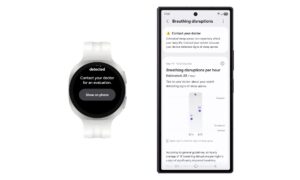
One catch for anyone not using a Samsung phone: features like ECG, blood pressure, and sleep apnea detection only work when paired with a Galaxy phone. If you’re already in the Samsung ecosystem, though, those tools round out what is otherwise a genuinely complete health package.
Samsung Galaxy Watch 9 Battery Life
Battery life was a letdown on the 40mm model I tested. Its 390mAh battery is an upgrade over the Watch 8’s 325mAh, but it still didn’t get me far. I managed to stretch it from 7am one day to mid-afternoon the next, which sounds decent until you realize that’s short of two full days and nights. In practice, you’re charging this watch every single day.
That’s par for the course with most 2026 smartwatches, but it’s worth noting that some rivals do better. The OnePlus Watch 3, for example, runs for a staggering 120 hours. I didn’t get to test the 44mm Watch 9, but its bigger 445mAh battery should buy you a few extra hours over what I saw.
You may also like: Galaxy Watch 9 vs Apple Watch Series 11: Full Comparison
Weak battery life ended up being one of the biggest drawbacks of this watch for me. I’ve spent weeks testing screenless trackers like the Fitbit Air and Whoop MG, and going days without charging became the norm. Switching back to a watch that needs daily charging felt like a step backward.
If sleep tracking doesn’t matter to you, charging every night isn’t a big deal. But if you do want that feature, you’ll need to get comfortable plugging the Watch 9 in for a few minutes before bed, every single night.
Samsung markets this as supporting “Fast Charging,” but I didn’t find the speeds all that fast. Charging from near zero took about 90 minutes, long enough to make you nervous about gaps in your health data. The Pixel Watch 4 charges noticeably quicker, and Samsung is clearly behind here.
You may also like: Mobvoi TicNote Watch Records and Transcribes Conversations
If battery life matters most to you, go with the 44mm. Turning off the always-on display will stretch runtime on either size, but I’d rather charge more often than lose that feature, since it cuts into how usable the watch feels day to day.
Samsung Galaxy Watch 9 Verdict
The Samsung Galaxy Watch 9 checks most of the boxes you’d want from a smartwatch and fitness tracker, backed by excellent performance and thorough health features. It works best if you’re already on a Samsung phone, and battery life falls short of what it should be.
Pros |
Cons |
| Clean circular design with an excellent bright screen | Battery only comfortably lasts a day (on 40mm model) |
| Fast performance from an intuitive WearOS software | Some health features only work on Samsung phones |
| Good fitness features and coaching | Expensive; it costs $379 |
Final Thoughts
Even with the battery holding it back, I had a good time testing the Galaxy Watch 9. The screen is bright and crisp, and health tracking stands out as one of its strongest points, from clean, easy-to-read running stats to smart automatic detection of casual walks and swims.
For Samsung phone owners, this is the clear pick. You get ECG, sleep apnea detection, and mode syncing, the full feature set working as intended. If you’re on a different Android phone brand, you might get more value from a watch made by that same company. Every manufacturer plays the lock-in game to some degree.
Still, the Watch 9 earns a good score on its own merits: strong dual-GPS accuracy, an upgraded processor, a full range of workout options, and a design that’s comfortable without trying too hard. It stands right alongside the Pixel Watch 4 as one of the better choices for Android users shopping for a smartwatch. Better battery life would have pushed the score even higher.