Google’s Pixel Watch has covered a lot of ground in a short span of time. It started as a good-looking but genuinely flawed first attempt, and over the past few years, it’s grown into one of the more polished Wear OS options you can buy, particularly if you’re already deep in Google’s ecosystem.
The Pixel Watch 5 keeps that trajectory going, just not necessarily in the way you’d expect. This isn’t a dramatic redesign or a rethink of what a Google smartwatch should be. Look at it from the outside, and you could easily mistake it for last year’s Pixel Watch 4; I certainly did when it landed on my desk.
What Google’s chasing here instead is refinement: a bit more power, sharper AI features, and a stronger push into health and fitness coaching. The result feels familiar in all the right ways, though a few caveats keep it from being an automatic upgrade for everyone.
Google Pixel Watch 5 Full Specs
Google Pixel Watch 5 Design and Screen
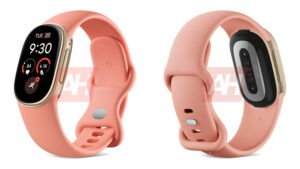
Put the Pixel Watch 5 next to last year’s Pixel Watch 4, and you’ll struggle to spot a difference, mostly because there isn’t much of one hardware-wise this year. Strapping it on as someone who’s worn the Watch 4 for a while now, it felt immediately familiar.
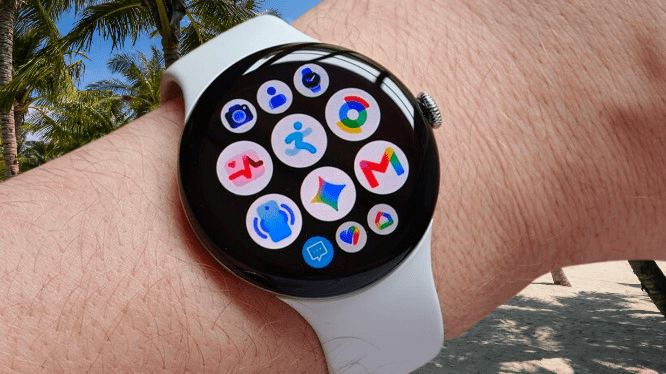
That said, if you liked how the Watch 4 looked, you’ll like this one too. It still carries that premium feel, and the domed Actua 360 display makes its return, available in 1.2-inch or 1.4-inch sizes depending on whether you go with the 41mm or 45mm model. I’ve been testing the larger 45mm version for this review.
You may also like: Pixel Watch 5 vs Galaxy Watch 8: Which Should You Buy?
That screen remains the real highlight of the whole experience. The domed shape isn’t just for looks; the display itself curves along with the glass, giving it a distinctive look you don’t get elsewhere. Even glancing at the watch from the side, you can still make out part of what’s on screen, similar to those curved phone displays that were everywhere in the late 2010s.
Brightness stays at 3000 nits, plenty visible even during the unusually sunny summer we’ve had, and the LTPO AMOLED panel delivers vivid colors that suit the huge range of available watch faces well.
Alongside that screen sits the rotating crown, still a handy way to scroll through apps or work through a lengthy WhatsApp notification, and pressing it in doubles as a Home button. I do wish Google had refined this a bit more, though. There’s still no haptic feedback here, something both Apple’s Watch Series 11 and Samsung’s Galaxy Watch 8 Classic with its rotating bezel already offer.
Just above the rotating bezel sits the side button, used for pulling up recent apps or triggering Gemini, though that second function feels a bit redundant now that the watch supports Gemini raise-to-wake anyway.
The hybrid speaker and charging setup embedded on the left side might strike some as a bit of an eyesore, especially against the otherwise clean, polished aluminum case. Small metal prongs poke out slightly to make contact with the charging cradle, so it never quite passes for a standard speaker grille. That tradeoff comes with a benefit, though: it lets the watch rest on its side while charging and double as a small bedside clock, which I think is worth it.
Color options remain plentiful too. This year’s lineup includes Olive, Canyon, Obsidian, and the Fog finish I received for review, alongside a wide range of straps for both workouts and everyday wear. The quick-release system makes swapping them out genuinely painless.
You may also like: Samsung Galaxy Watch 9 Review: Refined Health Tracking, Weak Battery
Durability holds steady from last year as well, with the same 5ATM rating covering depths up to 50m underwater, plus IP68 protection against dust and general water exposure.
Google Pixel Watch 5 Software and Features
While most of the hardware carries over, the Pixel Watch 5 does get a new processor for a modest speed bump. Google says the Snapdragon W5 Gen 2 Accelerated runs 20% faster than the W5 Gen 2 found in the Watch 4, though neither chip counts among the fastest wearable processors out there; that title still belongs to the Snapdragon Wear Elite powering watches like the Samsung Galaxy Watch 9.
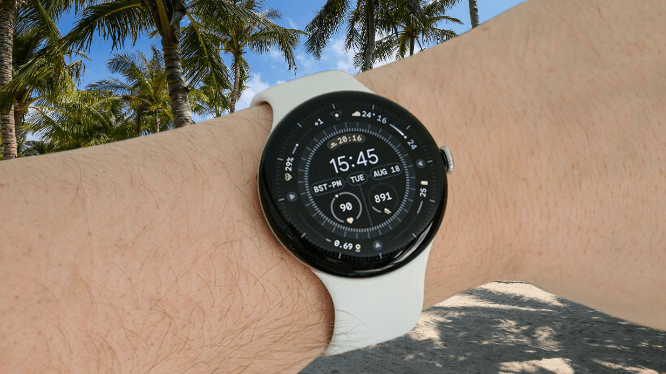
In everyday use, though, there’s barely any gap between this and a Galaxy Watch. It feels smooth and responsive, with apps and menus opening a touch faster than they did on the Watch 4. It’s not a dramatic jump, but it’s noticeable enough that I picked up on it over a week of testing.
You may also like: Apple Watch Ultra 3 Review: Is It Worth the Upgrade?
Google is putting that extra power somewhere useful, at least: Gemini can now run fully offline on the watch for basic tasks like setting timers, opening apps, and starting exercises, a first for the Pixel Watch line.
There’s also basic Gemini Intelligence integration built in, mostly showing up as quick actions triggered by incoming messages. Full transparency, though, I didn’t see this trigger even once during my week with the watch, which suggests it’s still pretty limited right now.
The other new additions this year mostly center on sleep and bedtime. The watch can now run automations once it detects you’ve fallen asleep, pausing audio on your phone or switching off lights, and a new smart alarm feature aims to wake you during your lightest sleep phase in the morning.
You may also like: Huawei Watch 6 Review: Health Tracking Powerhouse
The new Morning Brief is a nice addition too. It pulls together your readiness score, a rundown of how you slept, and useful extras like the local weather and upcoming calendar events. It gives you a quick snapshot without dumping too much information on you first thing.
You can also generate AI watch faces directly on the watch, either through presets or by describing what you want in your own words, though the feature stays fairly basic. You can tweak the clock font, but not much beyond that, and going this route limits you to just a couple of complications.
Elsewhere, it’s business as usual. Stock Wear OS 7 remains a good experience overall, with full Android notification support, quick replies, hands-free Gemini, Google Wallet, and a decent range of third-party apps through Google Play.
You may also like: Galaxy Watch 8 Hits $218.49, Lowest Price Since Launch
I do wish Google borrowed a bit more from Samsung’s One UI here; custom tiles and per-app notification sorting would make an already strong experience even better.
Connectivity-wise, both Wi-Fi and LTE versions are available, and you get 64GB of onboard storage for apps, music, and everything else, double what the Pixel Watch 4 offered.
Google Pixel Watch 5 Health and Fitness Tracking
Google hasn’t overhauled the general software much, but it has added a handful of new tools on the health and fitness side; well, it will, eventually, over the coming months.
Here’s the catch: Google has been promoting features like blood pressure and insulin trend tracking, sleep and breathing quality monitoring, and guided strength workouts as major additions to the Pixel Watch 5, but none of them are actually available in the UK at launch.
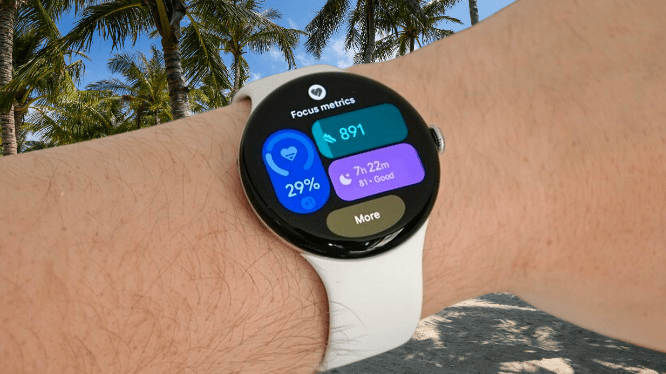
Strength and HIIT circuit support arrives in September. Your first blood pressure and insulin resistance trend report won’t show up until the end of October, since it needs a full month of data before it can generate anything. And sleep breathing quality is simply labeled “coming soon,” with no actual date attached to it yet.
Even the features that did make launch aren’t consistent across regions. UK and certain EU users get breathing emergency detection, which flags instances where you’re not breathing and contacts emergency services automatically, but that feature isn’t available in the US at all. It’s a genuinely messy patchwork of rollouts depending on where you live.
You may also like: The Best Google Pixel 10 Deals: Up to 26% Off on Amazon Now
With that frustration out of the way, there’s still plenty to like about the health and fitness tools the Pixel Watch 5 does offer, maybe not enough to justify upgrading if you already own a Watch 4, but a real step up if you’re coming from an older Pixel Watch or a competing Wear OS device.
The Pixel Watch 5 tracks a broad range of metrics to give you a full picture of your health, all viewable both on the watch itself and in the companion Google Health app. That includes heart rate, resting heart rate, blood oxygen, and skin temperature, alongside movement data like steps taken, floors climbed, distance covered, and calories burned.
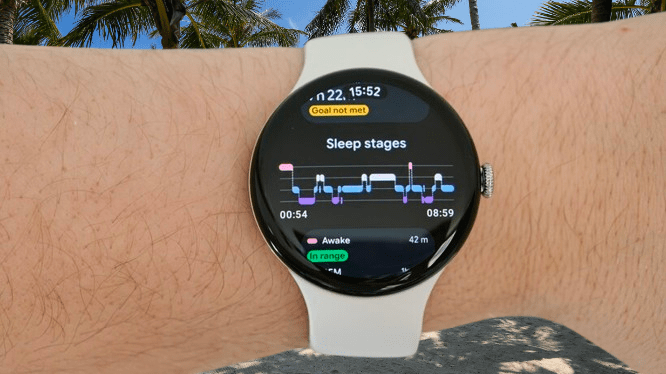
Even without sleep breathing quality up and running yet, sleep tracking still holds its own as a strength of the Pixel Watch. Google claims 15% better accuracy at detecting sleep stages compared to the Watch 4, and while I can’t independently confirm that figure, results here lined up closely with my Oura Ring 5. Both matched how I actually felt the next day, with only a few minutes of variation in stage tracking between the two.
That sleep data feeds into a daily readiness score alongside recent exercise, stress levels, and other factors, giving you a rough sense of how hard to push yourself that day, plus a tailored weekly cardio target to work toward.
Exercise tracking covers more than 50 activity types, from the standard indoor and outdoor running, swimming, and cycling to sports like football and basketball, along with recreational activities like hiking. It’s a genuinely broad range, and each activity gets its own metrics and screen layouts you can flip through with a tap or swipe.
Dual-band GPS keeps tracking reasonably tight on outdoor walks and runs, and the Google Health app shows accurate map overlays of where I actually went, though I did sometimes wait up to 30 seconds for the watch to lock onto a signal.
Google claims a 2x accuracy improvement specifically in cities, thanks to pulling in Google Maps data, but I still noticed a few wobbles during a GPS-tracked walk through Canary Wharf. It doesn’t quite match the standard set by the Samsung Galaxy Watch Ultra 2 or Huawei Watch GT Runner 2, but for most people’s everyday use, it’s more than good enough.
All of this comes together in the Google Health app through Google Health Coach, the company’s AI-powered health chatbot. It analyzes your data and sends updates throughout the day, working through your movement, exercise, and sleep data so you don’t have to dig through graphs and stats yourself, but honestly, the chatbot is the real draw here.
Unlike the AI chatbots we’ve seen from Whoop, Oura, and similar brands, Google’s version is genuinely impressive. Easily the best one I’ve used so far.
It doesn’t drown you in paragraphs of vague filler when you ask something; if anything, it does the opposite. Responses stay simple and feel genuinely conversational, and it goes beyond just asking how you slept or checking in on your HRV; it’s actually proactive about reaching out.
It can build tailored exercise plans based on your data and preferences; just tell it what you want to work on, what equipment you have, and what goal you’re chasing, and it handles the rest. Plans even come with videos demonstrating exercises and stretches if you’re not familiar with them.
You may also like: Apple Watch Ultra 2 Deal: $599 (Save $200) on GPS and Cellular Model
It gets better the more context you give it, too. I mentioned that I go into the office on Mondays and work from home the rest of the week, and it didn’t just adjust my exercise plan around that; it started factoring that schedule into the messages it sends me throughout the day.
That level of personalization isn’t something you’ll find from any competitor right now, though it does come at a cost: $9.99 a month for the privilege.
Google Pixel Watch 5 Battery Life
Battery life hasn’t shifted much on this latest Pixel Watch generation, though that’s less of a criticism than it might sound.
The larger 45mm model I tested runs a 455mAh battery, which Google rates for 40 hours of general use, though in practice, I got closer to 50 hours before it ran completely dry.
That’s a fairly wide gap compared to what I’ve seen from watches like the Galaxy Watch 9, the Apple Watch Series 11, and even the Galaxy Watch Ultra 2, which Samsung claims carries the biggest battery of any watch it’s made, and that’s with things like the always-on display and optional tracking features left running.
On the other hand, it’s not the longest-lasting Wear OS watch out there either. The OnePlus Watch 3, for instance, can stretch to five days running full Wear OS, or up to 16 days in its stripped-down mode. I’d also expect the smaller 41mm Pixel Watch model to fall a bit short of what I saw here. Still, I think Google has landed on a pretty reasonable middle ground.
You may also like: Moto Watch brings Polar’s pro-tier fitness perks
When it does need charging, it’s quick, going from empty to full in a little over an hour using the included charging cradle. That’s noticeably faster than the recent Galaxy Watch models, which makes a quick 15-minute top-up while you shower genuinely worthwhile.
Google Pixel Watch 5 Verdict
The Pixel Watch 5 doesn’t reinvent anything dramatically, but between the premium design, smooth Wear OS experience, improved performance, and genuinely impressive AI health coaching, it stays one of the more polished smartwatches you can buy. Just know that some of its biggest health features won’t be ready right at launch.
Pros |
Cons |
| Good AMOLED screen | Very familiar hardware |
| Smooth Wear OS performance | Key health features delayed |
| Genuinely useful Health Coach, good sleep tracking, and fast charging | More expensive this year, and Gemini Intelligence seems hit-and-miss |
Final Thoughts
The Pixel Watch 5 isn’t a reinvention of Google’s smartwatch formula, and honestly, it didn’t need to be. It keeps the same premium design, that gorgeous domed display, and a smooth Wear OS experience, while layering in a bit more power, genuinely useful AI features, and some good health coaching tools.
The issue is that a lot of the headline health features simply aren’t ready at launch, at least not in the UK, and some need weeks of accumulated data before they’re actually useful. That leaves the Pixel Watch 5 feeling a bit unfinished in places, especially given how heavily Google leans on those features as reasons to upgrade in the first place.
That said, there’s genuinely a lot to like here. The display remains one of the best on any smartwatch, performance stays smooth throughout, battery life comfortably clears a day and a half, and Google Health Coach is easily the most convincing AI fitness companion I’ve tried so far.
If you already own a Pixel Watch 4, this probably isn’t worth the jump, given how similar the hardware is and how staggered the new features roll out. But coming from an older Pixel Watch, or if you just want one of the more polished Wear OS options available, the Pixel Watch 5 is easy to recommend, even if its full potential won’t show up until a bit further down the road.