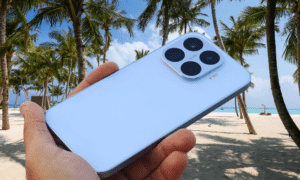

The Google Fitbit Air showed me that a fitness tracker can impress without a screen. Still, there are times you want to check your workout stats without pulling out your phone.
The Google Fitbit Edge covers that gap. It adds a 1.3-inch AMOLED display and built-in GPS while keeping most of the Air’s light, low-profile feel.
Pair it with Google’s redesigned Health app and the Gemini-powered Health Coach, and you get a strong setup if you want to understand your health without wearing a full smartwatch. Tracking is reliable, and battery life can last a week.
Google has done well with most of the fitness side. A few basic omissions make the Edge harder to recommend, though. I have worn it for the past three weeks. I found plenty to like, along with a few daily annoyances that should not be there.
Google Fitbit Edge Full Specs
Google Fitbit Edge Design and Screen
The Google Fitbit Air impressed people with how comfortable and light it feels. That is a big reason it earned a good star rating from me. Even with a screen added, the Fitbit Edge keeps most of that feel.
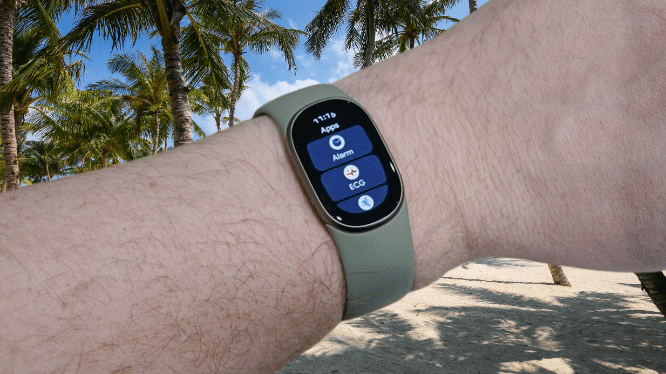
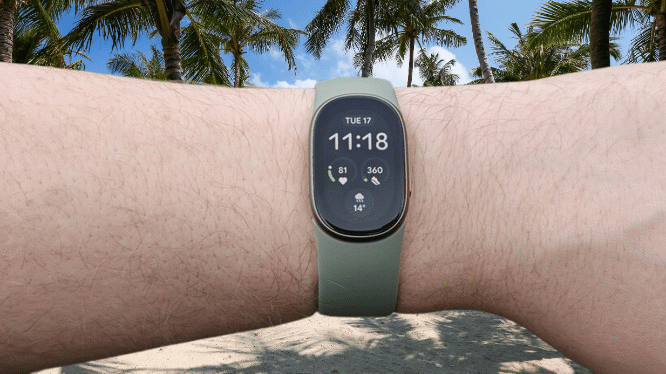
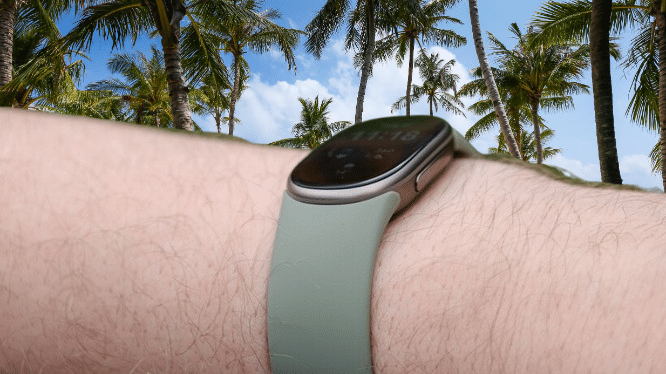
The Edge is thicker and wider than the Air. You will barely notice it on your wrist, since the difference is a few millimeters. In my experience, it looks more discreet than competing fitness trackers. That helps with all-day wear and with overnight sleep tracking.
You may also like: Google Fitbit Band with AI Coach and No Screen To Beat Whoop
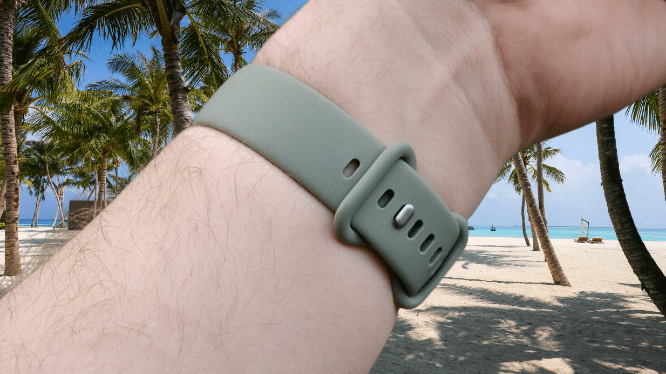
The strap is one of the few real changes. The Air ships with a fabric strap. The Edge ships with a silicone strap, closer to the one on the Pixel Watch 5. Silicone suits workouts because it is durable and water resistant. I still prefer breathable fabric straps for comfort.
Google has no fabric straps for the Edge at launch. You get one in Obsidian, Fog, Olive, or Canyon, matched to the color of the frame. Third-party makers will likely offer alternatives soon.
The pill-shaped 1.3-inch AMOLED screen is smaller than the panels on larger wearables, but it covers the basics. It is bright enough to read during outdoor workouts, even in low winter sun. Swiping through tiles and menus feels responsive.
The screen is the main reason to choose the Edge over the screenless Air. It shows your live workout stats, notifications, and more.
I wish Google had added automatic brightness. The screen has blinded me a few times over the past three weeks, mostly in bed late at night.
The display looks bigger than it is on watch faces with black backgrounds, a trick many wearable makers use. The bezels are thicker than I expected. Each line fits only two or three words, so reading a notification means a lot of scrolling. Most tiles and apps are adjusted for the smaller screen, though.
The screen is tough. It has Gorilla Glass 3 protection, IP68 dust and water resistance, and a 5ATM rating so that it can handle dunks down to 50 meters.
You may also like: Moto Watch brings Polar’s pro-tier fitness perks
The side button takes up most of the right edge. It works in a basic way. One press opens the app menu, and it also acts as a back button to return to the watch face. There are no double-click or press-and-hold actions, so you cannot start a workout quickly with it. A second button would have been better, especially for quick actions during exercise.
Google Fitbit Edge Features
The Google Fitbit Edge is a fitness tracker, not a full smartwatch. It does not offer the wide app selection or advanced software you get on the Pixel Watch 5. It focuses on core health and fitness, with a few smartwatch extras.
If you have used a Wear OS watch recently, the controls will feel familiar. Swipe left or right on the watch face to move through your tiles. Swipe down for quick settings. Swipe up to see your notifications.
The app list is short. You get a handful of Google apps for alarms, music controls, health, exercise, and weather. There is no Spotify app, and you cannot install exercise apps from other brands. That is normal for a fitness tracker, but you should know it before you buy.
You may also like: Whoop vs Garmin Smartwatch: Screen, GPS, and Tracking Accuracy Compared
I still expected a bit more from Google, the company behind Android. In some areas it delivers. The Edge can link to Google Maps on your phone and show directions on your wrist. Notifications sync well too. Clear one on the watch and it disappears from your phone, and the reverse works as well.
In other areas, it frustrates. No single problem stands out. It is a pile of small ones. Do Not Disturb does not sync with my phone. The Edge also cannot switch Bedtime mode on and off by itself, even though it can tell when I fall asleep and wake up. These look like easy fixes for Google, and probably not hard to build.
Google also moved most settings and customization from the watch to the Google Health app, even though the Edge has a screen. You cannot change settings like the always-on display on the watch itself. You cannot change watch faces there either. Both need the companion app. Even then, basic options like a 24-hour clock seem to be missing.
The Edge has no NFC. The Fitbit Charge 6, which is the closest thing to a predecessor, had it. That means you cannot pay with the Edge. A few years ago that would have been normal. Today it feels like a gap. It also has no built-in speaker or microphone, so you cannot take calls on it.
You may also like: Amazfit T-Rex Ultra 2 Launches with 30-Day Battery Life and Offline Maps for $549
I know this is not a smartwatch, and I should not expect everything. Still, many fitness trackers from Huawei, Honor, Xiaomi, and others include most of these features. Next to them, Google’s tracker feels more frustrating to use.
Google Fitbit Edge Health and Fitness Tracking
Of course, the Google Fitbit Edge is a fitness tracker first. Like the Pixel Watch 5 and the Fitbit Air, it does that job well.
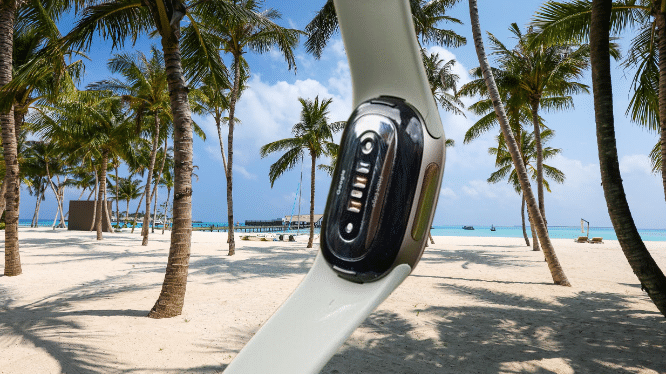
It covers the usual basics. You get step and calorie tracking, sleep tracking, all-day heart rate monitoring, SpO2, skin temperature, and ECG recording through the dedicated app. It also has an altimeter, which counts the floors you climb and picks up elevation on hikes. The Fitbit Charge 6 did not have one.
Daily tracking is excellent, as it is on the Fitbit Air. The Edge uses GPS to detect outdoor walks as short as 10 minutes. Sleep tracking comes close to the Oura Ring 5, which I use as my baseline. It can be a little generous with total sleep time, but each brand uses its own algorithm, so that is normal.
If you want a wearable to keep an eye on your general health and fitness, the Edge does it well. It handles dedicated workouts just as well.
My workouts are mostly outdoor walks, longer hikes, and the occasional jog on a treadmill. The Edge handled all three. Data like average and max heart rate lined up closely with my Oura Ring 5. One surprise is that it cannot alert you to distance splits during runs, even though it has a vibration motor.
You may also like: Whoop vs Apple Watch: Full Comparison 2026
The GPS deserves special praise. It beats phone GPS by a clear margin. I tested it on an 7 km hike in a local forest. The trees were dense, and my phone lost tracking for much of the trip.
On that hike, my Oura app, which uses my phone’s GPS, logged only about 4.8 km. That was far short of the real distance. The Edge stayed locked onto my route through the dense forest and gave a much more accurate summary.
Aside from built-in GPS, the main advantage the Edge has over the Air is live stats during exercise. The screen is small, but it works well for checking how you are doing. You swipe through different screens for the metric you want, and each set matches the type of exercise. It kept me motivated during a 2.5-hour forest walk.
You can also see a workout breakdown on the watch right after you finish. I still recommend opening the Google Health app for the full picture.
That app gives you more insight into your health and fitness. The home screen is customizable, so you can show the metrics you care about most. It also adds extras like blood pressure and insulin resistance trends, plus AI meal logging for a fuller view.
The Google Health Coach is the best part of the experience. Google’s Gemini-powered assistant breaks down your workouts and sleep trends and gives you personal advice. It feels easier to digest than the AI analysis from Oura, Whoop, and others.
Health Coach sticks to the point and highlights the key facts. The back-and-forth chats feel natural and useful, and it can dig into your data to answer almost any question you have.
You may also like: Google Health 5.0: New Features, Issues and Pricing
It also adapts its advice to your routine. I told it I work in the office on Tuesdays, so it no longer pushes me to work out that day. I also said I do not run when it is too hot, so it checks my local weather before it suggests a run.
There is a catch. The AI features, along with in-depth sleep analysis, sit behind the Google Health Premium subscription. If you already pay for Google AI Pro, you get Premium as part of that plan. If you do not, it costs $7.99 per month.
Google Fitbit Edge Battery Life
Google undersells the Fitbit Edge’s battery life, as it did with the Fitbit Air. The company claims up to seven days. On my first full charge, I got nine days. That stretch included a trip to Spain with a lot of auto-tracked workouts.
One caveat matters here. I kept the always-on display off. When I left the screen on from 8am to midnight, the battery dropped to just over three days. That run included a manually tracked 2.5-hour hike on day two, plus regular auto-tracked walks and sleep tracking.
Three days is still a decent result for this kind of tracker. It matches what Huawei offers with its entry-level Watch Fit 5.
You may also like: Oura Ring Adds Hormonal Birth Control and Menopause Tools
A full charge takes about 90 minutes in my experience. The Edge uses the same charger as the Fitbit Air, which helps if you own both. The battery is also user-replaceable. Few wearables offer that, and Google deserves credit for it.
Google Fitbit Edge Verdict
The Google Fitbit Edge handles the basics well. It is light and comfortable, with a bright AMOLED screen. Health tracking is reliable, the GPS is accurate, and the battery lasts longer than Google says it will. Google Health Coach stands out as the best part of the package.
A few missing basics hold it back. It has no NFC, no automatic brightness, and no automatic Bedtime mode.
Pros |
Cons |
| Light and comfortable design | No NFC, automatic brightness, or automatic Bedtime mode |
| Great built-in GPS accuracy with battery life that beats Google’s claims | Most settings only available in the app |
| Google Health Coach offers genuinely useful advice | Features require a Health Premium subscription |
Final Thoughts
The Google Fitbit Edge gets the basics right. The design is comfortable, and the health tracking is dependable; the GPS is reliable, and the battery lasted longer than Google claims in my testing (with the always-on display caveat).
The screen makes it a better workout partner than the screenless Air, since you can see live stats on your wrist. Google Health Coach also turns all that data into advice that I actually want to follow.
Small gaps keep it from feeling polished. It has no automatic brightness, no automatic sleep detection for Bedtime mode, and no contactless payments. The best fitness trackers include these, so they are hard to ignore. You also need a subscription to get the most from Google’s health insights.
If health tracking is your priority and you are happy to pay for the extra guidance, you will find plenty to like. If you want a tracker that can stand in for a smartwatch, the limits may annoy you more than the excellent tracking makes up for.