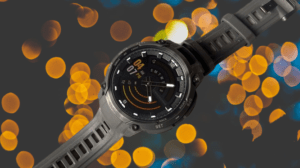
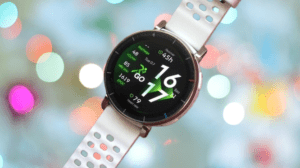
The Huawei Watch 6 positions itself as a premium smartwatch built around health and fitness, packing a wide sensor array into a design that looks good, displays brightly, and lasts several days on a single charge.
It won’t match the smarts of a Wear OS or watchOS device, mostly because third-party app support stays limited here. Huawei’s counting on features like X-Tap, Health Glance, and upgraded activity tracking to make up that ground instead.
After wearing the Watch 6 for a couple of weeks, I found plenty worth praising, though a handful of frustrating inconsistencies keep it from feeling fully finished.
Huawei Watch 6 Full Specs
Huawei Watch 6 Design
Don’t expect a dramatic redesign from the Watch 5 to the Watch 6, and honestly, that’s fine. The Watch 5 already ranked among the better-looking smartwatches out there, and the 6 simply carries that forward.
You get the classic circular face, a rotating digital crown up top right, a button below it, and Huawei’s X-Tap sensor system returning in the center, more on that shortly.
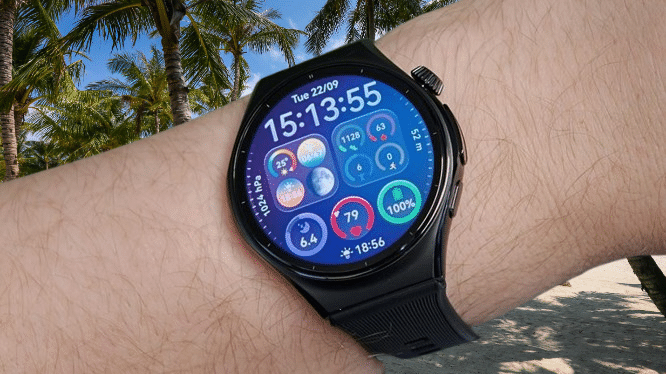
The overall look genuinely impresses. It doesn’t feel techy or gadget-heavy on your wrist. There’s enough weight to feel substantial without tipping into heavy territory, coming in at around 60 grams. At 10.9mm thick, it’s nowhere near the bulkiest watch I’ve worn this year either.
You may also like: Google Pixel Watch 5 Review: Refined, Not Reinvented
The edges curve nicely, and small annoyances you sometimes get with other smartwatches, like an awkward gap between the strap and your skin, simply don’t show up here. Huawei clearly knows how to design a wearable that looks good.
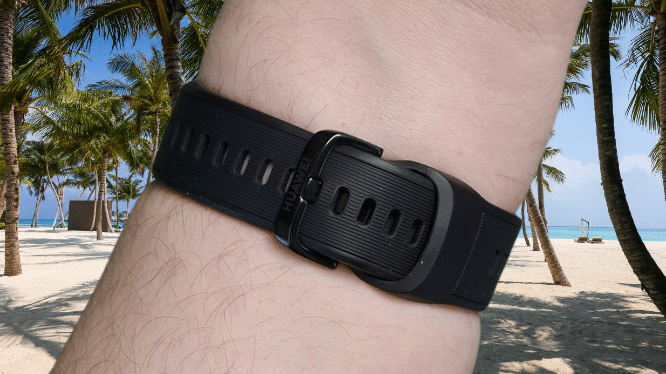
The strap system deserves credit too, borrowing a bit from what Apple and Google have done. The simplified mechanism lets you put the watch on or take it off using just one hand, a small detail that ends up mattering a lot day to day.
The band feels soft against your skin, made from fluoroelastomer, and works equally well whether you’re heading into the office or the gym. If you want something different, Huawei and third parties both offer alternative straps, since it uses a standard 22mm band size.
On materials, the 46mm model gets a genuine high-end titanium build, with reflective sides and a matte front surrounding sapphire glass over the display. The smaller 43mm model, oddly, drops down to aluminum alloy instead, and I’m honestly unsure why Huawei made that call.
That said, even with titanium on my 46mm review unit, it scratches more easily than you’d expect. Over ten days of regular wear, I somehow picked up a noticeable scratch on the matte frame just above the screen, without any memorable bump or knock that would explain it.
The display stands out as another highlight. At 1.5 inches, it matches the previous model in size, but this LTPO screen now hits brightness levels up to 3,500 nits.
Given that brightness, it’s no shock that reading it in direct sunlight is easy, and the screen-based flashlight function works noticeably better as a result too, though it still can’t compete with a dedicated built-in torch as you’d find on something like the Garmin Fenix 8.
Regardless, the screen looks bright, vivid, and sharp, and the pre-installed watch faces genuinely look great. Even the bezel avoids feeling oversized, since Huawei worked classic watch etchings into it as part of the design rather than treating it as wasted space.
You may also like: Huawei Watch GT 7 Pro First Impressions
Durability hasn’t moved much generation to generation, but with full IP69 certification and 5ATM water resistance good for depths up to 50 metres, there’s not much room left for Huawei to improve here anyway.
Huawei Watch 6 Features and Software
The Huawei Watch 6 runs on the company’s own HarmonyOS, and honestly, it feels familiar in most ways. Swipe up to check notifications, swipe left or right for widgets, and swipe down from the top for quick settings, standard smartwatch stuff.
Press the digital crown and you land in the app menu, and this is really where Huawei falls behind smarter competitors like the Pixel Watch 5 or Apple Watch Series 12.
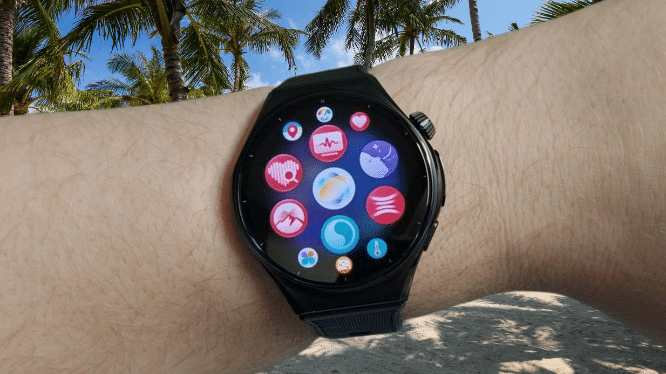
Running its own custom OS means third-party app support basically doesn’t exist. No Spotify, no Google Maps, no MyFitnessPal. Instead, you’re mostly working with Huawei’s own health and fitness apps, plus a handful of niche additions like Trainpal, Emirates, and MyBotPal. On the plus side, UK users can now use the Watch 6 for payments through Curve Pay integration.
You may also like: Best Fitness Trackers 2026: Top Picks Tested and Ranked
Some standard smartwatch functions do work here. You’ll get notifications, though replying quickly isn’t an option, and if you go with the eSIM version, you can make and take calls straight from your wrist even without your phone nearby.
It still handles the basics well, weather, calendar events, and similar info, so it’s far from a stripped-down experience, just less capable than some rivals. Google Maps being absent doesn’t leave you totally stranded either, since Huawei’s own Petal Maps handles casual walking and cycling navigation reasonably well.
Skipping Wear OS does have one silver lining, not that Huawei being blocked in the US would let it use Wear OS anyway. The Watch 6 works fully with both iOS and Android, and it can even connect to two devices at once. I’m not entirely sure when you’d need that, but the option exists.
Huawei also built in some genuinely fun gesture controls. Pinch two fingers together to select something, swipe a finger to scroll, or flick your wrist to go back.
It takes some practice to get right, and I’d like it to respond more consistently, since I occasionally had to repeat a gesture for it to register, but it’s a legitimately useful way to control the watch when your hands are full.
Huawei Watch 6 Health and Fitness Tracking
The smartwatch side of things really takes a back seat to health and fitness here, so let’s get into what actually matters on this watch.
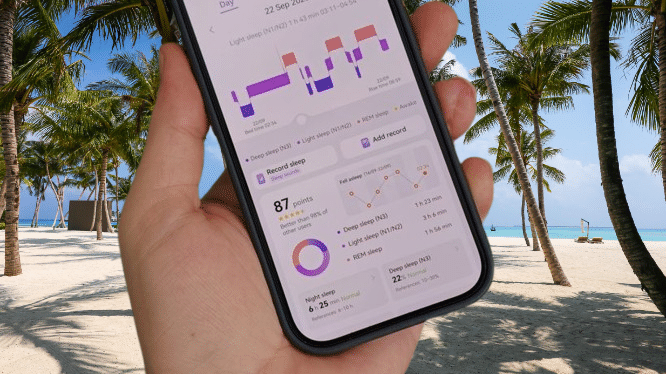
Huawei loaded the Watch 6 with sensors, and the headline addition is the updated X-Tap system, combining ECG, PPG, and a pressure-sensitive touch sensor into one compact module on the side.
It works together with the optical heart-rate sensor along with temperature, motion, and atmospheric sensors to track everything from heart rate and SpO2 to arterial stiffness and pulse wave arrhythmia.
Health Glance pulls several of these checks into one quick session, even asking you to cough into the microphone for a respiratory check, and delivers a full report in about 60 seconds. It’s fast, doesn’t get in your way, and genuinely saves time compared to running every test separately.
You may also like: Huawei Pura X View: Specs, Design and What We Know
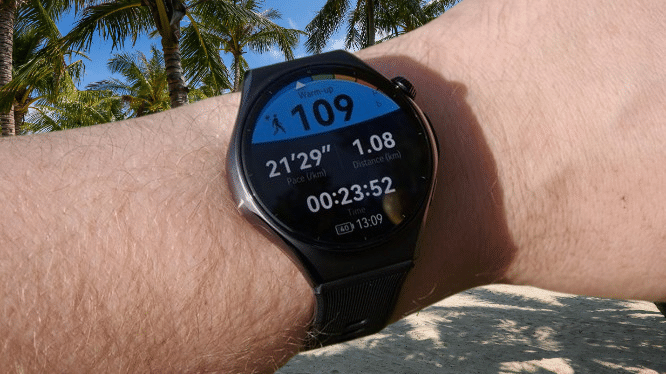
Dual-band GPS handles outdoor activity tracking, so I tested it with a 45-minute walk through my local park. Living on the outskirts of Derby means it’s not quite dense urban terrain, but plenty of trees still got in the way. Even so, the tracked route only showed minor wobbles I couldn’t really explain.
Things got messier during a 20-minute walk, though that’s an unforgiving environment for any GPS device, with tall buildings everywhere. Still, other watches handle this better. The Galaxy Watch Ultra 2 comes to mind immediately as a recent example that just locks onto your route and stays accurate.
What impresses me most is how much exercise-specific data Huawei manages to track, things like balance and intensity readings during runs, or virtual power and ascent figures while cycling.
You’ve got a huge range of watch face layouts to customize too, so you can keep whichever metric matters most to you front and center. If you’re serious about sports and wellness tracking, this is genuinely solid stuff.
Running and walking are just the start, though. The Watch 6 supports over 100 exercise types, and this year’s additions include indoor skiing, improved cycling metrics, and access to over 3,000 global ski resort maps so you can navigate slopes without needing your phone connected.
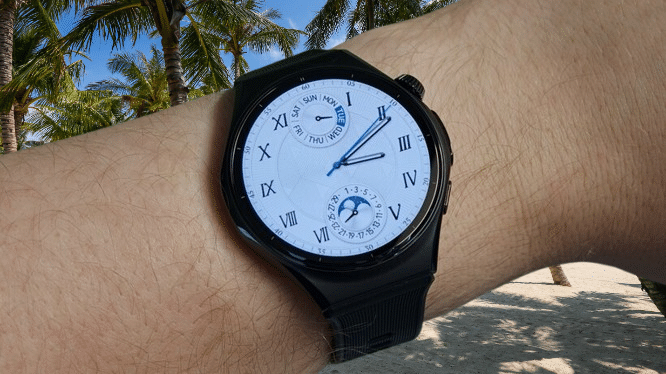
Beyond structured workouts, the Watch 6 handles general health monitoring too, and nothing here feels particularly new: movement, heart rate, HRV, blood oxygen, and the usual set of activity rings covering daily calorie burn, exercise time, and standing time.
You may also like: Whoop vs Garmin Smartwatch: Screen, GPS, and Tracking Accuracy Compared
What is new for Huawei this year is a readiness score, a feature we’ve already seen across plenty of other devices, pulling together recovery, sleep quality, skin temperature, and cycle tracking to give you a sense of how hard you should push yourself that day.
It’s not groundbreaking technology by any means, but it’s new territory for Huawei, and it’s a good addition. In my experience, it generally matched how energetic I actually felt.
Sleep tracking is where the Watch 6 falls behind something like the Oura Ring 5. Sleep stage accuracy naturally varies between devices; that’s expected, but I noticed the Watch 6 struggled to even detect when I was actually falling asleep.
One night it took me roughly an hour to drift off. Oura correctly logged that time as awake-in-bed. The Watch 6 missed it entirely, only starting its tracking once I’d actually fallen asleep, which throws off the whole picture.
The same thing happened with nighttime wake-ups. A trip to the bathroom in the middle of the night registered on my Oura Ring 5 but went completely unnoticed by the Watch 6.
To be fair, I’m not the easiest sleeper to track, and most manufacturers admit their tracking gets shakier with restless sleepers like me. But I’ve experienced better results elsewhere, so I know accurate tracking here is possible.
It’s a genuine shame too, because Huawei gives you a lot of sleep data to scroll through each morning. The problem is, when the core tracking itself feels unreliable, it’s hard to trust the detailed numbers built on top of it.
You can view all this data on the watch itself or through the Huawei Health companion app. That app was never my favorite to navigate; it always felt a bit cluttered, though a redesigned interface has improved things somewhat.
It’s still not the most intuitive app around, with a lot crammed onto every screen, and occasional ads you can’t dismiss, but at least you get a bigger screen to dig through your data properly.
You may also like: Pixel Watch 5 vs Galaxy Watch 8: Which Should You Buy?
There’s also some AI-driven analysis baked into the app. It helps if you’re not familiar with what each metric actually means, though I do think it could feel more personal and less robotic in how it delivers its assessments. A bit more warmth in the delivery would go a long way, similar to what Google does with the Fitbit Ace.
Huawei Watch 6 Battery Life
Battery life on the Huawei Watch 6 sits firmly in the middle of the pack, not bad, but nowhere close to the longest-lasting wearables out there right now.
That’s honestly a bit surprising, since it’s usually Wear OS watches like the Pixel Watch 5 and Galaxy Watch 9 that top out around a couple of days, while watches running custom software, like the Garmin Fenix 8 Pro or Xiaomi Smart Band 10 Pro, and Huawei’s own watch falls into that category too, often stretch to weeks of battery life.
The OnePlus Watch 3 is a good example, managing five days in Wear OS mode and jumping to 16 days when switched to its own custom software.
With the Watch 6, I got roughly five days out of mixed use with the always-on display turned off. Switch that display on, and it drops to about three days. Add GPS tracking for longer workouts like marathons, and expect that number to shrink further, though that’s typical across most wearables.
I don’t want to make this sound disappointing, because it isn’t. Compared to the Pixel Watch 5, which I’d been wearing recently and needed charging every couple of days, not having to think about the charger as often felt genuinely nice. I just think it should last longer, given it’s not running software as demanding as what powers the Pixel.
You may also like: Samsung Galaxy Watch 9 Review: Refined Health Tracking, Weak Battery
When you do need to charge it, the magnetic puck snaps on easily enough, taking about ninety minutes for a full charge. Given the multi-day battery here, though, you rarely need a full charge before heading out. Around 30% comfortably covers a day, and that only takes 25 minutes to reach.
Huawei Watch 6 Verdict
The Huawei Watch 6 stands out as a great-looking smartwatch, backed by an excellent screen, thorough health tracking, and battery life that comfortably lasts several days. Limited app support keeps it a step behind the smartest wearables out there, though, and inconsistent sleep tracking chips away at some of its fitness appeal.
Pros |
Cons |
| Stylish look with premium materials | Very limited third-party app integration |
| Comprehensive health and fitness tracking | Inconsistent sleep tracking |
| Big, bright 1.5-inch screen, works with iOS and Android | GPS can struggle a bit in built-up areas |
Final Thoughts
The Huawei Watch 6 delivers a genuinely stylish, well-constructed smartwatch, backed by an excellent bright display, a comfortable fit, and some of the deepest health monitoring you’ll find on any wearable right now.
The X-Tap system paired with Health Glance makes gathering detailed health insights fast and simple, and between the wide range of workout modes and solid, if not exceptional, multi-day battery life, it works well as an everyday companion.
That said, limited third-party app support keeps it from competing with Wear OS or watchOS on smart functionality, and inconsistent sleep tracking takes some shine off its fitness credentials.
It’s not the most complete smartwatch you can buy, but it’s still a strong pick if classic styling, solid battery life, and serious health and exercise tracking matter more to you than apps or tighter phone integration.