Nearly every Android phone released in 2026 gets marketed as an AI-first device these days, but nobody pushes that message harder than Google does with the Pixel 11 Pro.
This phone is built around Gemini from the ground up, with the camera, the software, pretty much everything centered on these AI capabilities.
There’s another factor to reckon with this year too, which is rising prices. On the surface, the Pixel 11 Pro doesn’t look like a huge jump from the 10 Pro. Last year’s flagship started at $999, and the 11 Pro starts at $1099. Storage doubles too, from 128GB to 256GB, which sounds like a win.
Here’s the catch, though. Unless you spring for the $1299 model, the one I’m testing here, you’re actually getting less RAM than last year’s phone: 12GB instead of 16GB. And with everything Google is packing into this phone, RAM matters more than it used to.
Google Pixel 11 Pro Full Specs
Google Pixel 11 Pro Design
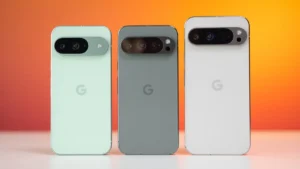
I genuinely love how the Pixel 11 Pro looks, especially in the Olive finish Google sent over for review. I don’t usually lead with color options in a review, but Google really nailed the palette this year. Olive comes across as a moody, sophisticated green, Canyon lands as a tasteful pinkish red that avoids feeling flashy, and Fog offers a fresh spin on the traditional silver finish.
Even Obsidian, typically the safe black option, gets a bit more character this time with matte sides instead of the glossy finish used on the other colors.
You may also like: Google Pixel 11 Pro vs Pixel 11 Pro Fold: Key Differences
The overall design hasn’t shifted much from the Pixel 10 Pro. The camera bar looks a bit cleaner, with the glass now running edge-to-edge rather than stopping halfway across. That camera visor is still large, though it does mean the phone sits stable on a table instead of rocking around every time you tap it to check a notification.
Google says every model in the Pixel 11 lineup uses 100% recycled materials in the magnets and 100% recycled lithium in the battery.
As usual, there are two main sizes, well, three if you count the Fold, but that’s a different kind of phone entirely. The standard Pixel 11 Pro sits alongside the larger Pixel 11 Pro XL, and the two share nearly identical specs aside from the expected battery and screen differences. For me, the standard 6.3-inch model is honestly the more interesting phone here compared to its bigger 6.8-inch sibling.
This is one of the few genuinely “small” Android phones that doesn’t feel like a compromise. Samsung and Xiaomi both offer similarly sized options in the Galaxy S26 and Xiaomi 17, but both of those feel noticeably scaled back compared to their Pro and Ultra siblings.
The Pixel 11 Pro sits close in size to the iPhone 17 Pro and comes in slightly lighter than the Pixel 10 Pro at 204g.
It genuinely feels great to hold, and like I’ve said in past reviews, this design works far better in a smaller footprint. The soft, rounded sides paired with the flat back sit comfortably in your palm, making it a pleasant phone to hold for extended use.
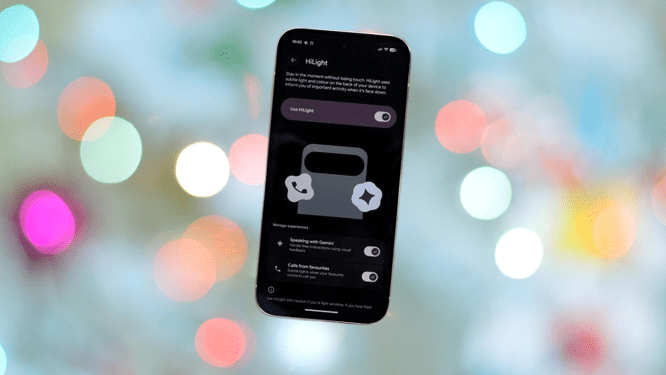
Probably the biggest change this year comes down to HiLight, essentially a rebrand of the camera flash LED into something closer to a notification light. It’s exclusive to the 11 Pro lineup, so the standard Pixel 11 misses out.
To be blunt, HiLight in its current state feels pretty pointless. It turns blue when you’re talking to Gemini, though it didn’t always trigger reliably in my testing, and flashes different colors for incoming calls. And obviously, your phone needs to be face down for you to even notice it happening.
There’s no support yet for third-party apps, other notification types, or even text messages. It seems like an obvious miss too; this light could easily turn red while recording video, for instance. Given how creative Nothing has gotten with rear lighting on its phones, for timers and other clever tricks, it’s genuinely surprising how little Google has done with this feature so far.
Google Pixel 11 Pro Screen
A 6.3-inch screen is genuinely rare among Android phones in 2026, and it’s nice to see that size still hanging around. It’s also a genuinely good display overall, even if there isn’t a huge leap here compared to the Pixel 10 Pro.
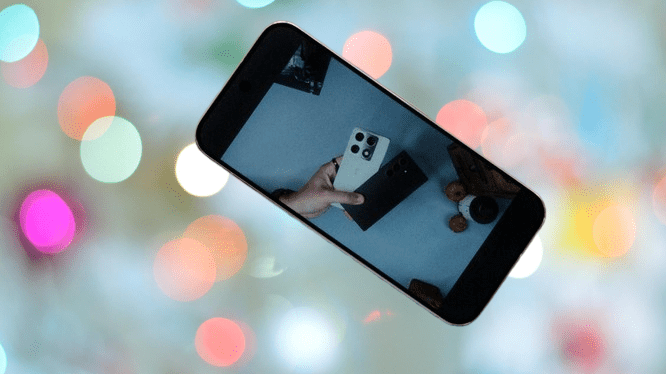
The OLED panel still ranges from 1-120Hz, but it gets a modest brightness bump this year. Peak brightness now hits 3600 nits, up from 3300, and 2400 nits in high brightness mode, up from 2200. That extra headroom shows in direct sunlight, where the display pushes brightness up noticeably, and HDR video through Netflix looks genuinely great.
HDR support still runs through HDR10+ rather than Dolby Vision, consistent with how Pixel phones have always handled it.
You may also like: The Best Google Pixel 10 Deals: Up to 26% Off on Amazon Now
Google says the display now has a new coating that’s twice as scratch-resistant as before, even though it’s still using the same Gorilla Glass Victus 2 underneath. Google’s even claimed you could toss the phone in a bag alongside keys without worrying about scratches.
I probably wouldn’t test that myself, but the added peace of mind is welcome, and you shouldn’t need to think twice about tossing it in a pocket with loose change either.
Google Pixel 11 Pro Camera
Google’s Pixel line used to sit at the top of the camera phone conversation, but that’s not quite true anymore. Chinese manufacturers like Oppo and Xiaomi have pulled ahead in a lot of ways, with bigger sensors, unique zoom hardware, and partnerships with established camera brands like Leica and Hasselblad.
Google’s taken a different path with this phone, leaning more on Gemini to shape the photo experience rather than chasing raw hardware specs.
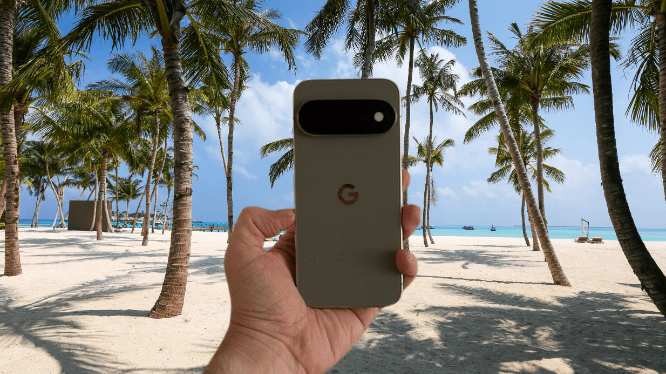
The Pixel 11 Pro carries three rear cameras: a 50MP main sensor, a 48MP ultrawide, and a 48MP telephoto lens, plus a 42MP front camera. Those specs mostly match last year’s phone, but the new ISP inside the Tensor G6 brings improvements, and there’s a fair amount of new software functionality layered on top.
You may also like: Google Pixel 11 Pro XL Design Leaked by Case Manufacturer Thinborne
One example is customizable camera “looks,” similar in concept to Styles on an iPhone, letting you adjust the entire image pipeline rather than just slapping a filter over the top.
Four options are available: Original, Natural, Shadows, and Vanilla. Vanilla leans warmer, Shadows deepens contrast for a punchier look, and Natural pulls back some of the punchy color saturation for a softer overall result.
Just like on an iPhone, you can save whichever style you prefer and tweak it further from there. It’s a nice option to have, though I’ve always personally liked the punchier, contrast-heavy default look Pixel photos are known for.
Another welcome addition tucked into the camera app is Creator Suite, which includes a genuinely useful teleprompter feature, overlaying text on screen so you can read while recording yourself. It’s a niche feature, sure, but genuinely valuable for anyone who actually uses it.
Gemini shows up everywhere in the camera app, as expected. One feature I’m less sold on is Magic Capture. The idea is you just hit go and let the camera capture photos and video on its own. I’m not entirely convinced this adds anything, and every result I got came out worse than if I’d just taken a few shots myself manually.
Google pitches it as ideal for capturing kids or sports action, but I don’t trust it enough to risk missing the actual shot I wanted in exchange for a pile of mediocre alternatives.
Zoom is another area where Gemini gets involved directly. The phone can push zoom all the way to 120x, which Google attributes to the new telephoto sensor pulling in 50% more light, combined with a more powerful TPU inside the Tensor G6 chip.
That said, this zoom level also relies on “improved models” running on-device, meaning what shows up in your final image might not perfectly reflect what was actually there. That might not bother everyone, but personally, I’m not thrilled about photos representing something that isn’t quite real.
I put the 120x zoom through its paces a few times, and it does work in certain situations. A photo of a tree taken from my sixth-floor flat came out surprisingly sharp. Point it at a person or an animal, though, and results turn oddly unrealistic. Skin looks strangely smooth, verging on cartoonish. It’s a bit unsettling, honestly.
Zoom fares much better at 5x, 10x, and even 30x in some cases. I got some genuinely great shots switching between these ranges, and they offer real versatility for everyday shooting. Colors stay consistent across the different zoom levels too, and the transitions happen quickly.
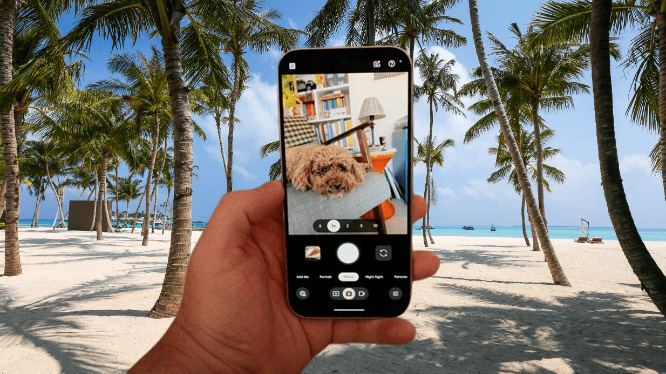
Photos from the main camera come out good, often really good, but they still feel recognizably like phone camera shots. Depth doesn’t quite match what larger-sensor phones like the Xiaomi 17 Ultra or Oppo Find X9 Ultra can produce, particularly noticeable in landscape shots. That said, detail holds up impressively well when shooting close-up subjects like objects or pets.
You may also like: Google Android 17 Beta Reveals a Smarter Way to Charge Your Phone
What stands out most about the Pixel 11 Pro camera is reliability, and that matters a lot in practice. It launches quickly, and switching between shooting modes feels fast and fluid. I never once ended up with an unusable shot, and getting a good photo took very little effort, something that isn’t always true of more complicated camera systems on other phones.
Night shooting holds up similarly well, even if it’s no longer the category leader it once was. Night Sight processes noticeably faster now, and there’s a new Instant Night Sight setting that skips heavy processing, though it caps out at 12MP stills and 10x zoom or lower. Results still pull out plenty of light and retain solid detail. Like the rest of the camera system, low-light shots come out reliably good more often than not.
Google Pixel 11 Pro Performance
Probably the most interesting part of this review is the Tensor G6 chip running the show, along with a shift in RAM and storage worth noting.
The Pixel 10 Pro shipped with 16GB of RAM standard, but only started at 128GB storage. The Pixel 11 Pro doubles that base storage to 256GB, but unless you pay extra for the 512GB or 1TB models, RAM actually drops down to 12GB, likely a consequence of the sharp memory price increases we’ve seen over the past year.
This review is based on the 16GB model, so I can’t speak firsthand to whether the lower RAM option makes a real difference day to day.
The Tensor G6 itself is Google’s newest in-house chip, built with a heavier emphasis on AI performance. Google claims it packs an upgraded Image Signal Processor and a TPU that’s 50% more powerful, speeding up computational photography and letting the latest Gemini Nano model run faster on-device. The G6 pairs with the Titan M3 chip for security.
You may also like: iPhone 17e: Release Date, Price, Specs, and Everything We Know So Far
Throughout testing, AI performance has genuinely impressed me. Responses come quickly, proactive suggestions appear without delay, and the camera processes shots without much stuttering. Solid stuff.
Elsewhere, though, performance gets more inconsistent, particularly in gaming, where the Pixel 11 Pro noticeably struggles. Some of that could come down to unoptimized software on specific titles, so there’s a chance things improve with future updates. But based on what I’ve actually tested, gaming performance leaves something to be desired right now.
Genshin Impact, a demanding game I’d expect any $1000+ phone to handle well, is basically broken on this phone. It’s unplayable, riddled with broken shaders and genuinely poor performance. Getting Wuthering Waves to even run meant dropping every graphics setting to its lowest, and even then, the experience stayed rough. GPU benchmarks backed up what I saw in real use, placing the Pixel 11 Pro closer to phones costing half as much.
Other benchmarks measuring single-core and multi-core CPU performance told a similar story, with the Pixel 11 Pro scoring roughly in line with last year’s 10 Pro, and well behind the strongest Android phones currently available.
I don’t usually put much weight on synthetic benchmarks alone, but combined with what I actually experienced hands-on, it’s clear this isn’t a phone built for gamers, not even those who just want to dabble occasionally.
It’s not only general performance that feels off, thermals aren’t great either. Throughout testing, the Pixel 11 Pro consistently ran warm, and not just during gaming; even tasks like photo editing and video recording brought the heat up.
In the US, this phone ships eSIM-only. In the UK and other regions, though, a physical SIM slot remains on top of the phone, alongside full eSIM support everywhere.
You may also like: Fairphone 6 Plus Review: Repairable, Not Fast
Connectivity checks all the expected boxes, including Wi-Fi 7 and Bluetooth 6, and Google says there’s a new modem inside. In speed testing, download speeds over both 5G and Wi-Fi 7 came in slower than an iPhone 17 Pro Max, though upload speeds more than doubled the iPhone’s numbers.
Google Pixel 11 Pro Software
Pixel phones used to be a camera purchase first and foremost. Now, I’d argue the real reason to buy one is the software. This phone is built around Gemini more than anything else, and Google’s AI shows up everywhere throughout the experience.
Like most AI implementations, it’s a mix of genuinely useful additions and features you’ll probably never touch, but even skeptics of AI features will likely find something here worth using.
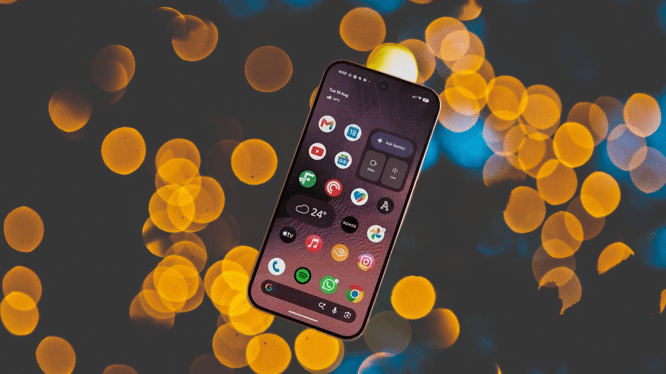
At launch, not every Gemini feature is available in every region. Proactive Assistant is one of the bigger headline features, and it’s completely absent from my review unit. It works by reading what’s on your screen and offering timely, personalized suggestions based on context.
When it’s available, you’ll see cards pop up suggesting restaurants, pulling up airline tickets, or surfacing calendar events. Sitting at a restaurant, it can show up on your home screen with a menu link and suggested dishes. These proactive features currently work in the US, Canada, Australia, Japan, India, Singapore, and Malaysia.
Of the features actually available, Rambler is the one I’ve used most and genuinely rate highly. It’s a much smarter approach to dictating messages, with the AI understanding intent and filtering out rambling or corrections.
If I’m dictating a shopping list and mention chicken before correcting myself to beef, it drops chicken entirely and just keeps beef. It reminds me of Wispr Flow, an app I use for dictation on my Mac.
Gemini performs well as a mobile assistant in plenty of everyday scenarios. Open it inside WhatsApp, for example, and it can read what’s on screen.
You may also like: Infinix Note 60 Ultra Review: Pininfarina Design on a Budget
Some features are less obvious, though. Magic Cue launched last year, promising useful, time-saving contextual suggestions, but honestly, I can’t recall it ever doing anything noticeable, even with it switched on.
Like most AI features these days, there’s a fair amount of filler mixed in. The writing tools mostly feel pointless to me and consistently sound unnatural, and the same goes for the image generation and Omni video creation tools. Honestly, I think the output from these looks pretty poor and represents a real concern for creative work generally.
I won’t dive into every Android 17 feature here, but it’s worth noting Google still commits to seven years of software support, full OS updates, Pixel Drops, and security patches included.
Google Pixel 11 Pro Battery Life
Battery life on the Pixel 11 Pro lands right about where you’d expect from a smaller phone. Some larger Android phones have moved to silicon-carbon cells to boost endurance significantly, but Google hasn’t followed suit here. The battery itself is actually marginally smaller than last year’s, 4850mAh compared to 4870mAh on the Pixel 10 Pro.
This is a phone you’ll be charging daily unless you’re an extremely light user. On lighter usage days, I made it from 8am to 11pm with around 45% remaining, after roughly three hours of screen time.
On more typical days, with five or six hours of screen-on time, the phone would run dry by around 10pm. A few times, I needed an evening top-up just to make it through. These results line up almost exactly with what I found testing the Pixel 10 Pro last year.
Power-saving modes are available to squeeze out extra battery life, and you can choose between two display resolution settings that make a modest difference. The phone defaults to a lower 1080 x 2410 resolution, and you’d need to manually switch to 1280 x 2856 in Settings if you want the sharper option.
If longer battery life matters more to you, the Pixel 11 Pro XL is the better bet, thanks to its larger battery and faster charging speeds.
In my testing, the standard Pixel 11 Pro typically charged between 24-26W when paired with a 45W+ charger. There’s an Extreme Charging setting available too, which shuts down background processes to speed things along, and with that enabled, charging held steady at 26W. That mode only kicks in below 50% battery, though, and needs to be turned on manually every time.
You may also like: Xiaomi 17T Pro Review: Big Battery, Familiar Design
I ran the phone down to 0% and timed a full charge cycle using the included cable and a 60W charger. A complete charge took 110 minutes, with 50% arriving in 47 minutes, or 35 minutes with Extreme Charging enabled.
PixelSnap makes a return here too, and this remains one of the few Android phones with built-in magnets supporting the full Qi 2.2 charging standard. If you already own MagSafe accessories, as I do, they work fine here, depending on size compatibility.
Google Pixel 11 Pro Verdict
The Pixel 11 Pro is a mixed bag overall, but it’s still a good pick for anyone who wants a smaller Android phone. Design and camera quality both hold up well, and the software brings real benefits to daily use. It’s just a shame the Tensor chip falls short in so many areas.
Pros |
Cons |
| Lovely colour choices and good triple camera setup | Poor GPU performance |
| Great to still have a top-end Android this size | Gets warm in use |
| Useful Gemini additions with great Rambler | Base model only has 12GB RAM |
Final Thoughts
The Pixel 11 Pro is a genuinely interesting phone, and in some ways, a tricky one to judge fairly. Google has bet everything on Gemini here, and that focus comes at the expense of other parts of the phone. That’s not new territory for a Pixel, but with the price climbing this year, it stings a bit more than usual.
Still, this smaller Pixel is easier to recommend than its larger XL sibling. There’s genuinely nothing quite like it on the market right now: a compact Android phone with a strong feature set, a genuinely flagship-level triple camera, and a stunning display. If you’re an iPhone user curious about switching to Android but can’t stand phones over 6.5 inches, this remains the best option out there.
That said, I can’t shake a bit of disappointment. The design looks great, and Google’s color choices this year are genuinely excellent. The camera stays strong, even if it’s no longer leading the category outright, and several AI features genuinely improve daily use. But there are real misses too, and paying over $1000 for less RAM than last year’s model, with just 256GB storage at the base tier, stings a bit.
Gaming and GPU performance came out disappointing in my testing. Demanding games struggle to run at all, and the phone consistently heats up during gaming sessions of any kind.
The HiLight notification light feels like a gimmick, and such an unfinished one that it’s genuinely strange Google is featuring it prominently in marketing for the 11 Pro line. Charging speeds lag behind too, and several of the better Gemini features simply aren’t available yet in regions like the UK.
With all that said, I still enjoy using a Pixel, and the 11 Pro doesn’t change that. It’s a cohesive package of hardware and software with a clear sense of direction, and Google’s version of Android remains the only Android skin I’d genuinely call good-looking. Still, I suspect most people would be better served finding a good deal on last year’s Pixel 10 Pro instead.