Google hasn’t launched a smart speaker in years. Five years if you count smart displays, almost six if you don’t. Now the company returns with the Google Home Speaker, a new device that runs Gemini for Home. Does this speaker put Google back in the smart speaker race? Or does it still fall short of what Amazon and Apple offer? Keep reading to find out.
Google Home Speaker Full Specs
Google Home Speaker Design
Google used to sell smart speakers under the Nest name. That name is gone now. It mirrors how Google has treated Nest since buying the company years ago. The new speaker sits between the old Nest Mini and Nest Audio in size and sound.
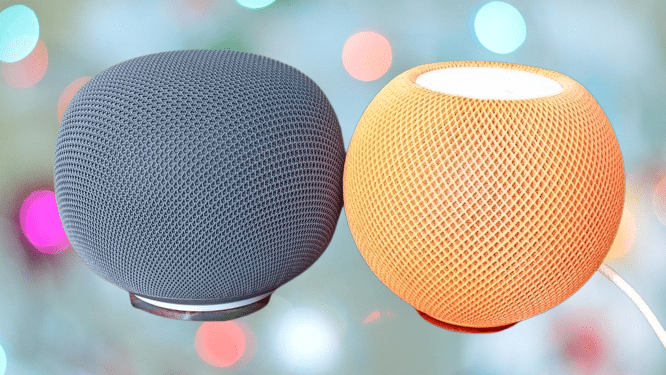
This puts the Google Home Speaker up against the Amazon Echo Dot Max and the Apple HomePod mini. The cheap, voice-only speaker era is over. The Google Home Speaker fits into a new category: small speakers that handle music and voice commands well.
In the US, you get four color choices: red, green, white, or grey. I have the grey model on review. In the UK, you only get white and grey. Google hasn’t explained why UK buyers don’t get the brighter colors.
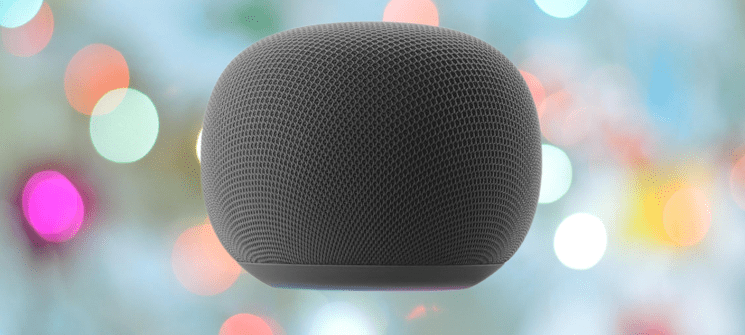
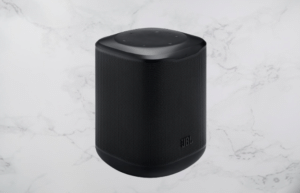
Google’s design team knew exactly what a smart speaker needed to look like. The Home Speaker has a mushroom shape and a mesh finish that matches what competitors already do. It looks like the old Nest Mini, just bigger.
The design works. It blends into any room. This model has a fixed power cable built in. A removable USB-C cable would give you more options if the cable ever fails, but this isn’t a major problem. Next to the power button sits a switch that mutes the microphone. You have to reach around to find it. The Echo Dot Max puts its privacy button right on top, where you can hit it without looking.
A light bar sits at the bottom of the speaker. It changes color to show you what’s happening. White means it’s listening. Blue means Gemini is responding. Yellow means the microphone is off. The speaker has no physical buttons on top. You tap the top to stop a response or pause music. There is no double-tap to skip a track or triple-tap to go back. Google left those actions out.
You may also like: Amazon Echo Studio Drops to $174.99 for Prime Day, Lowest Price Yet
Tap either side of the speaker, and a small LED lights up. Tap the right side to raise the volume. Tap the left side to lower it. The LED ring changes brightness based on your current volume level, so you get a visual cue every time you adjust it.
Google Home Speaker Features
The Google Home Speaker runs on Gemini for Home, which promises smarter answers than the old Google Assistant. Buy the speaker, and you get six months of Google Home Standard free, normally $8 a month or $80 a year. That plan gives you 30 days of event history for Nest cameras, smart alerts, Gemini Live, and help setting up automations in the app. Pay for Google Home Advanced at $16 a month or $160 a year, and you get 60 days of event history, 24/7 recording for wired cameras, and video search.
I already covered how Gemini for Home performed after my upgrade. The assistant missed more than it hit. This speaker doesn’t change that. When you connect the speaker to your home, it asks if you want to turn on Continued Conversation. Turn it on. You can ask follow-up questions without saying “Hey Google” again each time. You’ll need that feature. You’ll be repeating yourself a lot.
Gemini struggles with basic tasks. Try asking “Hey Google, what can you do?” and you get a list of suggestions that ignore your location entirely. Gemini once told me to set my thermostat to 72 degrees. That number makes no sense in the UK, where everyone uses Celsius. Google knows my location. The suggestions still come from a US playbook.
I ran a test after upgrading my Nest Hub. I told it my wife eats vegetarian food, then asked it to recommend a chicken dish for both of us. Gemini failed the first time and suggested chicken anyway. Google must have fixed this somewhere along the way, because a couple of weeks later, Gemini remembered my wife’s diet and suggested vegetarian alternatives instead.
I asked the Google Home Speaker to recommend a chicken dish for my wife and me. Gemini suggested one right away, ignoring her diet. I plugged the Nest Hub back in and asked the same question. I got the same chicken recipe again.
I asked Gemini what it remembered about my wife. It found a note confirming she’s vegetarian. I asked for a chicken dish recommendation again, right after that. This time Gemini gave me a correct answer. Gemini doesn’t remember information as reliably as Alexa+ does.
Alexa+ can pull information from PDFs and documents you send it. I asked Gemini if it could do the same. It suggested I upload the file to our chat. I pointed out that this is a voice speaker with no screen. Gemini told me it has no interface for that and suggested I read the PDF out loud to it instead. I’ll pass on that one.
You may also like: JBL Go 5 Review: AirTouch Stereo, USB-C Audio and IP68 Tested
The speaker cut in after this frustrating exchange and asked me to rank the interaction, with 1 as the lowest score. I said, “Minus 10 billion.” Gemini responded with a list of things it can do. Fixing the actual problem wasn’t on that list.
Here’s a good way to test a shaky AI. Ask it how many of a specific letter appear in a word. I asked Gemini, “How many Ms are there in the word mammal?” It answered, “There are three megaseconds in the word mammal.” That sentence makes no sense.
I followed up and asked, “How many megaseconds are there in the word mammal?”
Gemini said, “That is a bit of a trick question. Megasecond is a unit of time, not a word related to the spelling of mammal. As we discussed, there are three megaseconds in the word mammal, and a megasecond is exactly one million seconds. Would you like to know more about how time measurements work?”
The speaker survived this exchange, barely. Every voice assistant struggles with some tasks, but this answer was pure nonsense. It had no meaning at all.
Gemini handles some tasks well. I asked when England play next. Gemini said today, 1 July 2026, against DR Congo. I asked it to add the match to my calendar. It did, but this time it called the game “England vs Doctor Congo.”
The calendar entry lasted one hour. Football matches run at least 90 minutes plus half time. Alexa+ makes the same mistake, but at least it gets the country name right.
Google Home only supports Google calendars. You can’t connect a Workspace account either. I had to set up a free Gmail account just to use this speaker.
Gemini handles general queries well. It tells you if the Central Line is running. It tells you who starred in a specific film.
Basic smart home control works too, but longer commands trip it up. I asked Gemini to turn on a light, then turn it off five minutes later. The light turned on, but Gemini just set a five-minute timer instead. I split the command into two steps: turn on the light, then a separate request to turn it off in five minutes. That worked.
You can string commands together. I asked Gemini to turn on a light and then the fan in my office, and it handled both.
I tried a vaguer request next: “It’s hot in here.” I have a Dreo TurboCool Misting Fan 765S in my office, connected through the Google Home app, sitting in the same room as the speaker. I expected Gemini to turn it on.
The speaker turned on the AC units in the Trusted Reviews Home Technology lab on my first try. It got the right action on the second try.
Gemini responds slowly, especially when it needs the cloud. You’ll notice long pauses, even for simple repeated requests. Alexa+ used to have this problem too, but it improved a lot since then.
Some tasks are off limits. Ask the Google Home Speaker to create a routine and it can’t do it.
Video search does work, at least in theory. I asked Gemini if it could search video footage. It said yes and asked what I wanted to search for. I said “a cat.” Gemini paused, then told me I need Google Home Advanced for that feature.
With the right subscription and cameras, the speaker can push video to a secondary device. That’s still not as useful as a smart display in the same room.
Gemini for Home falls short on general usability. Alexa+ handles the same tasks with far more consistency. Siri struggles with complicated commands too, but it nails the simple stuff every time. The HomePod mini also gives you extra tricks, like tapping your phone to the speaker to transfer a call or hand off music.
The HomePod mini works as a smart home hub too. Apple Home gives you an app for remote control and automations, and it beats Google Home in ease of use.
You may also like: Bose SoundLink Home Review: Good Sound, High Price
This speaker also includes Thread support. That means it can act as a Thread Border Router, connecting your Matter devices directly to your network.
Google Home Speaker Sound Quality
The Google Home Speaker uses a 58mm full-range driver built for omnidirectional sound. Audio fills the room instead of pointing in one direction. The Echo Dot Max uses a 0.8-inch tweeter paired with a 2.5-inch woofer. The HomePod mini keeps its specs quiet, but it packs a full-range driver and two passive radiators.
All three speakers look similar on paper. Testing confirmed this too. Audio quality lines up closely across the board, and the Google Home Speaker holds its own against the competition.
I cast Spotify to the Google Home Speaker without any issues, though it capped out at High sound quality. The HomePod mini I tested handles Lossless audio.
The omnidirectional design works. Small speakers often give away their location, and you need to stand in a specific spot for the best sound. The Google Home Speaker skips that problem. It fills the room evenly.
You get no stereo separation from this speaker unless you buy two and pair them. I played the Foo Fighters’ Open Space, and the opening guitar should swirl between left and right channels. On the Google Home Speaker, it just sounds like the volume rises and falls. The HomePod mini and Echo Dot Max both handle this better.
I played Rage Against the Machine’s Bombtrack next. The Google Home Speaker handled the bass well here, and the drums hit with a solid thump.
This Too Shall Pass by OK Go carries heavy bass. The speaker controls it well and avoids distortion.
You lose some detail that better speakers pick up. Play Frank Sinatra’s That’s Life and everything sits in the high end. The bass line barely comes through. You Drove Me To It by Hell is For Heroes gets harsh in the mids, especially at higher volumes.
You may also like: Edifier S300 Wireless Speaker Review: Bold Sound With a Vintage Look
The Google Home Speaker doesn’t match the Nest Audio in sound quality. Google hasn’t replaced that model either, which raises a question. The HomePod mini has the HomePod above it. The Echo Dot Max has the Echo Studio above it. Google Home Speaker has no bigger sibling.
Google Home Speaker Verdict
Google took years to launch this speaker, and the hardware shows real effort. It sounds good and handles audio well. Gemini for Home holds it back.
Gemini responds slowly. It gets basic requests wrong too often. Amazon Alexa+ beats it in almost every comparison right now. This makes the Google Home Speaker a hard sell unless you already run your whole home on Google’s ecosystem.
Pros |
Cons |
| Nice design | Google Gemini for Home isn’t very good |
| Decent audio for the size | |
| Matter hub with Thread and clever touch controls |
Final Thoughts
Google made you wait years for this speaker, and the wait doesn’t fully pay off. The hardware looks good and the audio performs well, but it falls short of both the Echo Dot Max and the HomePod mini in sound quality.
You may also like: Marshall Woburn III Now $499: Best Bluetooth Speaker for Living Room Audio
Gemini for Home causes the biggest problem. It responded slowly during my tests. It made odd mistakes. It can’t handle tasks the competition manages easily, like reading a PDF. Alexa+ leads the smart assistant market right now, and Amazon backs it with a wider range of hardware options. If you use an iPhone, the HomePod mini sounds better and adds handy features for your device, even though Siri stays basic at its core.
Gemini for Home already runs on your existing smart speakers, and the Google Home Speaker adds no real performance gain over them. You don’t have much reason to buy this one right now.