The RedMagic Astra 2 has arrived, and it means business when it comes to delivering the best gaming experience you can get on an Android tablet.
At first glance, it looks a lot like last year’s Astra, which was already impressive in its own right. But dig a little deeper, and you’ll find upgrades under the hood that put this among the best-performing tablets we’ve tested this year. Some of these upgrades, honestly, we haven’t seen on any tablet before.
And it’s not just built for gamers either. The combination of a genuinely portable design, a wide screen made for entertainment, strong performance, solid battery life, and fast charging makes this a smart pick for anyone shopping for an Android tablet right now, gamer or not.
RedMagic Astra 2 Full Specs
RedMagic Astra 2 Design
Looking at design alone, RedMagic hasn’t strayed far from last year’s Astra with this new Astra 2. That’s not a knock against it, though; sometimes sticking with what works is the smarter move.
You may also like: Red Magic Astra 2: Liquid-Cooled Gaming Tablet Goes Global
Last year’s Astra earned praise for its design, especially how portable it felt. Using and carrying it around was genuinely enjoyable, particularly next to bulkier tablets like the Honor MagicPad 4. That same quality carries straight into this year’s model.
Holding and using the Astra 2 sets it apart from pretty much every other Android tablet I’ve tested this year. At 9 inches with a 16:10 aspect ratio, it hits a sweet spot: big enough for gaming and watching content, but not so big that one-handed use or long sessions become a chore. It measures just 6.9mm thick and weighs 363g, a genuinely refreshing change of pace from the 675g OnePlus Pad 3 I regularly use at home.
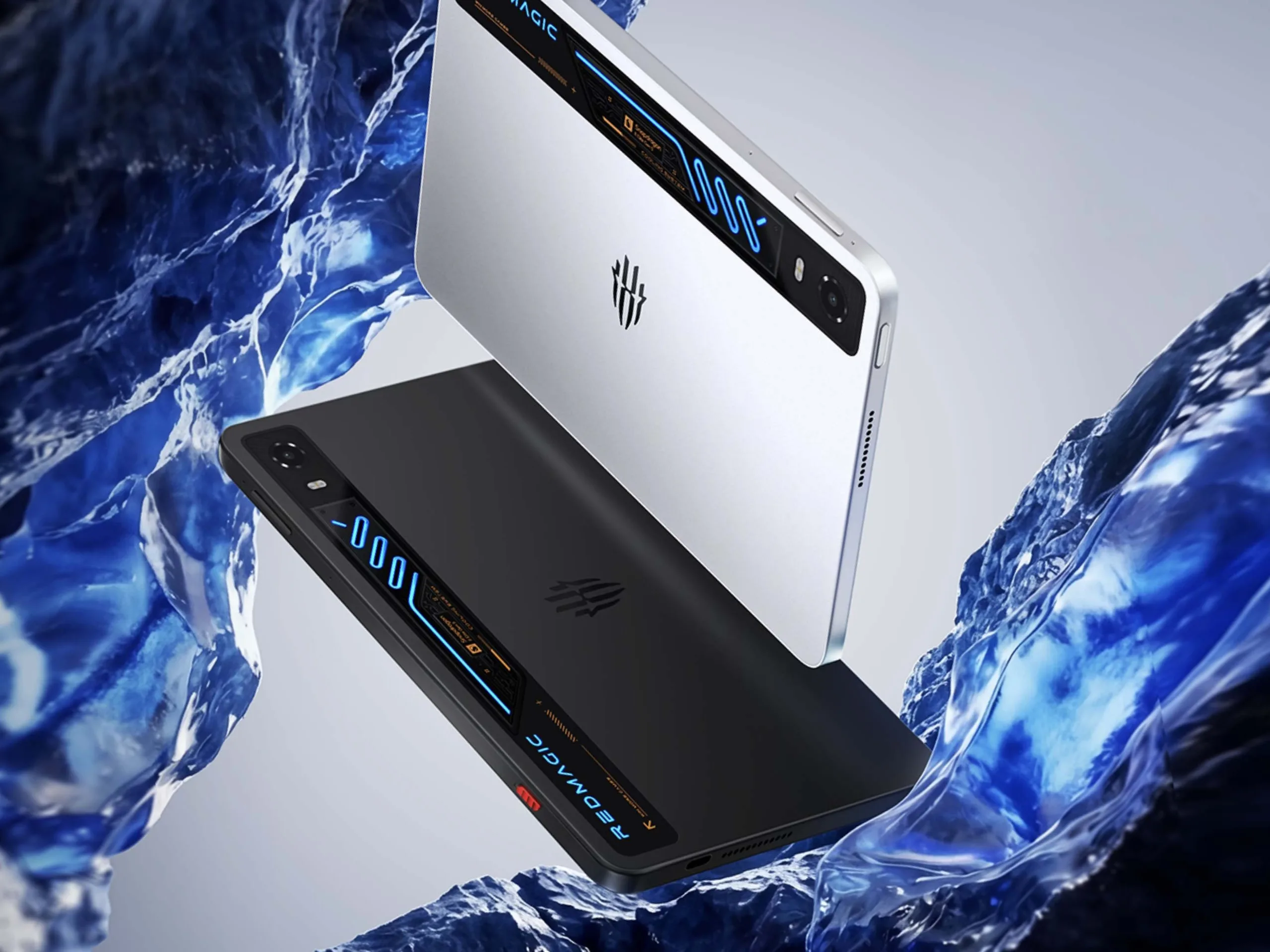
One thing I genuinely appreciate: this is one of the few tablets with a completely flat back; the single camera sits embedded in the frame instead of sticking out. Sounds small, but sitting flush on a table without any wobble while typing or tapping makes a real difference. I’d forgotten how nice that actually feels.
You may also like: OnePlus Pad Go 2 review: Better than all mid-range tablets
The gaming focus shows up everywhere else, too. You get customizable RGB lighting on the back panel, and if you look closely, there’s even a transparent window showing what appears to be a visible PCB underneath. Don’t be fooled, though, just like the old Xiaomi Mi 8 Explorer, that’s not actually showing you real internals. It’s purely cosmetic, a neat visual touch rather than a functional window.
You’ll probably notice something missing right away: the active cooling fan that sat next to the camera housing on last year’s Astra is gone. That’s because Red Magic ditched it entirely this year in favor of liquid cooling instead.
Yes, the same high-end cooling tech found in top gaming PCs now lives inside a tablet. You can actually watch it work too; bright blue liquid flows visibly across the back panel, with small bubbles traveling along the tubes to show the liquid is genuinely circulating. Whether that setup actually improves performance or is mostly for show, I’ll get into that shortly.
Interestingly, ditching the fan, which could theoretically let dust and water sneak into the system, didn’t lead to any real water resistance upgrade. It’s still rated IP54. That said, most popular tablets, including every iPad on the market, don’t carry any official rating at all, so IP54 still puts this tablet ahead of the pack. It’s nowhere near the IP68 rating on the Galaxy Tab S11, though, to be fair, this tablet also costs a lot less.
The dual USB-C ports make a comeback too, one on the long edge, one on the short edge, and they genuinely make sense on a gaming tablet. That layout means you can charge the tablet while gaming without the cable ever getting in your way, no matter how you’re holding it. Both ports support the same fast-charging speeds too, so it doesn’t matter which one you pick.
That signature bright-red Game Space switch is back as well, your shortcut straight into a dedicated gaming overlay. Flick it on, and you’re in gaming mode. Flick it off, and you’re back to your regular Android home screen. It’s a simple idea on paper, but it works really well once you actually use it day to day.
So while the Astra 2 might not look drastically different at first glance, all these small refinements add up to something bigger. This ends up being one of the best-looking tablets I’ve handled in a while, and just as important, one of the most comfortable to actually hold and use.
RedMagic Astra 2 Screen
I’ve always leaned toward big-screen tablets, the 13.2-inch OnePlus Pad 3, and even the massive 14.6-inch Samsung Galaxy Tab S11 Ultra. But after living with the Astra 2 and its comparatively tiny 9.06-inch screen for the past month, I think I might be switching sides.
You may also like: Oppo Pad Mini: The Best Android Mini Tablet
The 9.06-inch screen strikes a solid balance, big enough for real entertainment, yet still manageable enough to use one-handed. It’s clearly bigger than anything you’d find on even the largest smartphones, but it stops short of feeling bulky or awkward during longer sessions, especially when you’re deep into a game.
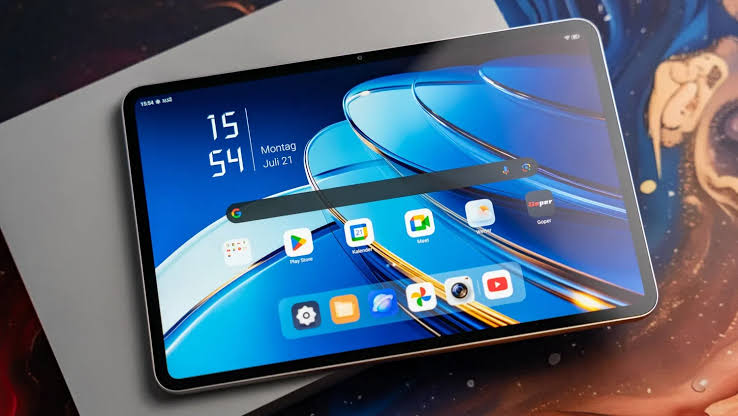
That size also means your fingers travel less distance to reach buttons, no matter what you’re playing. It’s something I never paid attention to on bigger screens before, but I notice it constantly now. I can hold the tablet from either side and reach most of the screen comfortably, without ever needing to shift my grip.
That 16:10 aspect ratio suits gaming well, giving you a wider field of view than boxier tablet screens typically allow. It doubles as a movie perk too; Hollywood films play without those annoying black bars at the top and bottom of the screen.
The trade-off comes with split-screen work. A compact widescreen tablet like this just doesn’t leave enough room to make split-screen multitasking practical. That said, productivity was never really what the Astra 2 was built for, so it’s more of a footnote than a real drawback.
The screen quality more than makes up for it. That 2.4K OLED panel is razor-sharp, with the deep blacks and vibrant colors OLED is known for, making it just as satisfying for movie nights as it is for gaming sessions. And running at 185Hz, it ranks among the fastest tablet screens available anywhere right now.
You probably won’t find many games right now that actually push that high a refresh rate, but it’s smart futureproofing regardless. In practice, it makes gameplay feel buttery smooth and highly responsive, especially paired with that 2000Hz touch sample rate working alongside it.
You may also like: Kindle Scribe Colorsoft Fig Color Launches January 28: Price, Features, and Where to Buy
And despite being a fairly large OLED panel, it still hits 1100 nits in high-brightness mode, plenty bright enough for gaming outdoors on a sunny day. Switch to HDR content, and it climbs even higher, up to 1600 nits.
Add in bezels that measure just 4.9mm thick and a 90.1% screen-to-body ratio, and you’ve got a display that’s genuinely hard to criticize. Top marks go to RedMagic on this one.
RedMagic Astra 2 Performance
No point dancing around it: the Astra 2 is the most powerful Android tablet we’ve tested so far, full stop. It beats out the Galaxy Tab S11 Ultra on both CPU and GPU performance, a tablet that costs more than double the price, by the way.
It doesn’t quite catch up to the iPad Pro M5, but it comes close enough to the iPad Air M2 to matter. Sure, that iPad is two years old at this point, but the comparison still says a lot. This much smaller, more affordable Android tablet is delivering genuinely desktop-level power.
Under the hood, you get the Snapdragon 8 Elite Gen 5, paired with a genuinely generous 12GB or 16GB of RAM, especially given how tight RAM supply is right now, and a choice of 256GB or 512GB storage depending on which variant you pick.
Sure, other tablets run the same chipset, but none of them put it to work quite like this one does. The reason comes down to one thing: built-in liquid cooling.
That liquid you can actually see running across the back panel isn’t just for show; it does real work. Paired with a large vapor chamber, it makes a noticeable difference in how well the tablet holds performance over time.
Most tablets running flagship chips like the 8 Elite Gen 5 eventually overheat and get throttled back. The Astra 2 just doesn’t run into that problem.
You may also like: Best Tablets for Kids in 2026: Top Picks for Every Age
In our 20-minute stress test, which repeatedly renders a native 4K game clip, the Astra held steady at 85.7% stability. For comparison, the Honor Magic Pad 3 managed just under 77%, and the Tab S11 Ultra came in at 68.7%. In real terms, that means this tablet keeps pumping out high frame rates even when you push it as hard as it’ll go.
Benchmarks don’t always match the real world, though, so I loaded up Wuthering Waves, already a demanding game on its own, and cranked every setting to max. Despite the in-game warning about heat buildup and possible performance drops, it held a rock-solid 60fps for the full hour-plus I played. I didn’t notice any warm spots on the chassis either, nothing uncomfortable to hold.
It’s not just Wuthering Waves; I put Genshin Impact, One Punch Man World, and The Division Resurgence through their paces too, all at max settings, and the tablet handled every one without complaint. Honestly, this is the first piece of tech I’ve used that seems to unlock everything the 8 Elite Gen 5 chip is capable of, no stuttering, no compromise. That’s a real win for the RedMagic team.
Bottom line: whether you’re gaming seriously or need real horsepower to edit and export multiple 4K clips in CapCut, the Astra 2 delivers, and does it with confidence.
RedMagic Astra 2 Software
I used to have a real problem with RedMagic’s tablet software. It leaned hard into that flashy, over-the-top gaming aesthetic, which looked the part but wasn’t much fun to actually live with day to day. It was, honestly, trying way too hard.
RedMagic clearly learned from those early missteps, and it shows. The Astra 2 ships with something surprisingly close to a clean, stock Android 16 experience. If you miss the old gamer-heavy look, you can still switch it on through the Settings menu, but by default, you get the simpler interface. That’s the smarter call too, especially if RedMagic wants this tablet to appeal beyond just hardcore gamers and reach casual users as well.
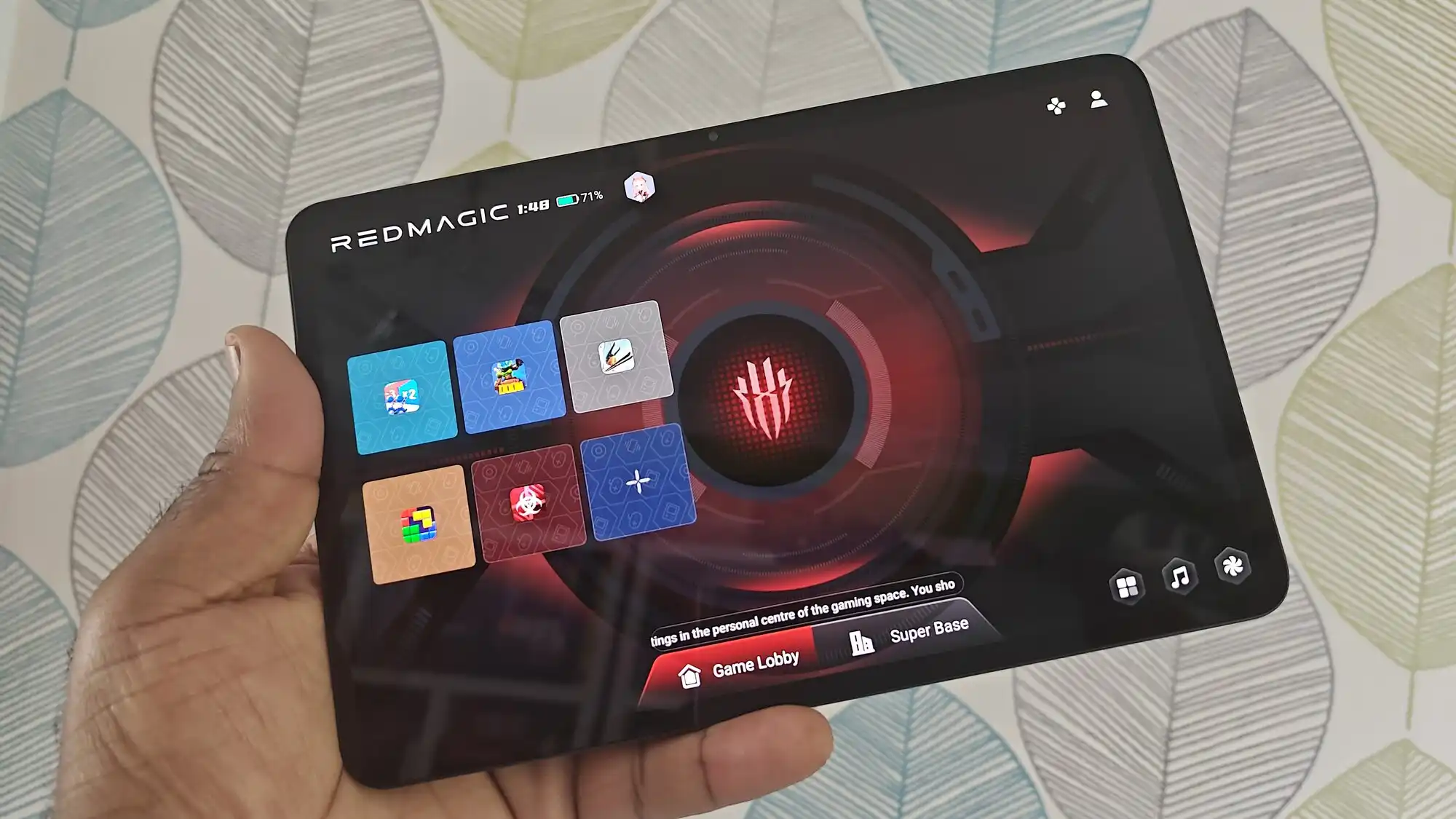
That doesn’t mean RedMagic ditched the gaming features that made it stand out in the first place; they’re still very much here, just tightened up and more purposeful. Game Space lives behind the red switch on the side of the tablet. Flip it, and you’re dropped straight into a console-style interface where you can jump into your favorite titles instantly.
Swipe in from the side once a game launches, and you’ll find a whole menu of options waiting. The basics are covered, switching the chipset’s performance mode (Rise being the most powerful setting) and optimizing what’s running in the background. But there’s a lot more beyond that, too.
Super Picture Quality stands out in particular; it uses AI to upscale games from 1080p at 60fps up to 2K at 120fps, with noticeably crisper visuals. There are also plug-ins that let you customize on-screen crosshairs, track in-game events, or apply filters that make spotting enemies easier. Honestly, it’s a genuine treasure trove of features. Spend some time digging through them, and you’ll find plenty that make an already strong gaming experience even better.
The anime-styled Mora virtual assistant makes a comeback too, though thankfully it stays hidden by default this time. You’ll need to dig into the Game Space settings and turn it on yourself if you actually want to interact with it. Personally, it’s not my style, but it’s there for anyone who wants it.
Tucking that feature away inside Game Space turns the Astra 2 into something of a hybrid: a normal Android tablet for everyday scrolling and social media, and a console-like gaming machine when you want to lock in and play.
AI features exist here too, but they stick to the essentials: live translation, transcription, smart notes, and the usual Gemini integration. It’s nowhere near as loaded or flashy as Samsung’s Galaxy AI, but honestly, that feels refreshing. How many people actually use those extra AI features on a regular basis anyway?
RedMagic Astra 2 Cameras
Camera quality rarely tops the priority list when tablet makers design their devices, and that goes double for gaming-focused tablets like the Astra 2.
You get a single 13MP rear camera here, backed by a flash module for extra light when needed. As expected, the results won’t blow you away. It handles casual moments fine, snapping a quick photo of your dog looking cute mid-Wuthering Waves works well enough, but the images lack the detail and punch you’d get from a decent phone camera.
The front camera tells a similar story. That tiny 9MP sensor tucked into the bezel gets the job done for video calls and similar tasks, but don’t expect to rely on it for recording content you plan to post on social media.
Even a phone camera that’s a few years old will likely outshine what the Astra 2 can capture. And honestly, that’s completely fine.
RedMagic Astra 2 Battery Life
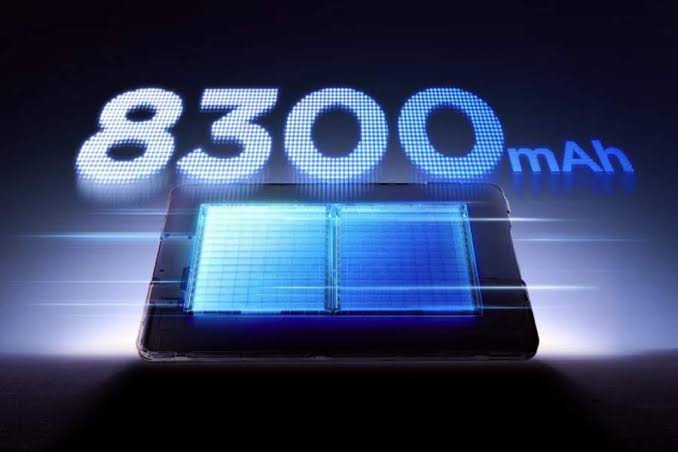
Despite its slim, compact build, the Astra 2 packs a solid 8300mAh battery inside. That’s only 100mAh more than last year’s Astra, but the number alone doesn’t tell the whole story. Paired with an efficient OLED screen and the 8 Elite Gen 5 chip, this tablet has zero trouble making it through a full day without begging for a charger.
Since it’s a gaming tablet, I tested it properly, playing Wuthering Waves for an hour at max graphics settings. Battery drain came out to just 13%, which works out to roughly nine hours of gameplay before you’d need to recharge.
And that’s while really pushing the chip to its limits. Switch to casual use, scrolling TikTok, replying to messages, that kind of thing, and the Astra 2 stretches even further, with standby time that holds up well too. Really, it all comes down to how you’re using it.
On the charging front, bypass charging comes standard, which is a real help during longer gaming sessions since it keeps the tablet cooler and protects the battery from unnecessary wear. When you do need to charge it, 75W power gets you from empty to full in 56 minutes, and in my testing, it hit 68% in just 30 minutes.
Both USB-C ports on the tablet share the same charging power, so it doesn’t matter which one you plug into; you’ll get the fastest speed either way.
Wireless charging is missing, though that’s not surprising given the metal chassis. Guess you can’t have everything.
RedMagic Astra 2 Verdict
The RedMagic Astra 2 stands out as the best Android gaming tablet you can buy right now. It brings together sustained top-tier performance, smart gaming features, and enough everyday portability to make it genuinely usable outside of gaming sessions too.
Pros |
Cons |
| Blisteringly fast gaming performance | Cameras are only fine |
| Excellent sustained cooling with a bright, vivid OLED screen | Poor split-screen productivity |
| Portable, comfortable design |
Final Thoughts
The RedMagic Astra 2 currently sits at the top of Android gaming tablets, delivering blazing-fast performance that actually holds up over long gaming sessions, a solid lineup of gaming-focused software features, and thoughtful touches like dual USB-C ports and 75W rapid charging. But honestly, it’s more than just a gaming device.
Even if you’re not a dedicated gamer, there’s plenty to like here despite the gamer-style exterior. The near-stock Android experience makes everyday use far more pleasant; it’s genuinely portable, and it feels comfortable to hold for extended periods.
Combine that with the 9-inch screen’s 16:10 aspect ratio, and you get a size that works just as well for scrolling TikTok or watching movies as it does for gaming.