Microsoft is adding Office editing to Copilot Notebooks through its Frontier preview program. You can now open Word, Excel, and PowerPoint files next to your project references. You can edit them yourself or ask Copilot to make the changes for you.
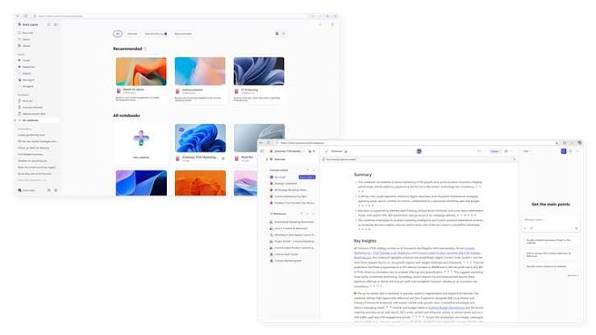
AI can generate a report or a presentation, but someone still has to get it ready to share. That person is usually you. The October update puts the editing tools in the same place where the work starts. A neatly formatted document does not mean its contents are correct, so you still need to check the facts yourself.
How does the editing work inside notebooks
Office files open right inside the notebook, so you can edit them directly on the canvas. You can ask Copilot to handle bigger jobs, like adding an introduction or changing a slide’s layout. For small fixes, you can just make the change yourself. You do not have to turn every correction into a prompt.
You may also like: Microsoft Copilot Suggested Rename Coming to OneDrive
Your colleagues can work on the same file too. A draft can move into team revisions inside the notebook, and the document stays next to its project references while people make changes.
Teams can also create and edit interactive reports. If the next person only needs something to read, Copilot can build a PDF from the notebook content, such as a one-page project summary. That gives you a simple handoff, and nobody has to join the notebook to see the result.
Copilot capability before drafting
Project references go out of date as the work changes. You can ask Copilot to find recent project material and add it to the notebook. Later drafts then pull from fresher context.
You may also like: Microsoft Copilot for Windows Gets a Major Update: Here’s What’s New
You also decide how far a prompt should look. You can limit it to the notebook’s references, or open it up to your wider work files and the web.
If a report has to stick to specific documents, use the narrow setting. If your research needs outside information, use the wider one. That choice sets which material Copilot relies on before any editing begins.
When to expect this changes
Office editing and task delegation are part of the Frontier preview. So are interactive reports and PDF creation. Not everyone with Notebooks access can use them yet, because they are not generally available.
Scheduled automations, such as recurring status presentations, are coming in the weeks after Microsoft’s October 9 announcement. Those will have to wait. For now, preview users can edit files directly and invite colleagues into the same document before they share the result.