Microsoft’s path with Copilot has honestly been a bit of a mess to follow. Just a few months back, the company finally merged two separate versions of the app into one, while rumors circulated about Microsoft building its own all-in-one super app, something ChatGPT and Claude had already managed to pull off. That moment has now arrived.
Microsoft launched a revamped Copilot app built to handle just about everything. The new version organizes around three core modes: Home, Code, and Autopilot.
Here’s how the company describes each one: Home serves as your new starting point, merging Chat and Cowork together, with Office integration bringing the full power of Word, Excel, and PowerPoint directly into the experience.
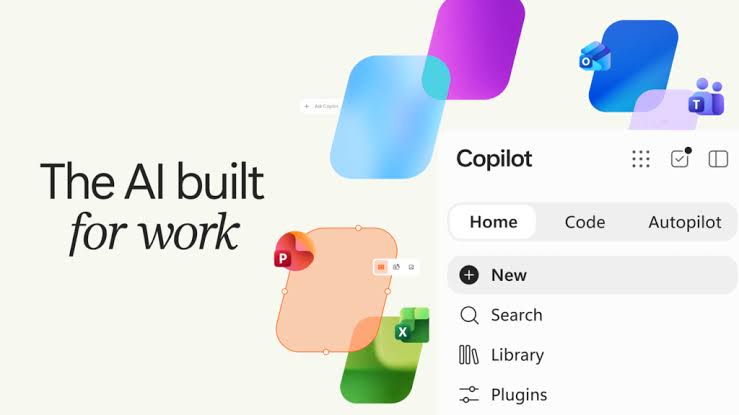
Code gives anyone the tools to build and safely run their own solutions, running on the same technology that powered GitHub Copilot. And Autopilot works as a persistent, proactive personal agent that keeps handling tasks even when you’ve stepped away.
Home Tab and All Microsoft’s AI Tools
The Home tab merges Chat and Copilot Cowork into one space. That’s where you get the standard conversational interface, plus the option to delegate tasks using Cowork mode when you need something more hands-off. Microsoft also folded the full Office experience into this app, so Word, Excel, and PowerPoint are all in the same place now.
You may also like: Microsoft Copilot for Windows Gets a Major Update: Here’s What’s New
Code serves as the hub for building apps and managing software projects, and Microsoft says it runs on the same foundation as GitHub Copilot. Autopilot, previously known as Scout, brings agentic AI into the Copilot app. Essentially, it lets you hand off work to an AI agent that keeps running on its own, without needing a fresh prompt every step of the way.
Can I try everything now?
There’s one catch if you’re hoping to try everything right away. Microsoft is staggering the rollout of these new Copilot experiences instead of flipping on every feature at once for everyone.
You may also like: Microsoft Scales Back Copilot Across Windows 11 Apps and Features
Code starts rolling out to Frontier users at the end of September, with wider availability planned for the following weeks. Microsoft says it will enter preview for Microsoft 365 Premium and Pro subscribers sometime later this year.
Scout, the technology powering Autopilot, is already live as an experimental release through Frontier and available to a small group of customers in private preview. Getting access requires Frontier enrollment, specific Intune policy configuration, an opt-in attestation, and a GitHub Copilot license.
So while Microsoft’s long-rumored Copilot super app has technically arrived, the full experience is still making its way out in pieces.