
Black Friday is close, which makes now a good time to finally buy an e-reader. The hard part is choosing between the two biggest brands.
What sets Amazon’s Kindle range apart from Kobo’s? Which one suits you better?
This guide explains the key differences between Kindle and Kobo, from their models to their core features.
Kindle vs Kobo: Line-ups and Prices
Amazon’s Kindle range includes these models:
- Kindle (2026)
- Kindle Paperwhite (2026) and Paperwhite Signature Edition (2026)
- Kindle Colorsoft (2026) and Colorsoft Signature Edition (2026)
- Kindle Scribe
- Kindle Scribe Colorsoft
Amazon also sells kids’ versions: the Kindle Kids, Kindle Kids Paperwhite, and Kindle Kids Colorsoft.
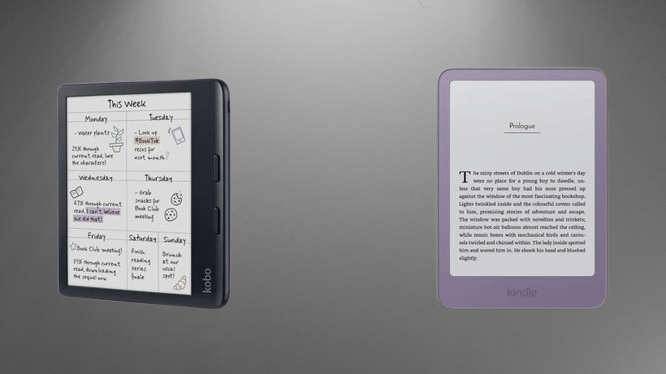
The standard Kindle is the cheapest, starting at $149.99. The Paperwhite costs $199.99, and the Signature Edition costs $249.99.
You may also like: Kindle Scribe Colorsoft Fig Color Launches January 28: Price, Features, and Where to Buy
If you want a colour screen, the Colorsoft starts at $289.99. The Signature Edition costs $319.99. The Kindle Scribe range is the most expensive, starting at $429.99.
Kobo’s range is smaller:
- Kobo Clara BW
- Kobo Clara Colour
- Kobo Libra Colour
- Kobo Elipsa 2E
At the time of writing, the Clara BW is the cheapest, with an RRP of $159.99. The Clara Colour costs $20 more. The Libra Colour starts at $259.99, and the Elipsa 2E starts at $399.99.
Kindle vs Kobo: Design and Screens
Many differences separate Kindle and Kobo, but one thing unites them: every model has an e-ink display.
That makes sense. E-ink screens are easier on the eyes than standard LED panels, so that you can read comfortably for longer. They also use much less energy, so you do not need to charge the device all the time.
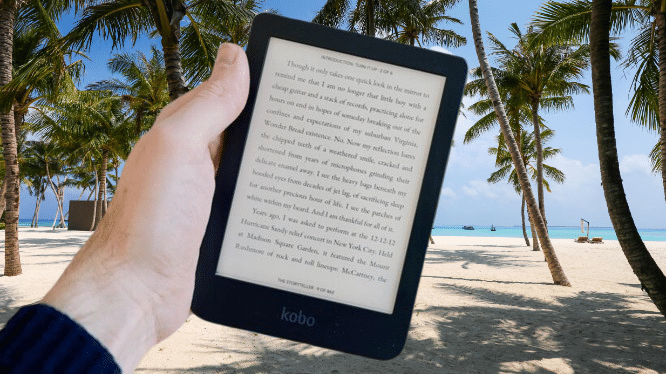
The standard Kindle, Kobo Clara BW, and Kobo Clara Colour are the smallest in their ranges. All three have six-inch displays.
The Kindle also comes in an aluminium option, which we found feels more premium. The Kindle falls short in one area, though. The Clara series has an adjustable colour temperature. You can switch to a warmer light later in the day to reduce eye strain and get ready for sleep.
You may also like: Kindle+ Replaces Kindle Unlimited With AI-Narrated Audiobooks
The Kindle Paperwhite and Colorsoft models have seven-inch e-ink screens, and so does the Kobo Libra Colour. The Kindle Scribe and Kobo Elipsa 2E are the largest, with 10.3-inch displays.
Most e-readers show black and white only. A few models here have colour screens, but none match the bright, vibrant colours of LED or OLED displays.
The Kindle Colorsoft, Kindle Scribe Colorsoft, and Kobo Clara Colour use e-ink colour, which can look a little muted. If you read comics or graphic novels, you will still appreciate the colour.
Kindle vs Kobo Library Borrowing
Every Kobo model lets you borrow books from your local library through the built-in Libby app by OverDrive. Most public libraries in the UK, US, Canada, Australia, and New Zealand support it. You can use your library from home without going anywhere.
Kindles are different. UK Kindle owners cannot borrow ebooks from their local library onto their device. US Kindle users can now check out ebooks through OverDrive. The titles you can borrow depend on your local library.
Kindle vs Kobo: Stores, Subscriptions and Audiobooks
Amazon’s Kindle Store is one of the largest ebook stores around. It offers millions of titles and thousands of audiobooks across many genres. You can buy books one at a time, or you can subscribe to Kindle+.
You may also like: OnePlus Pad Go 2 review: Better than all mid-range tablets
Kindle+ is the new name for Amazon’s Kindle Unlimited. You can borrow up to 20 titles at once. Unlike a library service, you can keep titles as long as you like and return them only when you finish reading. It also covers audiobooks and magazines, and it costs $11.99 a month.
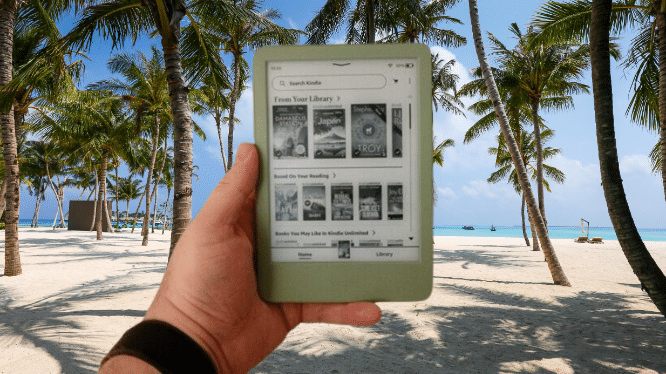
Amazon also runs Audible, a subscription built only for audiobooks. It offers over 800,000 titles, including podcasts. You can download audiobooks to listen offline and switch between connected devices.
Kindle+ has one monthly price. Audible is more complicated because offers depend on the plan. Standard is the cheapest, starting at $8.99. It includes one audiobook a month plus access to podcasts. Premium costs $14.99 and adds Audible’s all-you-can-listen catalogue of over 15,000 titles.
Subscribing to both Kindle+ and Audible makes little sense for most people. The Kindle Store is one of our favourites, but a Kindle cannot use other stores or most other ebook formats. Kobo supports 15 ebook formats, including EPUB3, HTML, and MOBI.
So how does Kobo compare? Kobo says its store holds millions of ebooks that you can buy one at a time, just like the Kindle Store. You can also subscribe to Kobo Plus.
You may also like: Best Tablets for Kids in 2026: Top Picks for Every Age
If you read ebooks and listen to audiobooks, Kobo Plus Read and Listen is the best fit, because it gives you unlimited access to both. If you only read ebooks, Kobo Plus Read is a bit cheaper at $8.99 a month and covers reading only. If you only listen to audiobooks, choose Kobo Plus Listen, which also costs $8.99 a month.
Kindle vs Kobo: Note-taking and Stylus Support
Only some Kindle and Kobo models support a stylus, so not every one lets you handwrite notes. If you want an e-reader that doubles as a digital notebook, your choices are limited.
In Amazon’s range, only the Kindle Scribe and Kindle Scribe Colorsoft work with a stylus. Each comes with one in the box, which Amazon calls the Premium Pen. It attaches magnetically to the side of the Scribe. The magnet is not very strong, though, and the pen tends to fall off.
Writing on the Scribe range feels good. The display has a slight texture that adds some resistance. It is not as smooth and paper-like as writing on a Remarkable tablet, because the resistance is a little too light.
For note-taking, you can sync documents with services like Google and Microsoft 365. You can also use Send to Kindle to push PDFs to the device and annotate them. You can write in the margins of books too.
On the Kobo side, only the Elipsa 2E and the Libra Colour support a stylus, and both use the Stylus 2. We found Kobo’s stylus support more fleshed out than the Scribe’s. Writing feels natural with just a hint of lag. It does not match Remarkable, but it beats the Scribe.
The Kobo Stylus 2 also has a side button that turns the pen into a highlighter, so you can highlight text inside ebooks. The Scribe has no equivalent.
Kindle vs Kobo Verdict
Amazon’s Kindle range suits keen readers and listeners well. It has one of the biggest and most varied stores, generous subscriptions, and models for most budgets. The Kindle Store is brilliant, but Amazon does not let you use other ebook formats. If you already own a collection of ebooks in different formats, Kobo is far more flexible.
Final Thoughts
Kindle and Kobo both make excellent e-readers, so the right choice depends on how you read.
Choose a Kindle if you want the biggest ebook store, a wide range of models, and generous subscriptions. Kindle+ and Audible cover ebooks, magazines, and audiobooks.
The range starts at $149.99 and reaches the Scribe models for note-takers. The catch is that Amazon keeps you inside its own ecosystem. UK users also cannot borrow library books on a Kindle yet.
Choose a Kobo if you want more freedom. It supports 15 ebook formats, so your existing collection works. Libby is built in for borrowing from your local library. The Clara series also offers an adjustable colour temperature, and the Stylus 2 gives you better note-taking and a highlighter button.
If you buy most of your books from Amazon, a Kindle is the easy pick. If you borrow from a library or own ebooks in different formats, a Kobo will suit you better.