Whoop and Apple Watch both track workouts and give you data on how your body is performing. They’ve each built a good reputation for it. But if you’re trying to pick one, the choice isn’t as obvious as it looks.
Does Whoop actually offer something Apple Watch doesn’t? And if you’re already deep in the Apple ecosystem, does that automatically make Apple Watch the right call for your wrist?
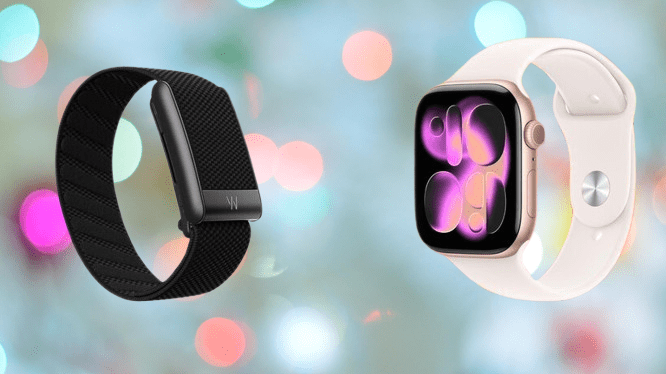
We’ve spent time testing both Whoop and Apple Watch, so this comparison is based on hands-on experience with both devices. Below, we break down the specs and key differences to help you make a clear decision.
Whoop vs Apple Watch: Price and Subscriptions
The way you buy these two devices is completely different, and it’s one of the first things you should understand before choosing.
Whoop runs on a subscription model. The device itself costs nothing upfront. What you’re actually paying for is access to the app and all the features that make it useful. That fee comes annually, and you pick from three membership plans, which are One, Peak, and Life.
You may also like: Whoop vs Garmin Smartwatch: Screen, GPS, and Tracking Accuracy Compared
The entry-level option is One, starting at $169 for 12 months. That gets you a Whoop 5.0 device, a charger, and a Jet Black CoreKnit band included in the package.
The middle plan is Peak, priced at $229 for 12 months. Like the One plan, it comes with a Whoop 5.0 device, but upgrades the accessories with a wireless PowerPack and an Obsidian SuperKnit band.
If you want to test Whoop before committing, there’s a one-month free trial available right now. You get a certified pre-owned Whoop 5.0, one month of Peak membership, a basic wired charger, and a new SuperKnit band. Before the trial ends, you can move up to Life or step down to One depending on what fits your needs.
The free trial is a reasonable way to get a taste of the platform before spending money, but keep in mind you’ll need to enter valid payment details at checkout to access it.
Apple Watch works very differently. You pay once for the device, and you’re done. There are optional subscriptions you can add, like Apple Fitness Plus or third-party apps, but none of them are required to use the watch. You get full functionality straight out of the box without locking yourself into any continuous subscription plan.
You may also like: Amazfit T-Rex Ultra 2 Launches with 30-Day Battery Life and Offline Maps for $549
Apple Watch comes in three models at different price points. The Watch SE 3 is the most affordable, starting at $249. The Series 11 sits in the middle at $399. At the top end, the Ultra 3 starts at $799. We’ll cover the key differences between these models throughout this article.
Whoop vs Apple Watch: Design
The most obvious difference between the two is that Whoop has no screen at all. The brand positions this as a feature, arguing that removing the display lets you focus on your health data rather than getting distracted by it.
Whoop also supports an external PowerPack that clips onto the strap while you’re still wearing it. That means you can charge the device without taking it off, which keeps your health tracking continuous. The catch is that the PowerPack isn’t included with the entry-level One subscription. If you want it with that plan, you’ll need to buy it separately.
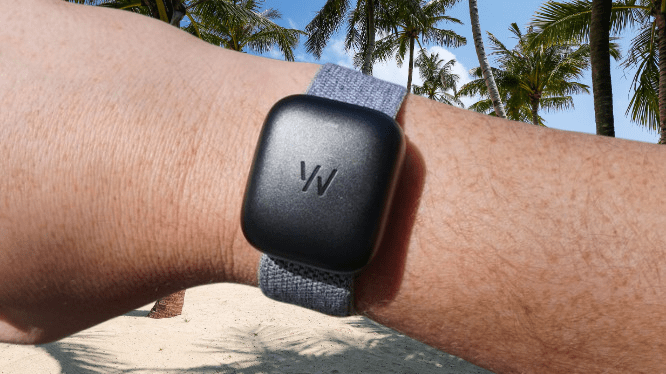
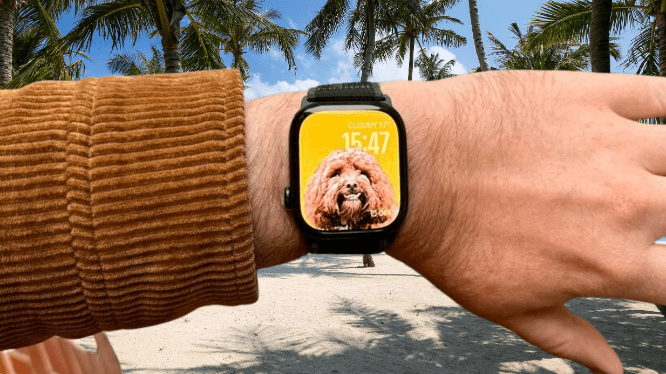
Apple Watch takes the opposite approach with a square touchscreen on every model. Screen size varies depending on the model you choose. The Series 11 comes in 42mm or 46mm, while the Ultra 3 comes as a single 49mm option.
All three current models use an OLED Retina display, but brightness levels differ meaningfully. The Watch SE 3 tops out at 1000 nits. The Series 11 goes up to 2000 nits. The Ultra 3 leads the lineup at 3000 nits peak brightness, which reflects its design focus on outdoor use, where visibility in direct sunlight actually matters.
You may also like: Amazfit Watches Get Runna App Support and Zepp App Redesign
One notable upgrade with the SE 3 is worth calling out. It’s the first entry-level Apple Watch to include an always-on display, which is a meaningful addition at that price point.
Whoop vs Apple Watch: Health tracking
Every Whoop strap comes with sensors that track core metrics like heart rate variability, sleep, and blood oxygen levels. But the specific features you can access depend on both the model and the subscription plan you choose.
Sleep and recovery tracking is available across all models and plans. However, ECG readings are exclusive to the Whoop MG. If that’s a feature you want, the base model won’t cover it.
The Peak and Life plans include a feature called Healthspan, which looks at how your daily habits connect to your long-term health. It also gives you a Whoop Age, a number that reflects your physiological age rather than your actual age, alongside a Pace of Aging metric that tracks how quickly that number shifts over time.
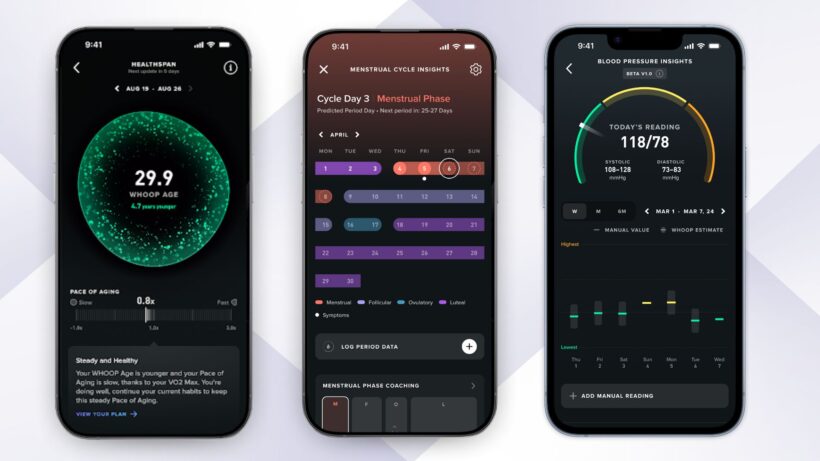
Since Whoop has no screen, all of this data lives in the Whoop app, available on both iOS and Android. That’s where you go to view your metrics, track trends, and make sense of everything the device is recording.
Apple Watch covers the basics across all models, including sleep tracking, heart rate, and respiratory rate monitoring. Step up to the Series 11 or Ultra 3, and you also get wrist temperature tracking, blood oxygen monitoring, and ECG readings.
You may also like: Moto Watch brings Polar’s pro-tier fitness perks
The SE 3 skips those extras, but it does include sleep apnea detection, a feature it shares with the Series 11 and Ultra 3. That’s worth taking seriously.
Whoop vs Apple Watch: Fitness Tracking
You can log workouts manually in the Whoop app, but you don’t have to. The strap detects when you’ve started exercising on its own, using your heart rate, movement patterns, and strain levels to figure out what you’re doing.
One feature that stands out is the Recovery Score. It works similarly to Garmin’s Recovery Time. Each morning, after you sleep, Whoop calculates how well your body has bounced back by looking at your resting heart rate, HRV, respiratory rate, and sleep quality.
The result is a score between 1 and 100%. A higher score means your body is ready to handle a harder session. A lower score is a signal to ease off.
It’s a genuinely useful feature that takes the guesswork out of deciding how hard to push on a given day.
Apple Watch’s main activity tracking hasn’t changed dramatically across generations, so the experience feels familiar if you’ve used an older model before.
That said, the Series 11 and Ultra 3 come with some new additions, including Training Load monitoring and expanded swim tracking, supported by their respective water resistance ratings.
You may also like: Apple Watch Ultra 2 Deal: $599 (Save $200) on GPS and Cellular Model
One area where the Apple Watch has a clear advantage is third-party app support. You can connect apps like Strava and Peloton directly to your watch and track your workouts through them.
You also have the option to subscribe to Apple Fitness Plus, which gives you access to a large library of guided workouts straight from your wrist.
Whoop vs Apple Watch: Smartwatch features
Whoop is not a smartwatch, and it doesn’t try to be. If you want notifications, music controls, or anything beyond health and fitness tracking, it won’t deliver. That’s not a flaw in the product; it’s just not what it was built for.
Apple Watch fills that role comfortably. It pairs with your iPhone and handles all the smartwatch functions you’d expect.
We’ve called the Apple Watch Series 10 the best smartwatch for iPhone users, and that still holds. If you’re on an iPhone and not specifically after a dedicated sports tracker, the Apple Watch is the obvious choice.
When paired with an iPhone, Apple Watch lets you handle notifications, calls, Siri, and Apple Pay directly from your wrist, no phone required nearby. It’s a tight integration that works well when you’re in the Apple ecosystem.
You may also like: Google Fitbit Band with AI Coach and No Screen To Beat Whoop
If you’re on Android, Apple Watch is not the right fit. You can technically pair the two, but you lose so many features in the process that it stops making sense. Your time is better spent looking through our best smartwatch guide for options that actually work well with Android.
Whoop vs Apple Watch: Battery
Battery life is one area where Whoop has a clear and significant edge. Apple Watch, even at its best, tops out at around 72 hours on the Ultra 3, and that’s only in low power mode. The Whoop 5.0 is rated for over 14 days on a single charge.
The charging setup adds to that advantage. The wireless PowerPack clips directly onto the strap while you’re wearing it, so you never have to take it off to charge.
In practice, that means your health data stays continuous with no gaps from charging breaks, which matters if you’re tracking sleep and recovery around the clock.
Whoop vs Apple Watch: Verdict
These two devices serve different needs, so the right choice depends on what you actually want from a wearable.
If you’re focused on serious fitness tracking and want deep health data without the distractions of a smartwatch, Whoop is the stronger option. It does one thing and does it well.
If you’re an iPhone user who wants health tracking alongside notifications, apps, and everyday smartwatch features, and without a recurring subscription, the Apple Watch is the better fit. The choice comes down to what you’ll actually use it for.