Snapdragon X2 Plus benchmarks are creating a clearer picture for anyone considering a Windows laptop upgrade this year. PCMag shared synthetic CPU and GPU test results comparing the chip to Apple’s M4. Apple won four out of five tests.
If you’ve been hoping Snapdragon would beat Mac-level performance in a thin Windows laptop, these results provide a reality check. The benchmarks don’t tell the complete story, but they suggest Macs maintain a comfortable performance advantage in direct comparisons.
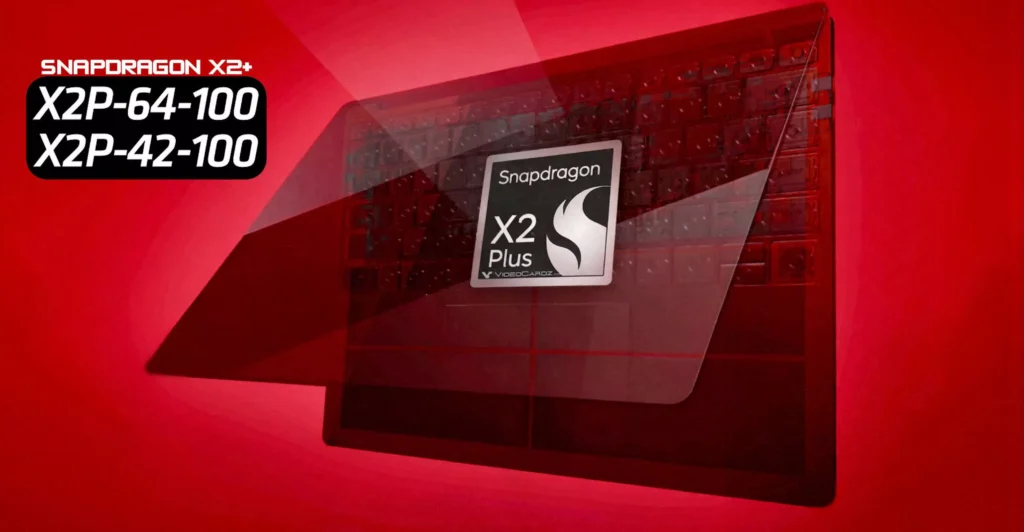
These Snapdragon X2 Plus results came from a reference platform, not a finished retail laptop. Reference platforms are testing devices that manufacturers use during development. They don’t represent final products you can buy.
Real systems can perform differently based on several factors. Cooling design matters enormously. A laptop with a better heat score lets the processor maintain higher speeds longer. A laptop with inadequate cooling throttles performance when temperatures climb.
Power limits also affect results. Manufacturers can configure how much power the processor draws, balancing performance against battery life and heat generation. A conservative power limit improves battery life but reduces performance, but an aggressive limit does the opposite.
How manufacturers tune the system matters, too. BIOS settings, driver optimization, and background software all influence benchmark scores. Some companies squeeze every bit of performance from hardware. Others prioritize quieter operation or longer battery life.
You may also like: M5 Pro and M5 Max MacBook Pro Could Launch January 28 With Creator Studio
Final retail laptops might score higher or lower than this reference platform depending on these choices. Wait for reviews of actual shipping products before drawing firm conclusions about Snapdragon X2 Plus performance.
What the Apple Result Shows
Single-core CPU results heavily favored Apple. Cinebench 2024 single-core showed 173 for the M4, compared to 133 for the Snapdragon X2 Plus. Geekbench 6 single-core scores: M4 at 3,859 versus Snapdragon at 3,311.
If you care about how quickly apps respond and how fast your computer handles short tasks, that performance gap is noticeable in daily use.
You may also like: New Dell XPS 14 and XPS 16 2026 Specs
Opening applications, switching between programs, and quick edits all rely heavily on single-core performance. A 30% advantage in single-core speed means the M4 feels snappier during typical computer use.
Multi-core results came much closer. Snapdragon X2 Plus barely edged ahead in Cinebench 2024 multi-core with 1,011 versus M4’s 993. But Geekbench 6 multicore still favored M4 at 15,093 compared to Snapdragon’s 14,940. These scores are nearly identical.
Looking at both multi-core tests together, Qualcomm appears competitive for sustained workloads that use all processor cores. Video encoding, 3D rendering, and heavy multitasking fall into this category. But Snapdragon doesn’t consistently beat M4 even in its strongest area.
GPU numbers widened the performance gap again. M4 scored 3,949 in 3DMark Steel Nomad Light versus Snapdragon’s 3,067. In 3DMark Solar Bay, M4 hit 15,580 compared to Snapdragon’s 12,525. Those differences matter significantly for graphics work.
If you edit videos, render 3D models, or use GPU-accelerated effects in creative software, these GPU performance gaps translate into real-time savings. Effects apply faster, and timeline scrubbing stays smooth. You can use higher quality settings without the system struggling.
The pattern is clear: M4 leads decisively in single-core and GPU performance, while multi-core performance runs nearly even.
Why do the result changes
Benchmarks provide clean numbers, but real laptops are complicated. A shipping laptop design might throttle performance sooner to prevent overheating.
It might run hotter because the manufacturer chose a thinner chassis with less cooling. Or it might prioritize battery life by limiting maximum performance. Any of these design choices changes how the laptop actually feels during use.
Benchmark tests run for short periods under controlled conditions. Real work happens over hours with varying workloads. A laptop that scores well in a five-minute benchmark might slow down after thirty minutes of sustained use because heat builds up and the processor throttles to protect itself.
You may also like: Tianma 27″ QHD 610Hz Oxide Display monitor for your fastest games
Manufacturers make tradeoffs. A thin, light laptop with amazing battery life might sacrifice cooling capacity. A performance-focused laptop with robust cooling might weigh more and drain the battery faster, so that the benchmarks can’t capture these real-world compromises.
Software matters enormously, too. Even powerful hardware can feel average if the applications you rely on aren’t optimized for it. This becomes especially important in mixed computing environments where some tools run natively on the processor architecture while others depend on translation layers.
Native applications take full advantage of the processor’s capabilities. They run efficiently and fast. Translated applications run through compatibility layers that convert instructions from one processor architecture to another. This translation adds overhead, slowing performance and increasing power consumption.
Windows on Snapdragon faces this challenge more than Macs. Many Windows applications were built for x86 processors and need translation to run on ARM-based Snapdragon chips.
Macs transitioned their software ecosystem to Apple Silicon more completely, so more Mac apps run natively.
If half your critical applications need translation, benchmark scores become less meaningful. Your actual experience depends on how well those translated apps perform, not what the processor can theoretically achieve.
What you should do before buying one
If you need a laptop now and raw performance is your top priority, M4 appears to be the safer choice based on these benchmark results. This applies especially to work that relies on single-core speed and GPU performance.
Single-core tasks include most everyday computing, like opening applications, browsing with many tabs, working in productivity software, and running single-threaded tools, all of which depend heavily on single-core performance. The M4’s significant advantage here means it will feel faster during typical use.
GPU-intensive work like video editing, photo processing, 3D modeling, and running certain AI tools also clearly favors M4, according to these scores. If your workflow depends on these tasks, the performance gap matters.
You may also like: Corsair RM1000x PSU deal just drops from $209.99 down to $169.99
If you need Windows specifically, don’t buy yet. Wait until GadgetCV reviewers test actual Snapdragon X2 Plus laptops you can purchase in stores. Reviews of reference platforms don’t tell you how shipping products perform.
Look for reviews that test the exact model you’re considering buying. Different manufacturers will produce different results even using the same processor. Cooling solutions, power configurations, and build quality vary significantly between brands and models.
Pay attention to sustained performance testing, not just short benchmark runs. Does the laptop maintain high performance during extended work sessions, or does it throttle after ten minutes? This determines whether you can actually complete demanding tasks efficiently.
You may also like: Nvidia RTX 5050 9GB Leak: GDDR7 Memory at 130W TDP
Check fan noise reports. A laptop that sounds like a jet engine during normal use becomes unpleasant to work with, regardless of performance numbers. Some people work in quiet environments where fan noise matters enormously.
Battery life under load matters too. Benchmarks often don’t reflect real-world battery performance. A laptop might score well but die after three hours of video editing. Reviews of finished products reveal these practical concerns that reference platform testing misses.