Razer’s latest gaming earbuds, the Hammerhead V3 HyperSpeed, take a different approach to wireless audio. Instead of treating Bluetooth as the main connection, they push it to the backup role.
The reason comes down to a problem anyone who games with wireless earbuds has run into. Audio doesn’t always keep up with what’s on screen. That delay, even a small one, disrupts the experience in ways that matter during actual gameplay.
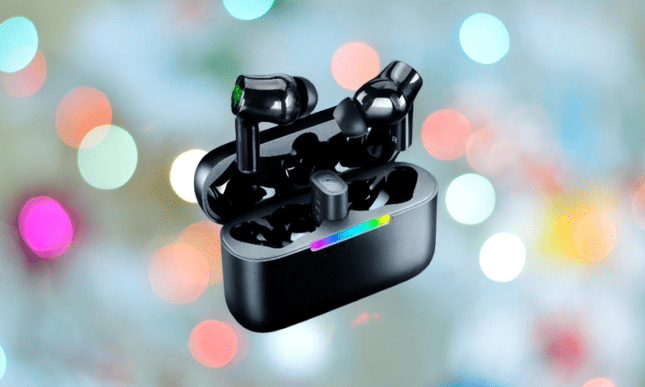
To fix that, Razer built the Hammerhead V3 HyperSpeed around a 2.4 GHz wireless connection, which they brand as HyperSpeed Wireless.
You may also like: ASUS ROG Cetra Open Wireless Earbuds for just $229.99
The technical name isn’t the point. What matters is that a 2.4 GHz radio link delivers audio faster and with less inconsistency than a standard Bluetooth signal. Bluetooth is still there when you need it, but the 2.4 GHz connection does the job done.
The Importance of 2.4 GHz Connection
Bluetooth works fine for casual listening, but it has two consistent weaknesses in gaming. First, it adds latency. Second, it gets unstable when there are multiple wireless devices competing for signal in the same space, which is common in most homes and gaming setups.

The 2.4 GHz connection in the Hammerhead V3 HyperSpeed addresses both. The audio stays in sync with what’s on screen, so when you’re tracking enemy footsteps or reacting to sound cues that tell you where a threat is coming from, there’s no gap between the action and what you hear. That tight sync is what separates a usable gaming earbud from a genuinely good one.
You may also like: Samsung Galaxy Buds Able: Bone Conduction Leaked
The 2.4 GHz band also holds up better in environments where Wi-Fi routers, other headsets, and smart devices are all running at once. Where Bluetooth connections can drop or stutter under those conditions, HyperSpeed Wireless is built to stay consistent regardless of what else is running nearby.
The Hammerhead V3 HyperSpeed also includes Razer’s SmartSwitch, which lets you toggle between the 2.4 GHz connection and Bluetooth 6.0 without any fuss.
In practice, that means you can use the 2.4 GHz dongle while gaming on your PC, then switch over to Bluetooth when you pick up your phone. You don’t need two separate pairs of earbuds for two different devices.
Why Razer Hammerhead V3 HyperSpeed Worth Buying
The charging case does more than store the earbuds. Slot the wireless dongle into the case, and it turns into a 2.4 GHz receiver, which keeps the setup compact and travel-friendly. You can also connect the case to your PC through USB-C, so the earbuds charge while you play rather than sitting dead on your desk mid-session.
You may also like: Best Bose Headphones and Earbuds to Buy in 2026
Device support is broad. The Hammerhead V3 HyperSpeed works with PC, PlayStation 5, Steam Deck, Nintendo Switch, and smartphones, so one pair covers most of the ways you’re likely to game.
On the features side, active noise cancellation is 50% stronger than the previous version. PC users get THX Spatial Audio through Razer Synapse 4, which creates a virtual 7.1 surround sound effect that helps with positional audio during gameplay.
Battery life lasted up to 40 hours total, with 10 hours from the earbuds themselves and another 30 from the case.
The Hammerhead V3 HyperSpeed is priced at $129.99. If that’s over your budget, Razer also offers the Hammerhead V3 X HyperSpeed at $99.99, which trims the price by $30 while keeping the core HyperSpeed wireless experience intact.