Logitech builds quality desktop mice and keyboards, but their top models can cost over $100. The Ergo M575S offers a cheaper option if you want a trackball mouse. It costs about half the price of their premium model, the MX Ergo S.
The M575S handles basic tasks well. You can use it for daily work without issues. But it lacks some software features that come with the pricier version. These missing features wouldn’t have added much to the production cost, which makes their absence frustrating.
If you have the budget, the MX Ergo S remains the better choice. But the Ergo M575S works fine if you need to save money. You get decent ergonomics and trackball functionality without paying premium prices.
Pros | Cons |
| Light enough to be portable | Limited access to Logitech software features |
| Wireless connectivity via RF dongle or Bluetooth | Without practice, it may not track precisely enough for some applications |
| More color options than the pricier MX Ergo S model | Runs on disposable batteries |
| Relatively inexpensive | No tilt function |
Logitech Ergo M575S Specs
| Number of Buttons | 5 |
| Interface | Bluetooth, 2.4GHz Wireless |
| Hand Orientation | Right-Handed |
| Sensor Maker and Model | Logitech Advanced Optical Tracking |
| Sensor Maximum Resolution | 2000 dpi |
| Power Source | One AA Battery |
Logitech Ergo M575S Design
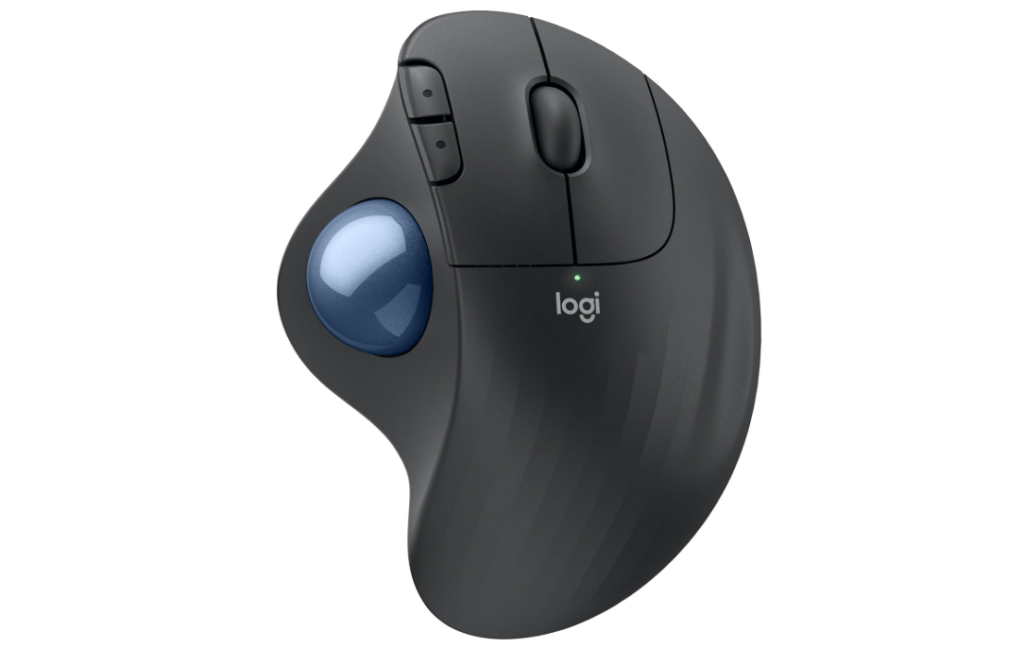
The M575S looks similar to the MX Ergo S. It measures 1.9 by 3.9 by 5.2 inches and curves to fit your right hand. Left-handed users won’t be able to use it comfortably.
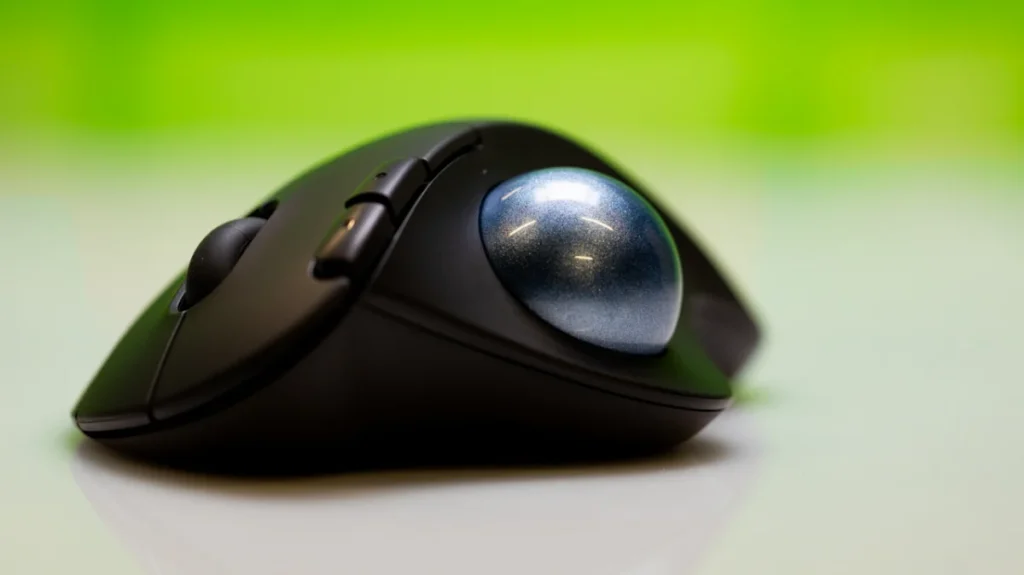
The mouse tilts about 5 degrees off your desk to reduce wrist strain. But the M575S has a smoother surface than the MX Ergo S. It also doesn’t let you adjust the tilt angle like the premium version does.
The button layout matches the MX Ergo S. You get two extra buttons on the left side of your index finger, with a textured scroll wheel that sits between the main mouse buttons.
The scroll wheel on the M575S only goes up and down. The MX Ergo S lets you scroll sideways, too. The M575S also skips the extra thumb button that sits above the trackball on the premium model.
You may also like: CORSAIR M75 Wireless Gaming Mouse Deal
The M575S does beat the Ergo S in color choices. You can pick from five different shell and trackball color combinations. Your options include blue, white, black, or gray. The standard version comes in matte gray. The MX Ergo S doesn’t give you any color options, which seems like a missed opportunity.
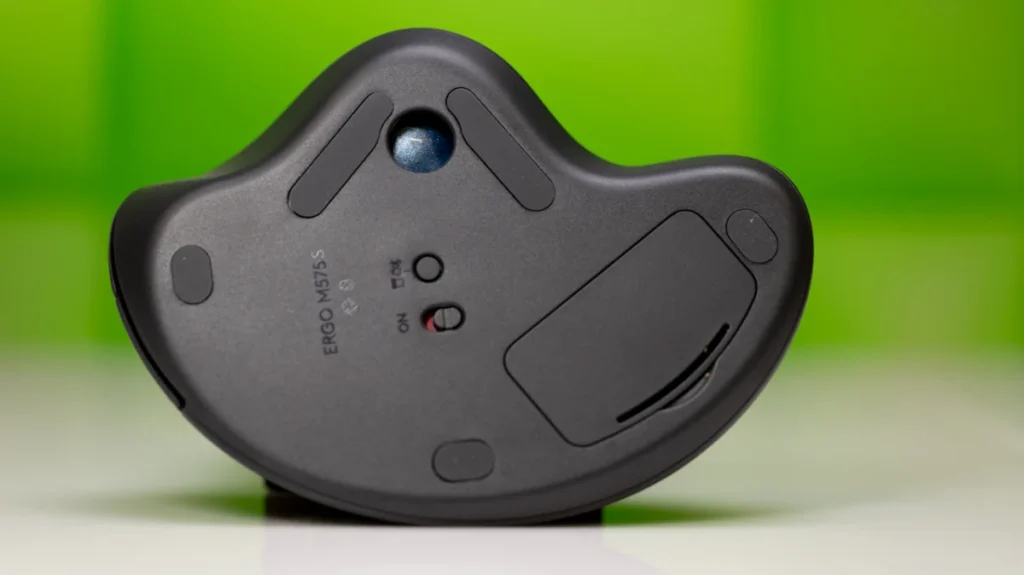
The M575S runs on a single AA battery. You can’t charge it via USB-C or use it with a cable plugged in. You can connect it to your computer in two ways: through Bluetooth or with the Logi Bolt USB-C receiver that comes in the box. The receiver uses 2.4GHz radio frequency and works with other newer Logitech devices, too.
Disposable batteries are annoying, and so is the lack of tilt adjustment options. But these tradeoffs make the M575S lighter. It weighs about half as much as the MX Ergo S. You could carry it in your backpack if you travel, though a trackball does take up more space than a regular mouse.
You may also like: Best Acoustic Keyboards in 2026: Top Picks for That Perfect Thock Sound
The lighter weight makes daily use more comfortable, too. Your hand won’t get as tired moving the mouse around your desk. Whether that matters more than having rechargeable batteries depends on how you plan to use it.
Logitech Ergo M575S Software
The Logi Options Plus software works well for customizing Logitech devices. You can record macros, adjust sensitivity, and remap buttons. But the M575S misses out on one useful feature, and that’s the Actions Ring.
You may also like: Tianma 27″ QHD 610Hz Oxide Display monitor for your fastest games
The Actions Ring appears as a small circular menu around your cursor when you activate it. You get up to eight options in the menu. Each option can contain nested functions, too. This gives you access to many more macros and shortcuts without cluttering your screen.
The MX Ergo S has this feature, but the M575S does not. This feels like an artificial limitation. Logitech could easily let you assign one of the M575S buttons to open the Actions Ring. The hardware can handle it if the software is already available on your device.
A future update could add this feature. But right now, it looks like Logitech wants to push power users toward the more expensive MX Ergo S. The Actions Ring would make the M575S much more useful for anyone who relies on custom shortcuts and macros in their workflow.
How we test Logitech Ergo M575S
Using the M575S feels a lot like using the MX Ergo S. Both mice use the same button switches. The clicks feel good and stay quiet. This quietness matters if you work in a shared office space where noise is an issue.
I missed the extra tilt adjustment from the MX Ergo S, but the M575S is still one of the most comfortable mice I’ve used in years. Trackballs take some time to learn if you’ve never used one before. Your first few days might feel awkward as you get used to moving the ball instead of sliding the whole mouse.
If you have wrist pain, I’d pick the M575S over a vertical mouse because the trackballs keep your wrist still while you move the ball with your thumb. This reduces the repetitive motion that causes strain.
You may also like: KAMRUI Hyper H2 Mini PC with 40% Off Intel Core 14450HX Deal at $459.99
The MX Ergo S does have one advantage here. You can tilt its body to lift your hand into a handshake position. This angle helps some people with wrist issues. The M575S stays at its fixed 5-degree angle. Which works better depends on your hand and what feels comfortable to you.
You need to clean trackballs regularly to keep them working well. The M575S makes this easy. Just pop out the ball and use a cotton swab to wipe dust off the rollers and sensor inside.
The sensor tracks well enough for general use across multiple monitors. But trackballs struggle with precision work in programs like Photoshop or DaVinci Resolve. You can get better with practice, but a regular mouse still works better for detailed editing tasks.
I usually complain about devices that need disposable batteries. The M575S does impress me with its battery life, though.
After several weeks of daily testing, the Logi Options Plus software still showed the AA battery at 100%. You won’t need to swap batteries often, which makes the disposable battery less annoying than it could be.
Final Thoughts
The M575S makes smart compromises to reach its $50 price point. It works well if that’s your budget limit. Adding the Actions Ring feature would make it even better.
Kensington offers good alternatives if you don’t need the Logi Options Plus software. The Pro Fit Ergo T550 has a similar shape and better features at the same $49.99 price as the M575S. Which one you choose might depend on which is cheaper when you’re ready to buy.
Both trackballs handle basic tasks well, and they fit right-handed users. The main difference comes down to software features and which brand you prefer. Check the current prices before you decide, since sales can change, which option gives you more value.