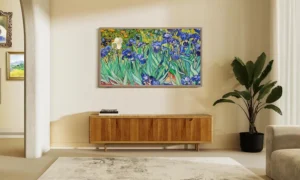
The LG C5 OLED offers a clean, modern design paired with strong picture quality, especially when you are watching movies or using it in a dimly lit room. Blacks look deep, contrast is impressive, and films benefit from the natural look OLED panels are known for.
The TV keeps things simple in terms of design, with all inputs built into the set, making it easy to place and set up.
Pricing is also one of its strengths. Compared to many other OLED TVs, the C5 is often available at a more affordable price point, which makes it appealing to buyers who want OLED image quality without paying higher prices.
That said, it does have limits. MiniLED TVs can reach higher brightness levels and are sometimes cheaper, which is why they continue to gain popularity. Even so, the LG C5 holds its ground in a saturated TV market, offering a solid balance of design, performance, and value for viewers who prioritize picture quality over sheer brightness.
Pros of LG C5 OLED
- Infinite OLED contrast
- Ultra-thin
- Highly accurate image
Cons of LG C5 OLED
- HDR is too dark
- Subpar remote
- Slow and outdated OS
LG C5 OLED Specs
| Sizes | 42, 48, 55, 65, 77, 83 inches |
| Pricing (MSRP) | 42″: $1,399.99 | 48″: $1,599.99 | 55″: $1,999.99 | 65″: $2,699.99 | 77″: $3,699.99 | 83″: $5,399.99 |
| Panel type | OLED evo (4K OLED) |
| Operating system | webOS 25 |
| Screen resolution | 4K Ultra HD (3840 x 2160) |
| HDR support | Dolby Vision, HDR10, HLG |
| Native refresh rate | 120Hz Native (VRR 144Hz) |
| Connectivity | 4× HDMI (1× eARC), 1× RF, 1× Ethernet (LAN), 1× optical S/PDIF, 3× USB 2.0 |
LG C5 OLED Design: Ultra-thin with Premium build
This is one of the better-looking TVs released last year. The LG C5 makes a strong first impression as soon as you unbox it. The frame is extremely thin, which can make handling it a little intimidating at first, but that same thinness quickly signals a high-end build and careful attention to design.
LG also deserves credit for keeping the TV practical. You still get all the inputs built directly into the back of the television, instead of relying on an external connection box. That approach keeps setup very easy while still allowing the display itself to remain slim.
Around the back, LG uses a dark, marble-like finish. Most people will never see it once the TV is mounted or placed on a stand, but it adds a sense of polish that shows LG paid attention to customers’ details.
You may also like: Samsung Adds Nvidia G-SYNC Compatible to 2026 OLED TVs for PC Gaming
The C5 has some real weight to it and feels solid from top to bottom. It looks premium and feels that way when you move it. Because of this, having someone help with setup is a good idea, especially when placing it on its stand.
The stand itself uses a brushed metal plate on the front, where it is visible, and hard plastic on the rear portion. It may not be as heavy as some all-metal stands, but it is stable and does the job well.
The biggest disappointment in the overall design does not come from the TV itself. It comes from the remote. The remote feels light and cheap, and it is not backlit. That feels out of place for a TV that clearly targets a higher-end audience.
This is especially noticeable when you compare it to cheaper options. Roku streamers include backlit remotes, and TCL offers backlit remotes with models like the QM8K and QM9K, which often cost less than the LG C5 at similar sizes. Given the price and positioning of the C5, it is hard to understand why LG chose to cut corners here.
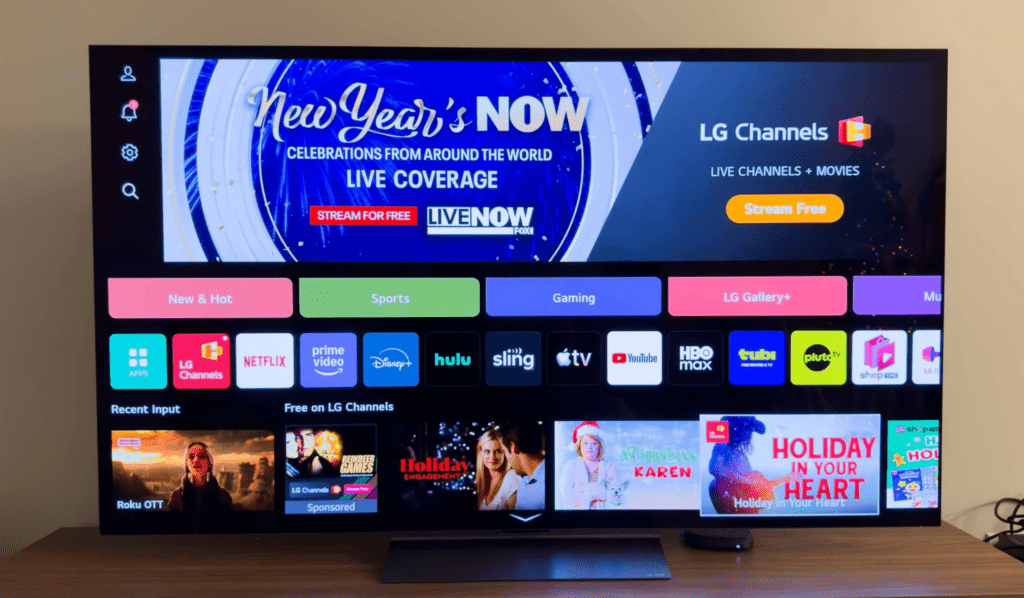
LG C5 OLED Interface: Laggy, Awkward to Navigate, and Outdated in Design.
webOS has never been my favorite TV interface, and my experience on the LG C5 did little to change that. Using it felt frustrating more often than not.
Menus respond slowly, startup takes longer than it should, and basic navigation does not feel natural. The layout looks busy and lacks a clear order or arrangement, which makes simple tasks feel harder than they need to be.
That said, the TV interface matters far less than it once did. For most people, streaming apps are set up once and rarely touched again. After signing in, you are likely using the app buttons or shortcuts on the remote rather than browsing menus.
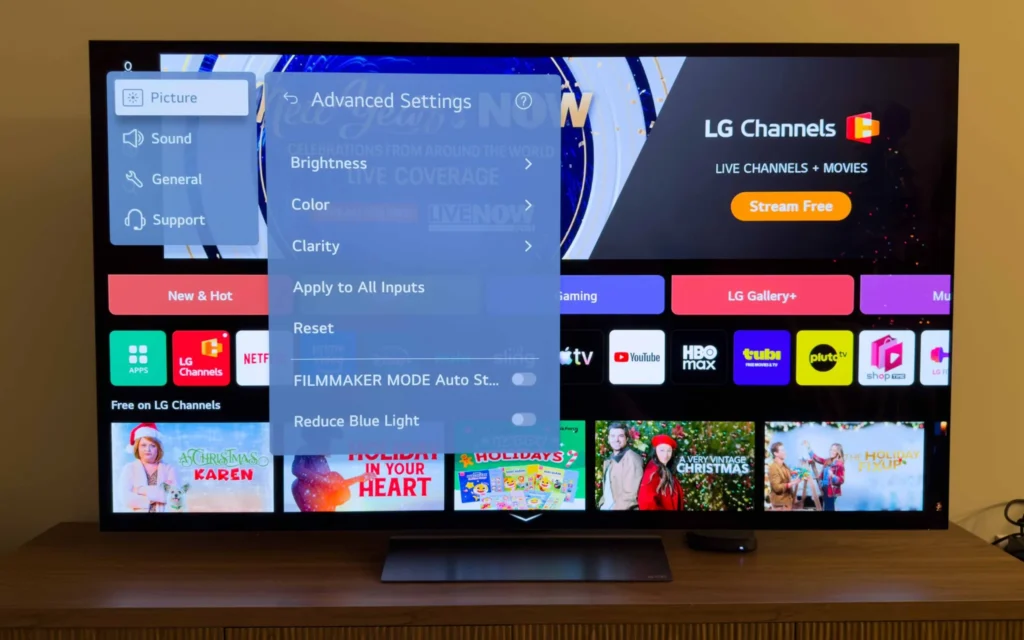
Many users also rely on external streaming devices connected through HDMI. That is how I use most TVs. In that case, the built-in interface only needs to do one thing well, which is switch inputs. Even that simple task felt unnecessarily slow and awkward on the C5.
LG C5 SDR Picture: Color is Fantastic
The LG C5 delivers color accuracy that is very close to reference quality. In standard dynamic range, its colors look almost perfect straight out of the box.
I tested it at 100 nits using Filmmaker Mode with all extra image processing turned off. The results were impressive. The average Delta E came in at 0.32, with a peak of 0.78. That level of accuracy is excellent, especially for a TV that has not been professionally calibrated.
Image sharpness is also strong, and color depth holds up well. The C5 covers about 97% of the DCI-P3 color space, which helps movies and shows look natural and well-balanced. Where it falls short is brightness.
In everyday use, especially during the day, the picture often feels too dim. Measured peak brightness sits around 600 nits. To put that into perspective, the TCL QM9K can reach close to double that level in real scene viewing.
This is a common limitation with OLED TVs and not a flaw unique to the C5. OLED panels shine most in dark environments. They are ideal for movie nights in rooms with controlled lighting. In brighter living rooms with sunlight coming through windows, they can struggle to maintain impact.
The good news is that the C5 handles reflections fairly well, which helps reduce the issue. While brightness remains its weakest point, it is less of a deal breaker than it could have been.