Anthropic has now brought Claude to Microsoft Word, following its earlier extensions for Excel and PowerPoint. The initial impression is strong.
Anthropic describes the tool as built for professionals who spend a significant portion of their work inside documents, with a particular focus on legal review, financial memo drafting, and repeated rounds of editing and revision.
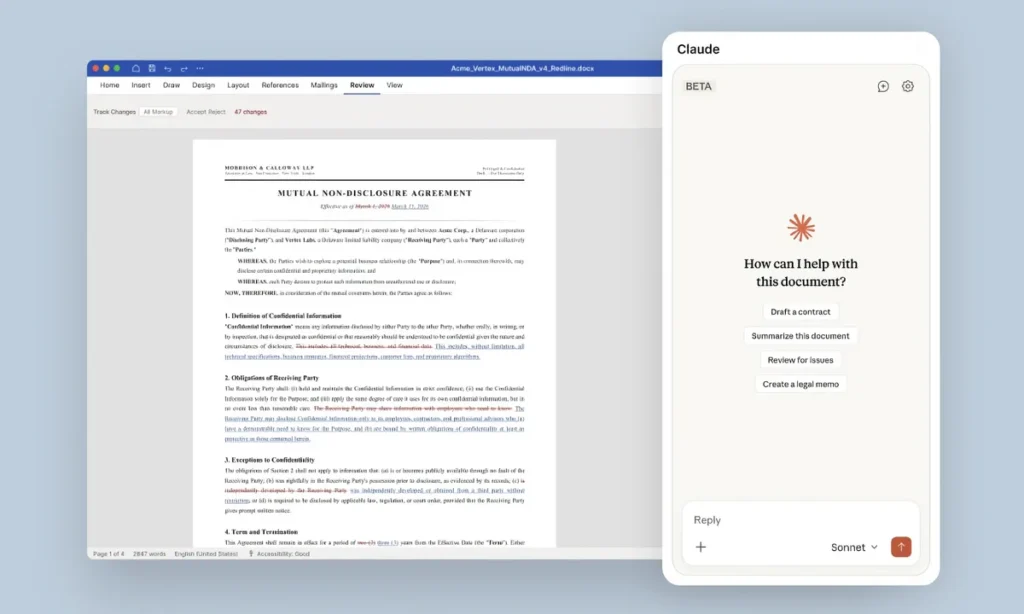
If your work involves long contracts, dense memos, or documents that eat up hours of your day, Claude in Word is aimed directly at you.
What Claude Can Do For You In MS Word
The feature set is broader than you might expect. You can ask Claude direct questions about your document and get answers with clickable citations that take you straight to the relevant section.
Highlight any passage and Claude can clean it up, rewrite it, or simplify it for a non-technical reader, without touching your formatting in the process.
Anyone who has copied text or moved content around in Word knows how quickly formatting falls apart. Claude sidesteps that problem entirely.
You may also like: Anthropic Cuts OpenClaw Access: Here Is What Changed
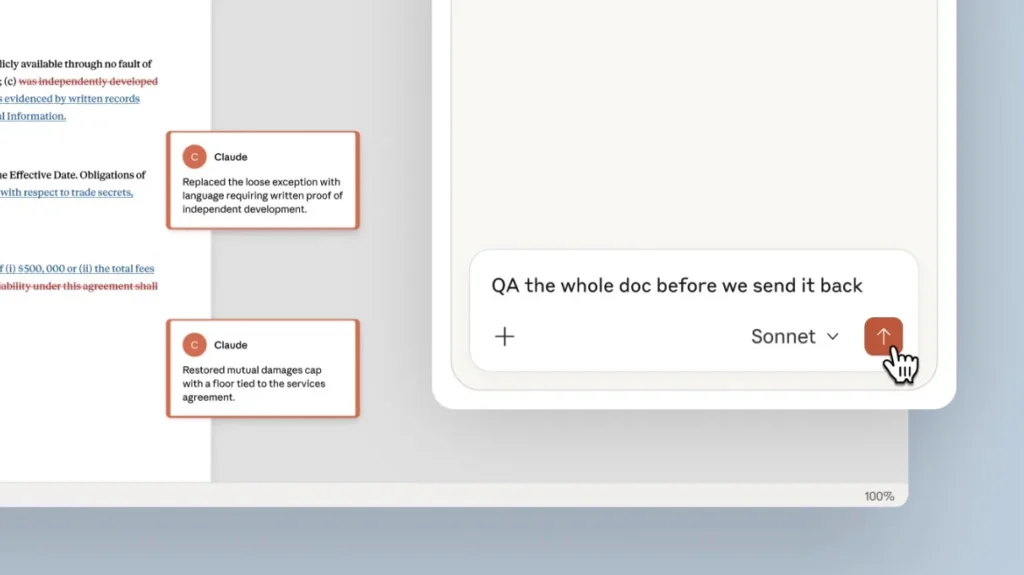
There’s also a tracked changes mode. Any edits Claude makes appear as revisions inside Word’s native review pane, so you can accept or reject each one on your own terms.
On top of that, Claude can read open comment threads, edit the relevant text, and post a reply to the thread explaining what it changed and why. For anyone who spends time managing document reviews with multiple rounds of feedback, that feature alone makes the tool worth trying.
Who Can Use Claude in MS Word
The Word integration isn’t limited to legal use cases. Finance teams can put it to work drafting memos, pulling figures from a financial model, and filling in summary tables.
You can also ask Claude to find every section of a document that relates to a specific topic, and it searches by meaning rather than matching exact words. That distinction matters when you’re working through a long document where the same idea gets expressed in different ways across different sections.
You may also like: Microsoft Scales Back Copilot Across Windows 11 Apps and Features
Since Claude already works inside Excel and PowerPoint, it can pull data directly from an open Excel file into your Word document, skipping the usual copy-paste routine.
The cross-app functionality is where things get interesting, particularly for anyone who regularly builds reports by pulling together data from multiple sources. The time savings there could be significant.
Claude for Word is currently in beta and available on Team and Enterprise plans only. With this release, Anthropic’s direction becomes clearer.
The goal isn’t just to be useful in isolated tools; it’s to be present across the full set of applications people use to get work done. Whether that plays out depends on how the tool holds up when real teams put it through its paces in day-to-day workflows.